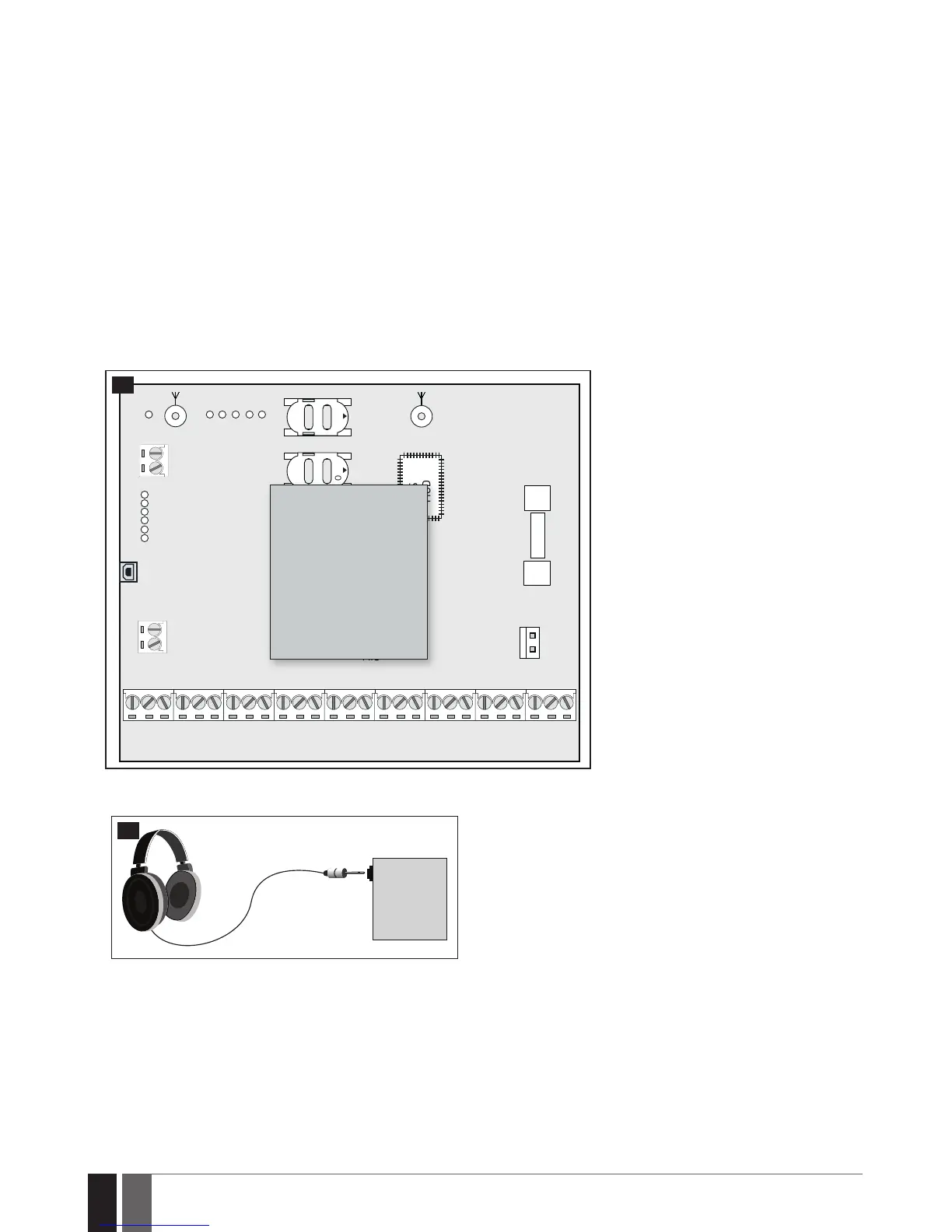
32.3.1. EA1 – Audio Output Module
EA1 audio output module enables a duplex audio connection for ESIM384 alarm system.
Main features:
• Two-wayvoiceconversationduringaphonecall;
• Possibilitytoconnectheadphonesordesktopspeakers.
32.3.1.1. Technical Specications
• 3,5mmfemalejack
• Dimensions:35x33x12mm(1.38x1.30x0.47in)
32.3.1.2. Installation
1. Disconnect ESIM384 alarm system main power supply and backup battery.
2. Insert EA1 pins into appropriate ESIM384 alarm system slots.
ANTW-LESS
GSM/GPRS ANT
TIP
FUSE F1
RING
DEF
SIM CARD1
SIM CARD2
PRG
USB
AKU+
AKU-
C 2
C 3
C 3
C 4
C 4
C 1
S TA T
NE TW
2A
MODULES
MIC
OPENOPEN
BELL-
BELL+
G
Y
C2
AUX-
AUX+
AC /DC
AC /DC
Z1
C O M
Z2
Z3
C O M
Z4
DAT A
+5V
BU Z -
C1
BU Z +
C O M
C O M
C O M
Z6
Z7
Z8
Z5
GSM
MODEM
EA1
ESIM384
49
3. Connect headphones or desktop speakers to EA1 3,5 mm female jack.
EA1
50
4. Power up ESIM384 alarm system.
5. EA1 is ready for use with ESIM384 alarm system.



 To Next Page