32.3.2. EA2 – Audio Output Module with Amplier
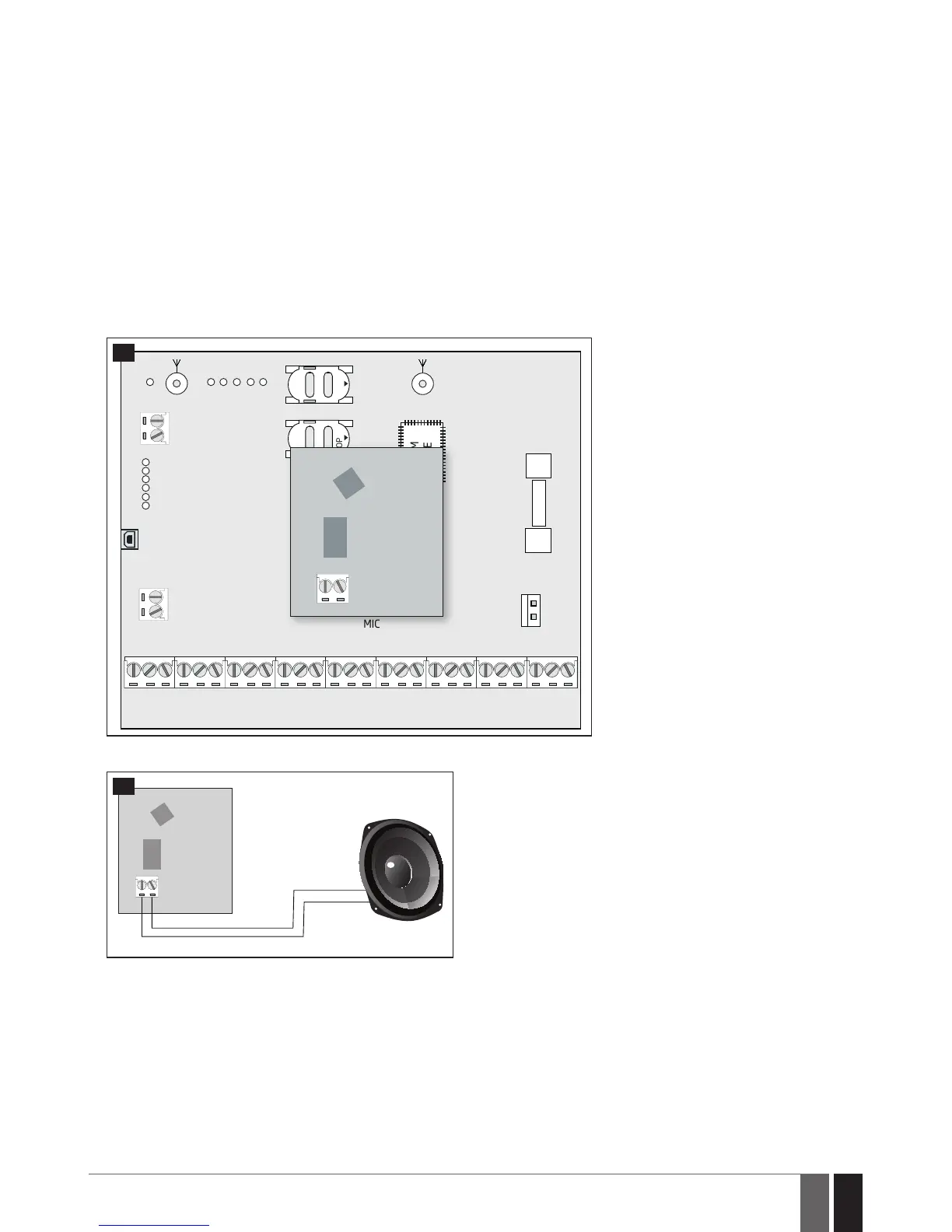
EA2 audio output module enables a duplex audio connection for ESIM384 alarm system.
Main features:
• Two-wayvoiceconversationduringaphonecall;
• Possibilitytoconnectaspeaker.
32.3.2.1. Technical Specications
• 1W8Ωaudioamplier
• Dimensions:41x40x24mm(1.61x1.57x0.95in)
32.3.2.2. Installation
1. Disconnect ESIM384 alarm system main power supply and backup battery.
2. Insert EA2 pins into appropriate ESIM384 alarm system slots.
ANTW-LESS
GSM/GPRS ANT
TIP
FUSE F1
RING
DEF
SIM CARD1
SIM CARD2
PRG
USB
AKU+
AKU-
C 2
C 3
C 3
C 4
C 4
C 1
S TA T
NE TW
2A
MODULES
MIC
OPENOPEN
BELL-
BELL+
G
Y
C2
AUX-
AUX+
AC /DC
AC /DC
Z1
C O M
Z2
Z3
C O M
Z4
DAT A
+5V
BU Z -
C1
BU Z +
C O M
C O M
C O M
Z6
Z7
Z8
Z5
GSM
MODEM
EA2
ESIM384
51
3. Connect a speaker to EA2 Speaker terminals.
EA2
52
4. Power up ESIM384 alarm system.
5. EA2 is ready for use with ESIM384 alarm system.



 To Next Page