. . . . .
SETUP SCREENS
Timed Start / Stop Setup
2-9317-372-00-0 Bravo™ 8105 Programming and Operations Guide 8-87
Timed Start / Stop Setup
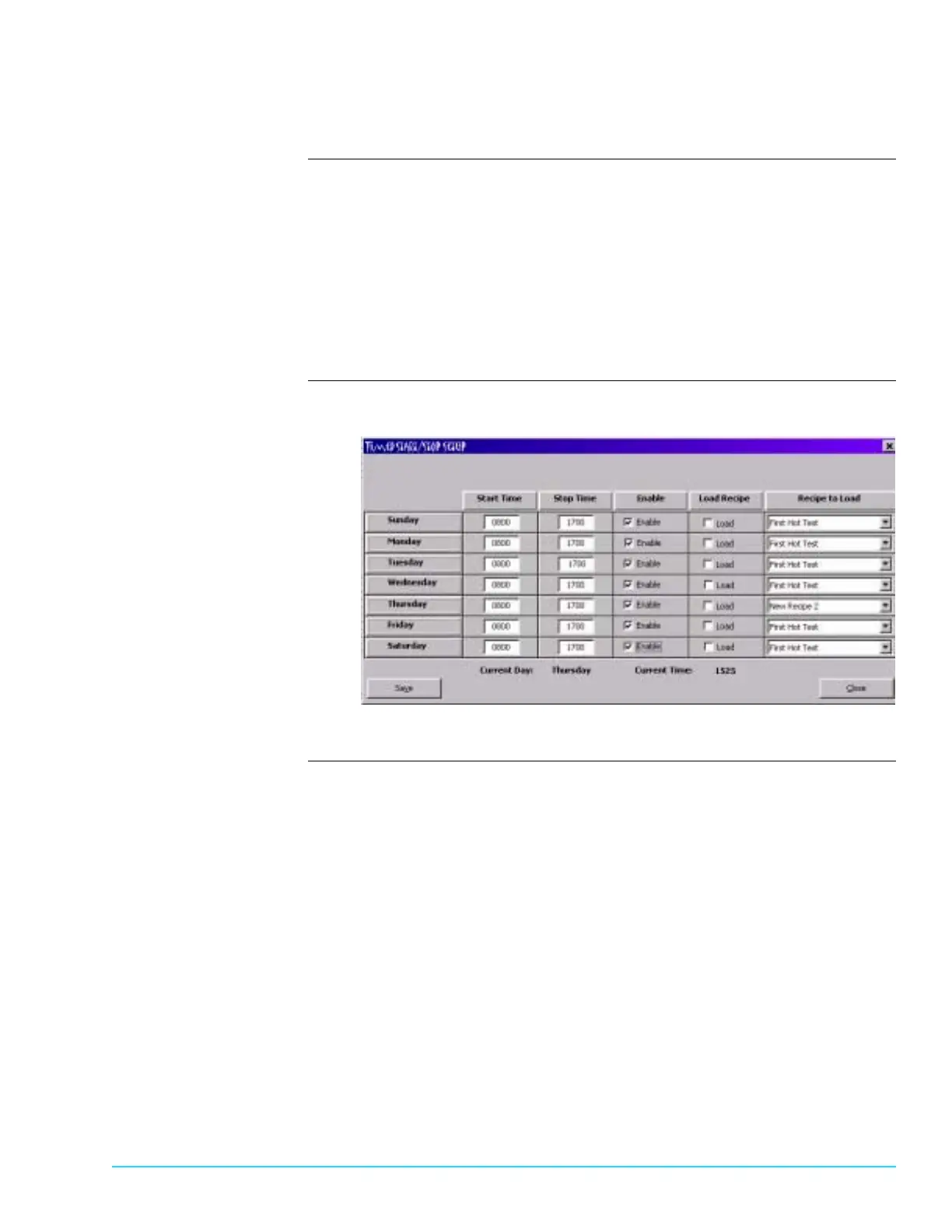
Description Access the setup window for the Timed Start / Stop by selecting Setup > Timed
Start / Stop. Refer to Figure 8–9. Timed Start / Stop automatically starts or stops
the machine at predetermined times. The time is set in the Start Time and Stop
Time columns. Time is entered in 24 hour format (0000 to 2359). The Enable
column must be selected to activate the automatic timer for each day. Each day
is configured individually.
If Load is selected, the recipe appearing in that row loads when the machine
starts. If Load is not selected, the recipe that was active when the machine last
turned Off becomes the active recipe.
Timed Start / Stop
Setup Software Screen
Figure 8–9



 To Next Page