. . . . .
SETUP SCREENS
Power Limiting Setup
2-9317-372-00-0 Bravo™ 8105 Programming and Operations Guide 8-85
Power Limiting Setup
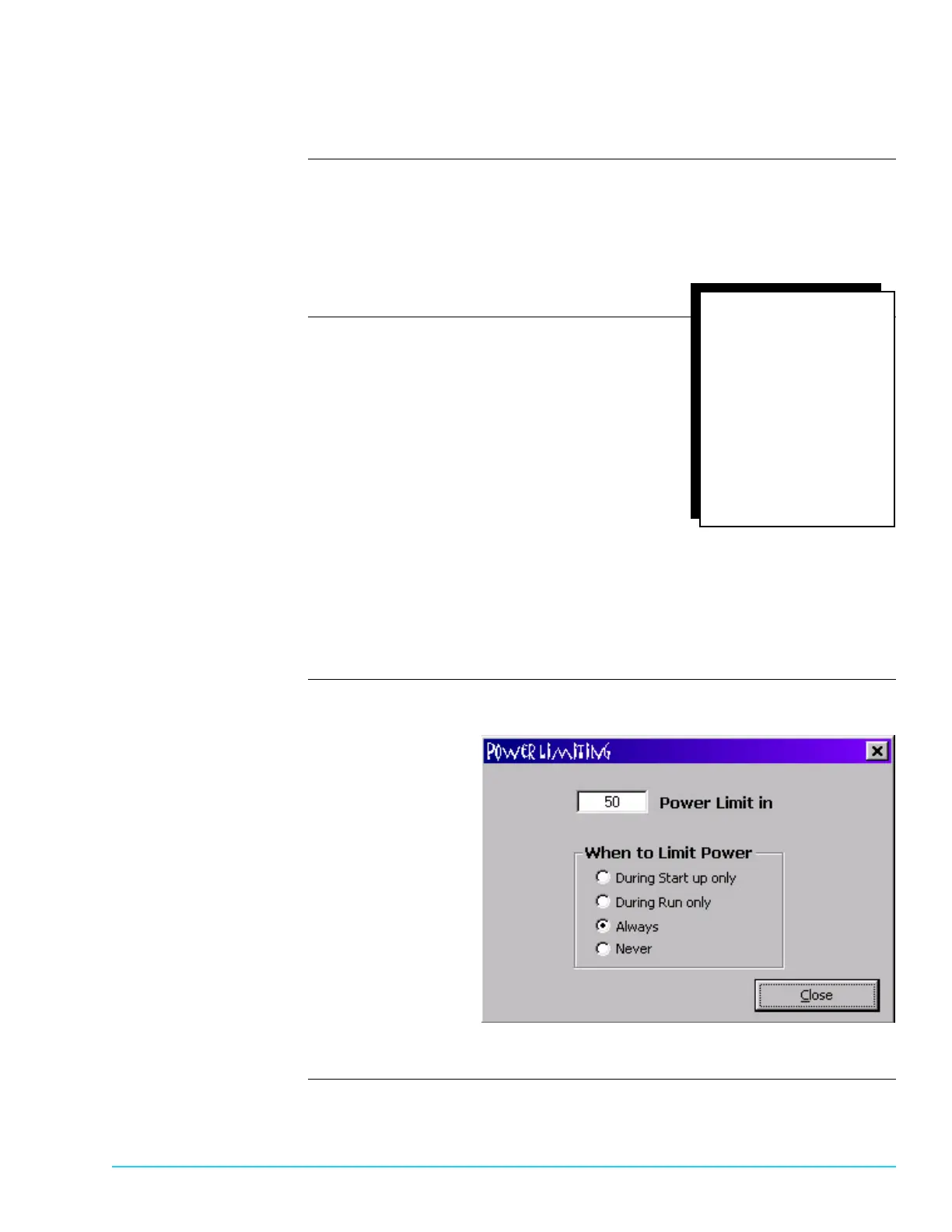
Introduction To configure the Power Limiting feature, select Setup > Power Limiting from the
Menu Bar at the top of the screen. Refer to Figure 8–7.The Power Limiting
feature is user–configured. Its purpose is to limit power consumption to a
percentage of the total voltage. The Power Limiting voltage during normal
machine operation must be set higher than the duty cycle of the heaters or a
Temperature Deviation Alarm occurs.
Power Limiting Options During Start Up Only
Limits power consumption until machine
reaches Ready state, but not during
run time.
During Run Only
Limits power consumption after machine
reaches Ready state, but not during
start up.
Always
Limits power consumption anytime
the machine is in operation.
Never
Does not limit power consumption
at any time.
Power Limiting Setup
Software Screen
Figure 8–7
To view the duty cycles
of the heaters:
Select Maint/Diag
from the menu bar
at the top of
the screen
*
Select PID
*
Select desired
zone and heater
to view
*



 To Next Page