2-9317-372-00-0 Bravo™ 8105 Programming and Operations Guide 8-77
8
. . . . .
. . . . . . . . . . . . . . . . . . . . . . . . . . . . . . . . . . .
Setup Screens
Alarms Setup
Introduction The Alarms are set up by selecting Setup > Alarms from the Menu Bar at the top
of the screen. Alarms are set to Warning Only by default. It is possible to change
the configuration of the alarms to either Hard Stop or Soft Stop. No selection in
any of the columns causes an alarm to be ignored.
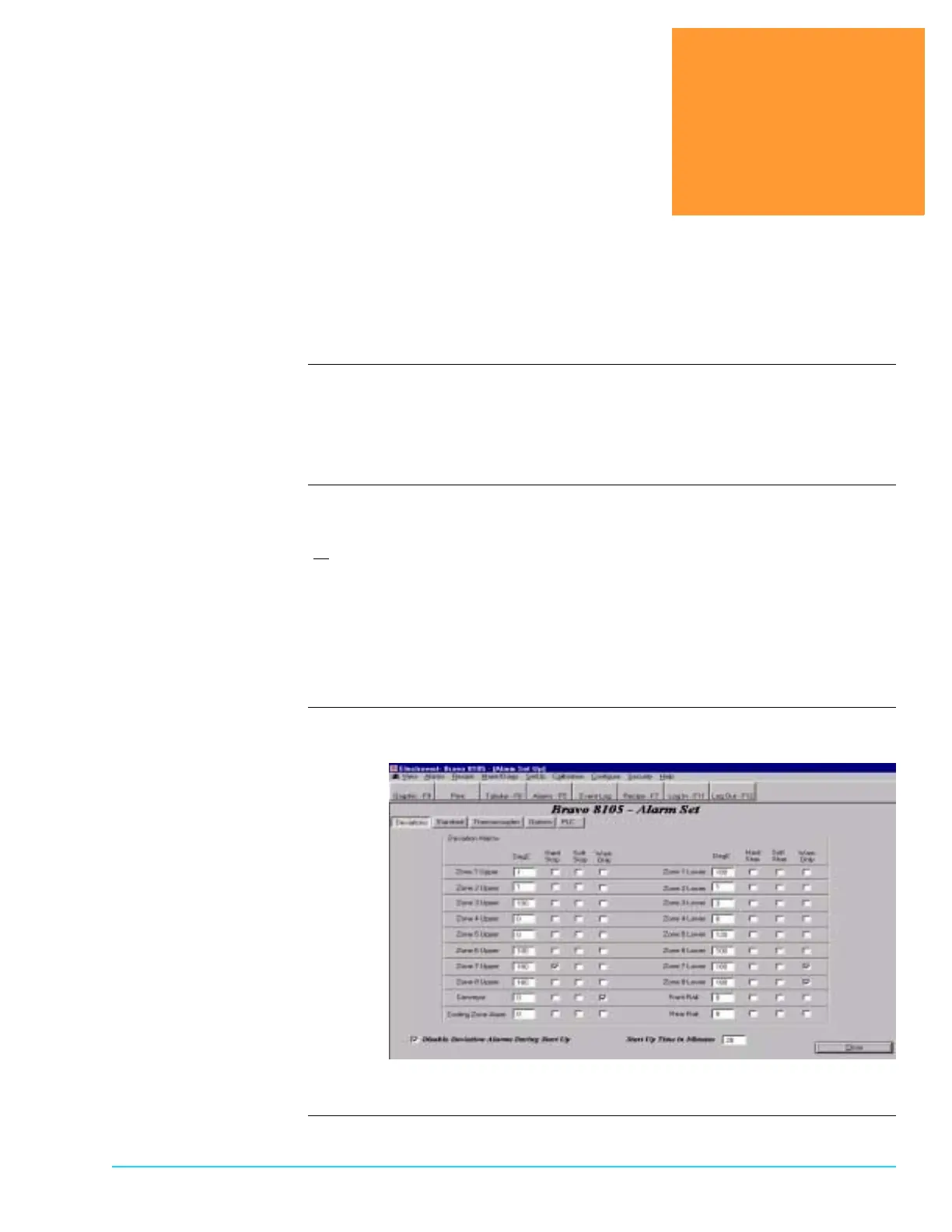
Deviations Tab The Deviations Alarms refer to the bandwidth allowed on either side of the
Setpoint value before a deviation alarm activates. The value is a plus or minus
(+
) value. For example, consider a deviation value of 10° C and a setpoint value
of 220° C. If the temperature falls below 210° C or rises above 230° C, an
alarm activates.
The Conveyor Setpoint deviation is set in inches per minute. If the conveyor
speed exceeds either the minimum or maximum bandwidth value, and alarm
activates. Access the screen by selecting Setup > Alarms > Deviations from the
Menu Bar at the top of the screen. Refer to Figure 8–1.
Deviations Alarms
Setup Software Screen
Figure 8–1



 To Next Page