. . . . .
MAINT/DIAG SCREENS
PLC Status
2-9317-372-00-0 Bravo™ 8105 Programming and Operations Guide 10-111
PLC Status
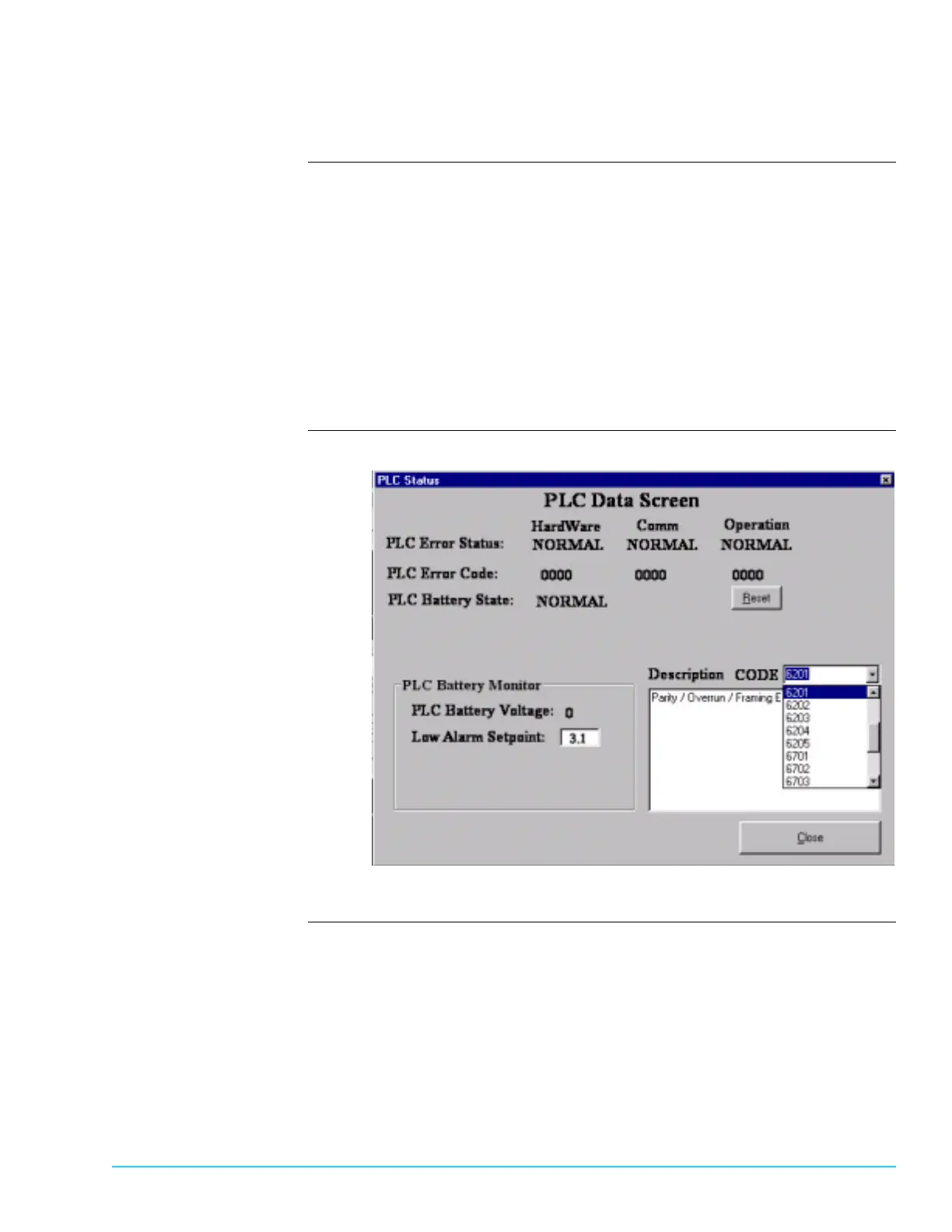
Description The PLC Status Window monitors the status of the PLC hardware,
communication and operation. Access the window by selecting Maint / Diag >
PLC Status from the menu bar at the top of the screen. Refer to Figure 10–7.
• The first line displays the ERROR status. Normal is default and indicates
proper function. The second line displays the PLC error code. 0000 is default
and indicates proper function.
• If a number other than 0000 displays, the dropdown menu next to
“Description CODE” provides an interpretation of the error code.
• The PLC 3.6 V lithium battery status is monitored and voltage is dis-
played. The Low Alarm Setpoint generates an alarm when the voltage falls
below the user–specified parameter. The low voltage alarm defaults to 3.1.
Software Screen
Figure 10–7



 To Next Page