. . . . .
SOFTWARE NAVIGATION
Process Graphic Screen
2-9317-372-00-0 Bravo™ 8105 Programming and Operations Guide 3-35
Process Graphic Screen
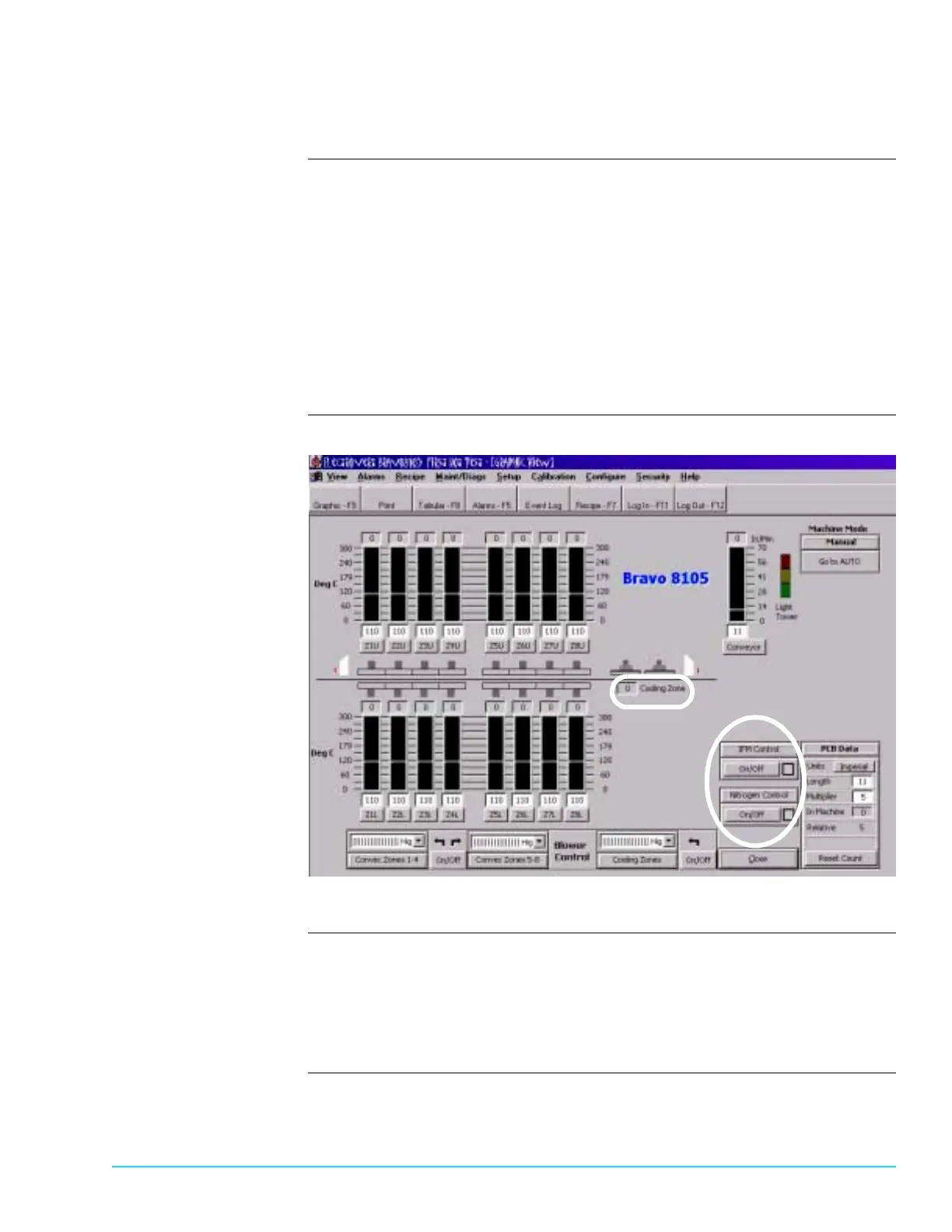
Nitrogen Controls The Process Graphic Screen contains an On/Off toggle for Nitrogen control. The
button appears at the bottom right of the screen. If the optional IFM is also
present, the On/Off button for the IFM appears above the Nitrogen On/Off button.
If the Nitrogen button does not appear, go to Configure > Options and ensure
that “Inerting” is selected.
The temperature measured by the thermocouple in the Cooling Zone displays on
the Process Graphic Screen. It appears toward the center of the screen to the
right of the heater display.
Refer to Figure 3–5 for a screen capture of the Process Graphic Screen showing
the inert option.
Software Screen
Figure 3–5
Turning Nitrogen On
and Off
The Nitrogen On/Off control is saved specific to a recipe. If Nitrogen is selected in
the recipe, it turns On automatically when the recipe is loaded. To manually turn
On the Nitrogen, click on the On/Off toggle button. If the hood is opened, the
Nitrogen turns Off automatically. If the exhaust pressure is low or the coolant
flow is low, a warning alarm activates but the nitrogen does not turn Off.



 To Next Page