SOFTWARE NAVIGATION
Process Graphic Screen
3-30 Bravo™ 8105 Programming and Operations Guide Rev. 2
3
Section A: Standard Machine Software Operation
. . . . . . . . . . . . . . . . . . . . . . . . . . . . . . . . . . .
Process Graphic Screen
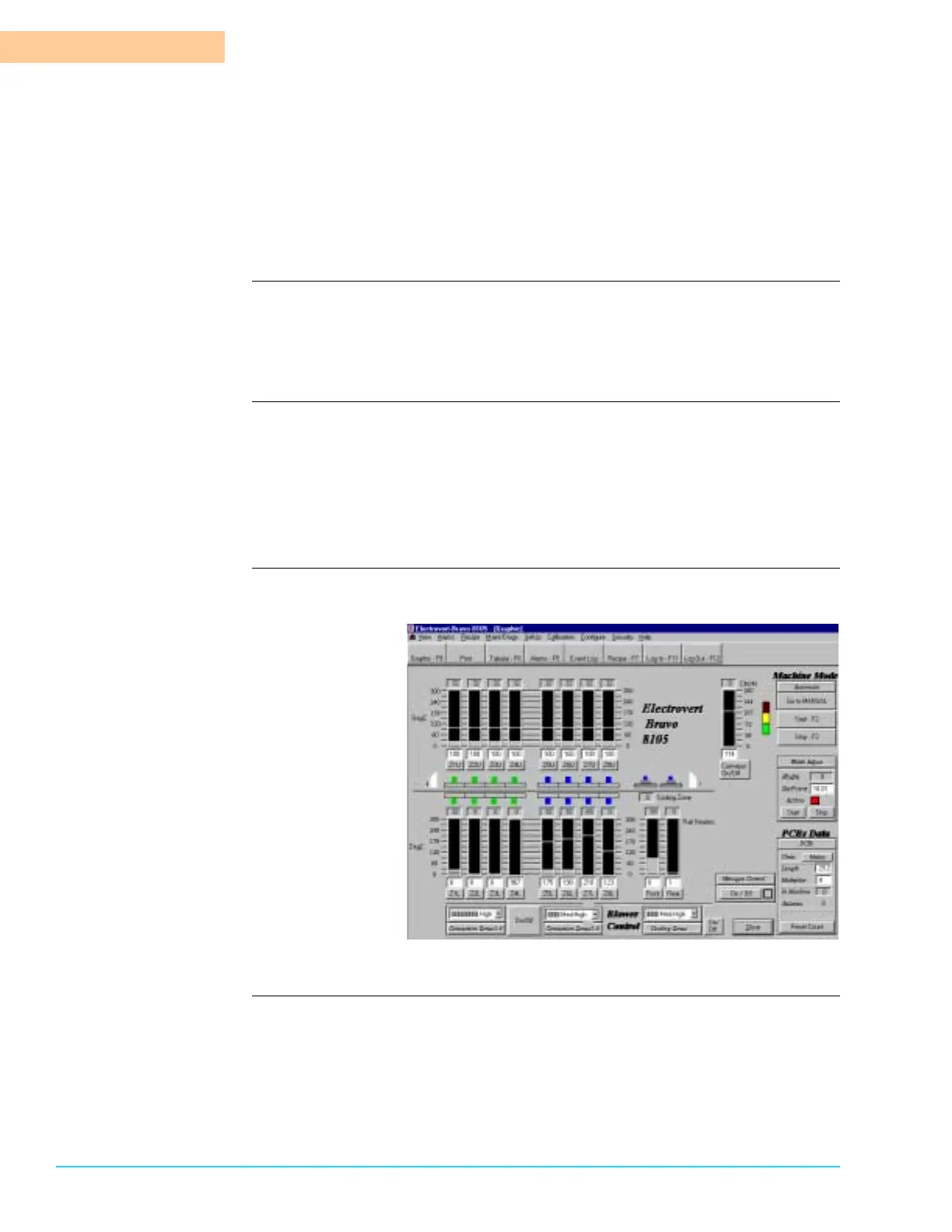
Machine Components All of the components of the Bravo™ 8105 are accessible through the Process
Graphic screen. Refer to Figure 3–1.The main components of the machine are the
Conveyor, the Heaters and the Blowers in the Heating Chamber, and the Blowers
in the Cooling Zone.
On/Off Turn the Bravo™ On by pressing Function Key F2 when in Auto Start Mode. In
Manual Mode, each component is started individually.
Turn the Bravo™ Off by pressing Function Key F3 when in Auto Start Mode. In
Manual Mode, each component is stopped individually. Note that the blowers in
the Heating Chamber remain On until the temperature falls below 95° C (203°
F).
Software
Representation
Figure 3–1
Heater Control Turn the Heaters On by clicking on the applicable zone associated with a
setpoint. Upper Zones are abbreviated “ZxU” where x represents the zone
number. Lower Zones are abbreviated “ZxL” where x represents the zone
number.



 To Next Page