CONFIGURATION SCREENS
Miscellaneous Parameters Configuration
9-104 Bravo™ 8105 Programming and Operations Guide Rev. 2
9
Miscellaneous Parameters Configuration
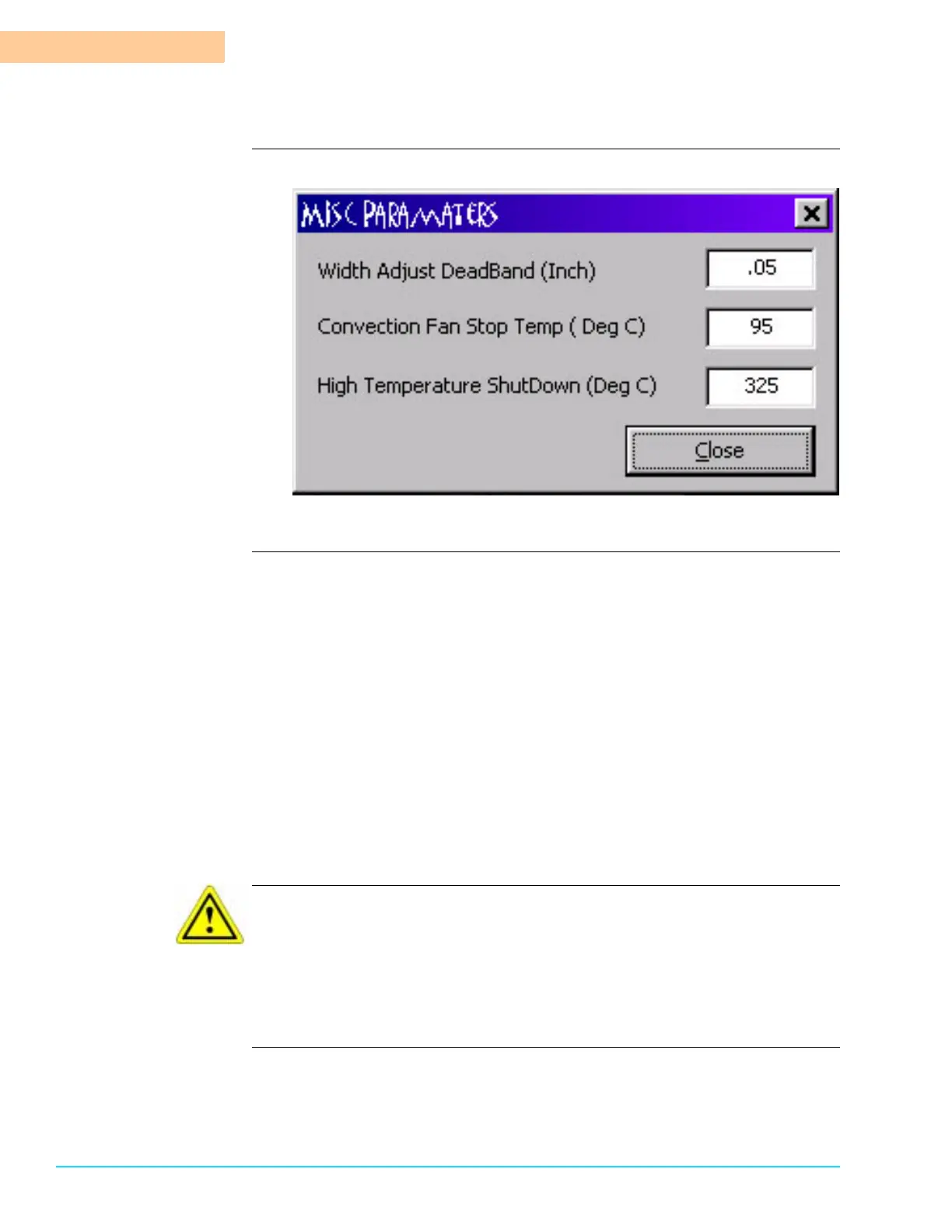
Software Screen
Figure 9–10
Parameters Width Adjust DeadBand AutoAdjust STOP
The automatic Width Adjust measurement allows a variance of this amount
when coming to a setpoint. It allows the conveyor to stop accurately without
generating a deviation alarm.
Convection Fan Stop Temp for AutoStop in DegC
When the Bravo™ system shuts down via Auto Stop, the fans in the Heating
Zone stay On until the temperature of the Heating Chamber falls below this
temperature in Centigrade.
High Temperature Alarm ShutDown in DegC
This is the temperature in degrees Centigrade that is the maximum
temperature allowed by the machine control software. If the temperature of
the Heating Chamber exceeds this temperature, a High Temperature Alarm
generates and the machines turns Off. It is a necessary safety feature. Do
NOT disable.
CAUTION
Altering the high temperature shutdowns to a higher temperature may result in
unsafe operating conditions. Hot surfaces exist. Additionally, in inert machines,
the pressure in the heat exchangers remains dangerously high at higher
temperatures. Do not attempt to force the removal of a heat exchanger if the
quick release collar does not yield to pressure.



 To Next Page