CONFIGURATION SCREENS
PC Settings Configuration
9-90 Bravo™ 8105 Programming and Operations Guide Rev. 2
9
PC Settings Configuration
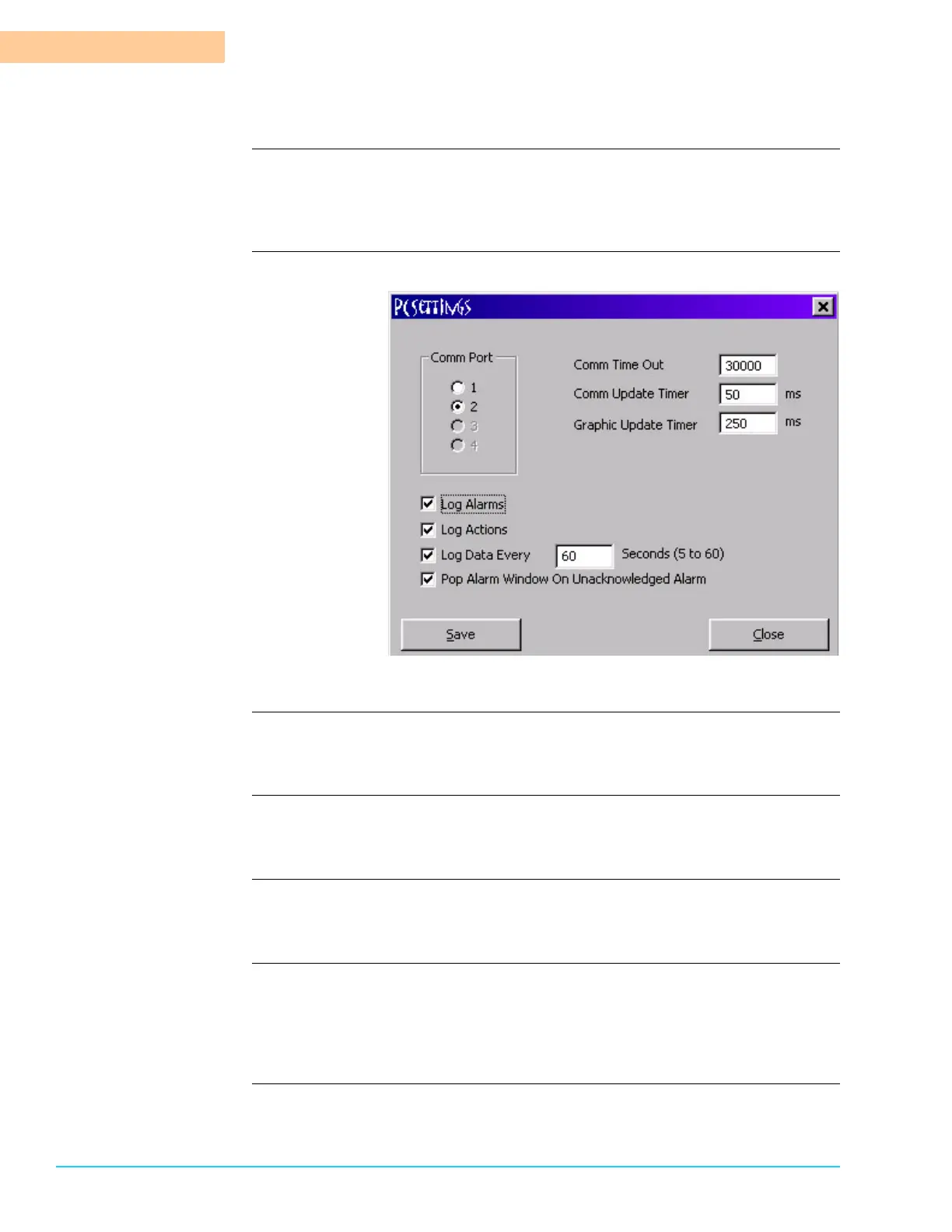
Introduction The PC Settings are configured by selecting Configure > PC Settings from the
Menu Bar at the top of the screen. Refer to Figure 9–2. Default values are preset
at the factory.
Software Screen
Figure 9–2
Comm Port There is one (1) physical connection and four (4) software selected ports. Default
is 1.
Comm Time Out Comm Time Out is the number of times communication is attempted before an
error occurs. Default is 15,000.
Comm Update Timer Comm Update Timer is the time between data exchanges between the PLC and
the PC. Default is 500 ms.
Graphic Update Timer The refresh rate in milliseconds for the video display is determined by the value
entered in Graphic Update Timer. Sometimes a slightly higher or lower value
improves the appearance of the display when industrial noise interferes with an
optimal display.
Log Alarms Records any alarms in the alarm history file. If this is not selected, the alarms are
not recorded in the log history.



 To Next Page