BRAVO™ SYSTEM OPERATION
Powering Up the Bravo
4-44 Bravo™ 8105 Programming and Operations Guide Rev. 2
4
Section A: Machine Operation
. . . . . . . . . . . . . . . . . . . . . . . . . . . . . . . . . . .
Powering Up the Bravo
Introduction Refer to this section for information pertaining to starting the system.
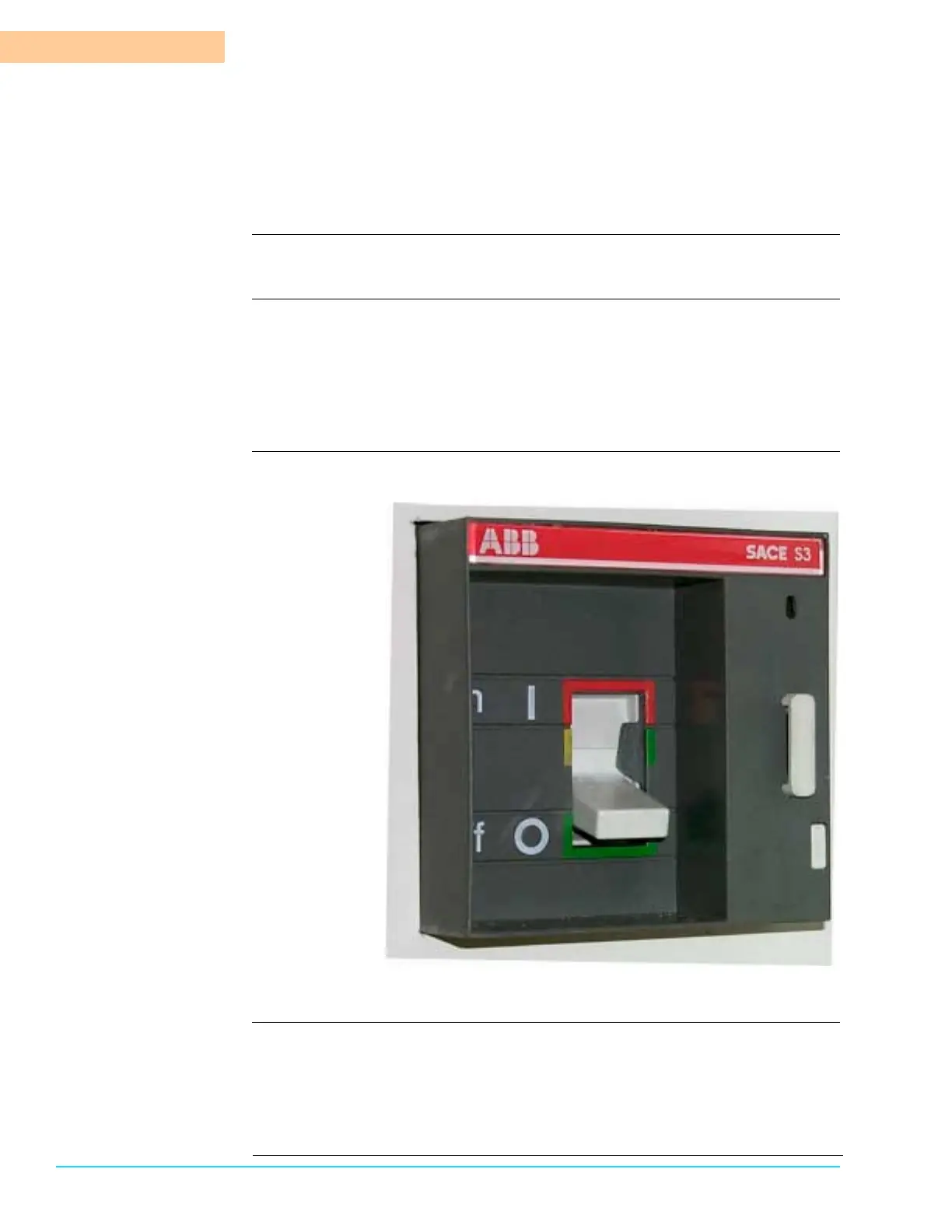
Machine Start Turn the Bravo™ System On at the Main Power Disconnect Switch by placing the
switch in the On (1) position. The Main Power Disconnect Switch is located on
the lower Unload End of the Bravo™.
• The machine starts.
• The computer turns On.
Photograph Figure 4–2 depicts the Main Disconnect Switch in the Off (0) position.
Figure 4–2
After Power is Applied The Bravo™ System Software opens. Selecting either the Graphic button (also
Function Key F9) or the Tabular button (also Function Key F8) at the top of the
screen opens a Process Screen.
The Process Screen opens in the default Security level. To operate the machine it
is necessary to have the applicable fields selected in the Security Access Screen.



 To Next Page