PI-135 OPERATOR’S MANUAL
116
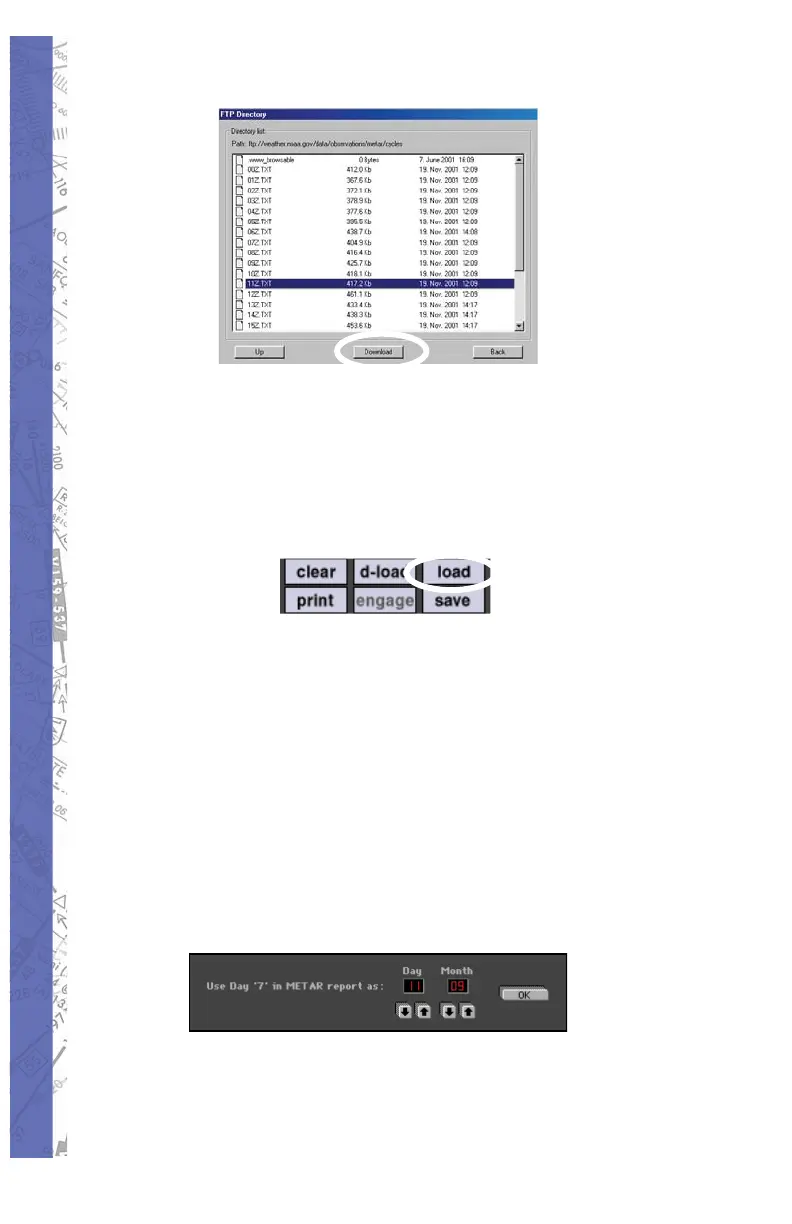
Once the download process has fi nished, 4.
click the BACK button to leave this menu.
In the METAR or METEO Page, press the 5.
LOAD button to select the fi le from the
directory list you downloaded.
NOTE: ELITE will only open the METAR fi les corresponding
to your installed GenView Navigation data.
Once the fi le is selected, click the 6. BACK
button to leave the directory list.
METAR reports are updated frequently and 7.
cor re spond to specifi c UTC times and dates.
These re ports however can be linked to any
specifi c date. To ‘link’ your selection to a
specifi c date choose the date and click the
OK button to continue.



 To Next Page