7800/7700 MultiFrame Manual
7814 Series Dual HDTV Up/Down/Cross Converters
Revision 1.1.3 Page - 41
7.1.1.5. Video Input Source
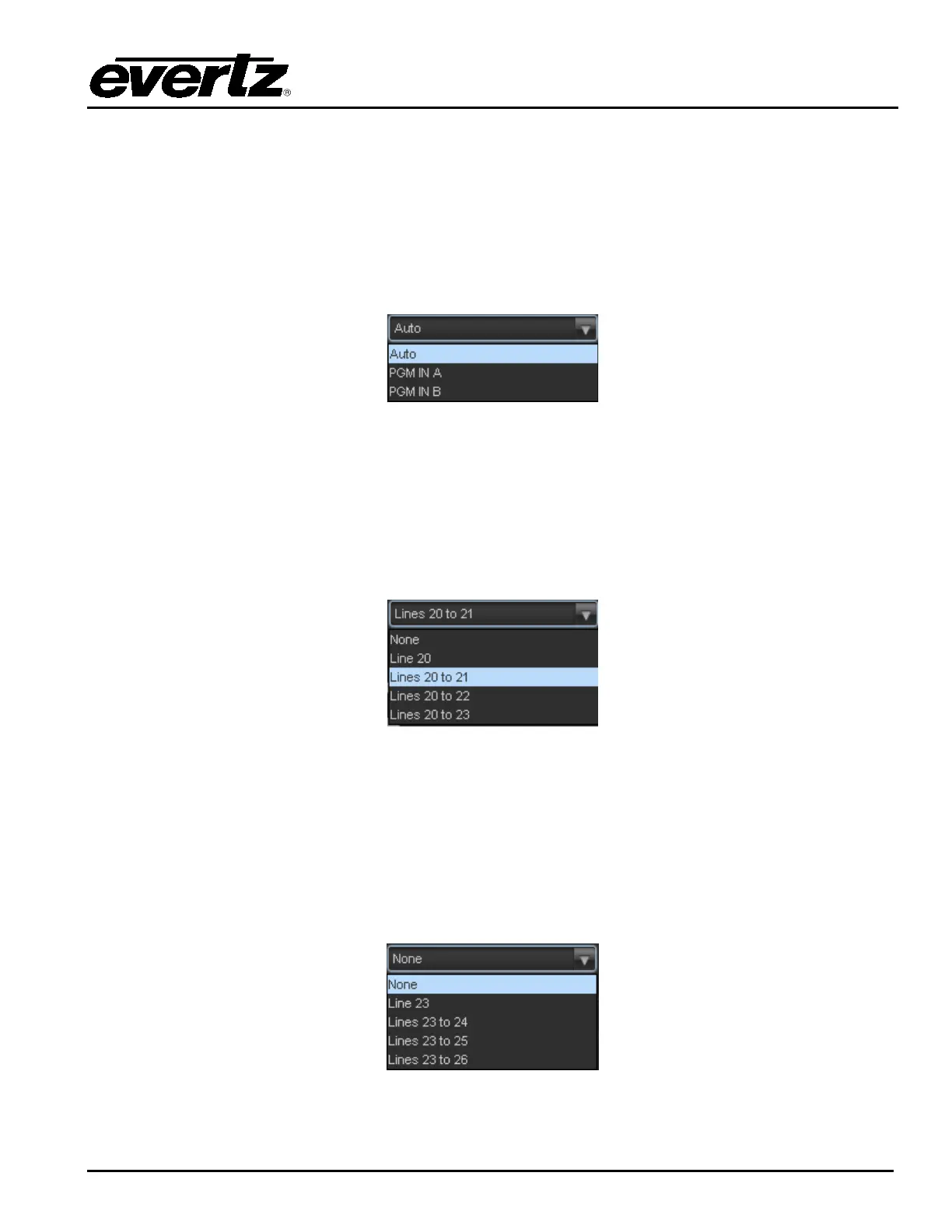
The Video Input Source control selects whether the source of input video will be the PGM IN A or the
PGM IN B DIN connector. In this control, select PGM IN A to process video supplied on PGM IN A
through the main up/down/cross conversion path. Select PGM IN B to process video supplied on PGM IN
B through the main up/down/cross conversion path. Select Auto to enable the card to automatically fail-
over to the alterative input DIN should video on the DIN in active use become invalid for any reason. The
drop down for Video Input Source appears as follows:
7.1.1.6. SD Blanking – 525i/59.94
With this control, you can adjust which standard definition lines will be blanked prior to processing SD
input signals. It is customary to blank line 21 where closed caption information may be present. Note that
the caption translation process will still occur as expected even when line 21 is blanked. This control
simply prevents caption waveforms from being processed as video. The drop down for SD Blanking
appears as follows:
7.1.1.7. SD Blanking – 625/50
With this control, you can adjust which standard definition lines will be blanked prior to processing SD
input signals. It is customary to blank line 23 where closed caption information may be present. Note that
the caption translation process will still occur as expected even when line 23 is blanked. This control
simply prevents caption waveforms from being processed as video. The drop down for SD Blanking
appears as follows:



 To Next Page