ER1 User Guide 8-11
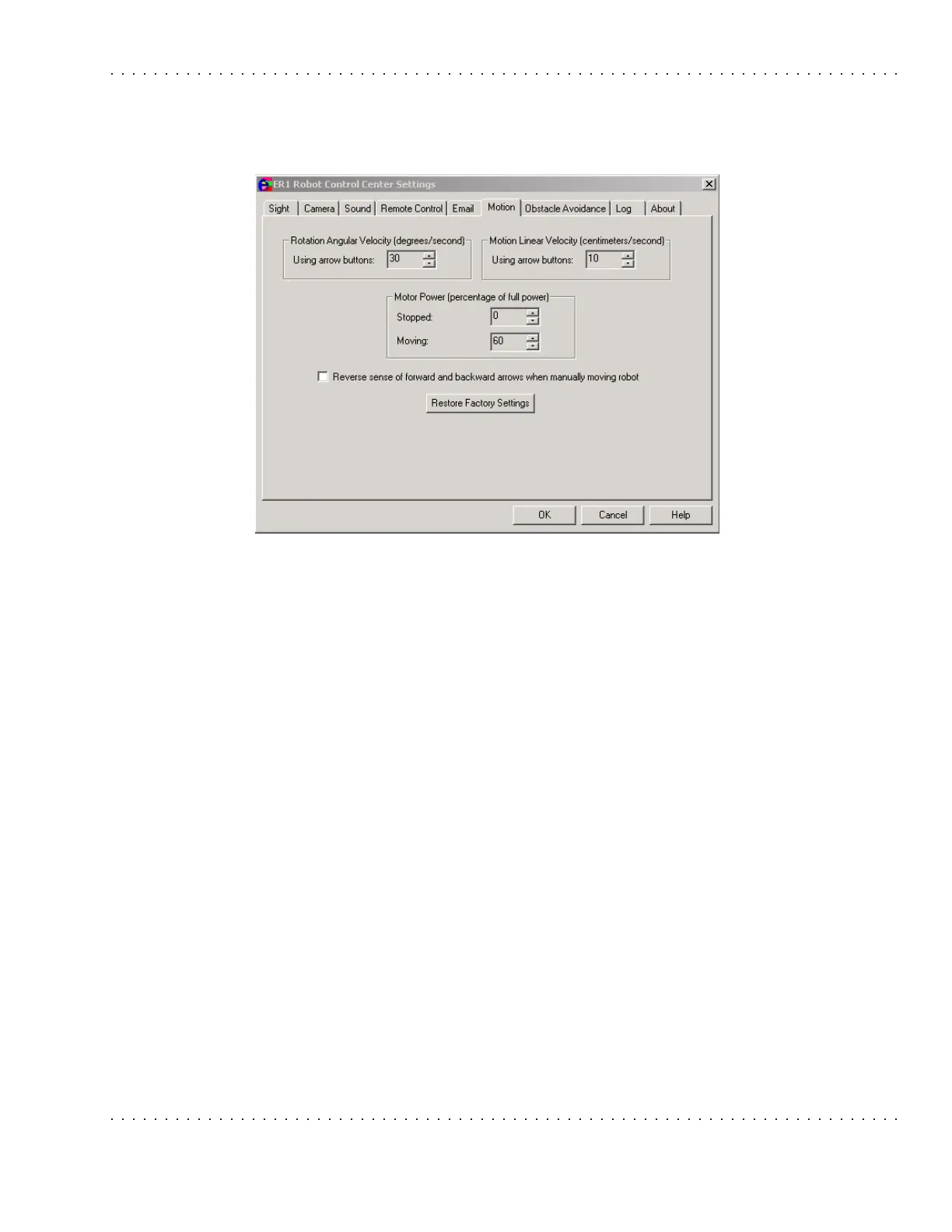
Motion Tab
Motion Tab
This tab is used to configure options related to the robot's motion. These options apply
only when the direction buttons are used.
The Rotation Angular Velocity options allow you to specify, in degrees/second, how fast
or slow the robot should rotate when performing various modes of action. The maximum
value is 90 degrees/second. The minimum value is 5 degrees/second.
• Using arrow buttons - The maximum speed of rotation when clicking one of the
two directional buttons.
The Motion Linear Velocity area allows you to specify, in centimeters/second, the
maximum linear velocity of the robot. The maximum value is 50 cm/sec, because the
robot cannot be operated safely above this speed. The minimum value is 5 cm/second.
• Using arrow buttons - The maximum linear velocity when clicking forward and
reverse directional buttons.
The Motor Power options let you specify the percentage of full power that the robot
should use under the following conditions:
• Stopped - When the robot is not moving, there is no reason for the robot's motor to
be powered. It causes the battery to drain faster, and makes noise. The default value
for this option is 0%.
• Moving - The robot does not need 100% power to perform most activities. It would
only need full power if it had to travel up a steep incline or if it were traveling over
a high friction surface, such as a shag rug. Leaving this value at the 60% default
value should provide adequate power for all other instances. Remember, the less
power you're using, the longer the robot's battery charge will last.
The Reverse sense of forward and backward arrows when manually moving the robot
checkbox will change the upward pointing arrow (under the Obstacle Avoidance camera



 To Next Page