ER1 User Guide 8-13
Obstacle Avoidance Tab
navigation, but it might also interfere when approaching a target. For example, the robot is
approaching a painting on a wall. If it sees too far ahead, it might see the base of the wall
too soon and turn away before it gets close enough to the painting. Therefore, the ideal
height of the camera is dictated by the particular environment that the robot operates in
and the goals it has to accomplish. You should experiment with different camera heights to
see which would work best in your particular environment.
Avoidance Camera Calibration
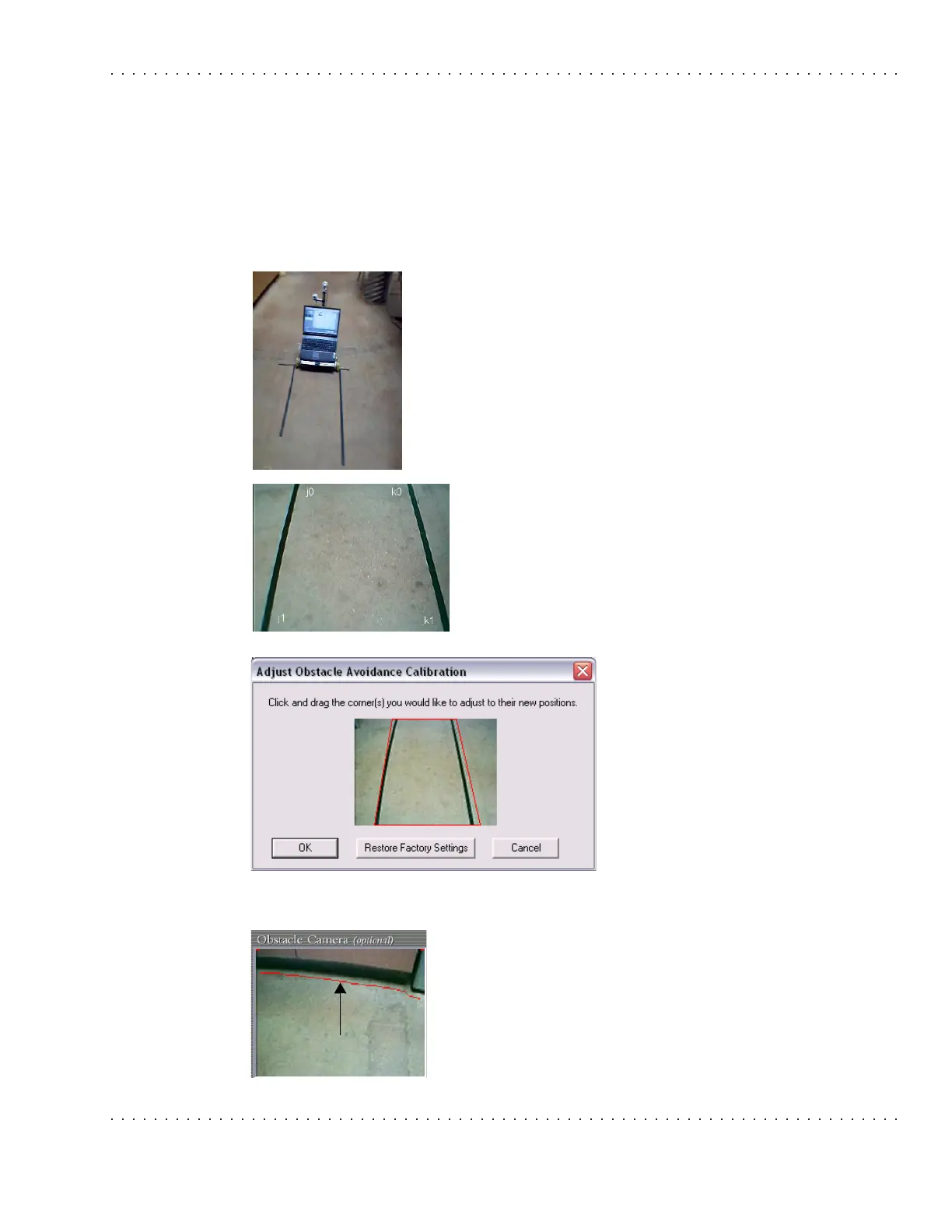
Once the camera is placed on the robot, it needs to be calibrated for
best effect. To calibrate the camera, place two long straight edges
or put two parallel lines of tape on the ground alongside the robot.
These edges or tape lines should be right outside of the two wheels.
The avoidance camera should show a trapezoid formed from the
straight edges or tape lines.
The edges or tape lines should be such that they extend to or past
the top of the avoidance camera video feed as displayed on the
RCC.
Click on Capture New Calibration Image in the
Settings>Obstacle Avoidance tab. (Note that this must be
done on the robot’s laptop, not a remote computer.) The
obstacle avoidance camera’s current video display will be
captured and displayed on a submenu, with the trapezoidal
avoidance area outline overlaid on the image:
Avoidance Camera View
The avoidance camera view displays what the avoidance camera
sees pointing downward toward the floor, along with red marks
indicating where obstacles are detected. If there's just a straight
red line along the top of the image, no obstacle is detected.
When obstacles are seen, the red marks move down from the top
to indicate where the avoidance algorithm sees the obstacles in
the image.



 To Next Page