ER1 User Guide 8-9
Email Tab
that connections can occasionally be dropped. The reset checkbox can be used
to reconnect the base unit to the remote instance, assuming, of course, that a
network connection is available.
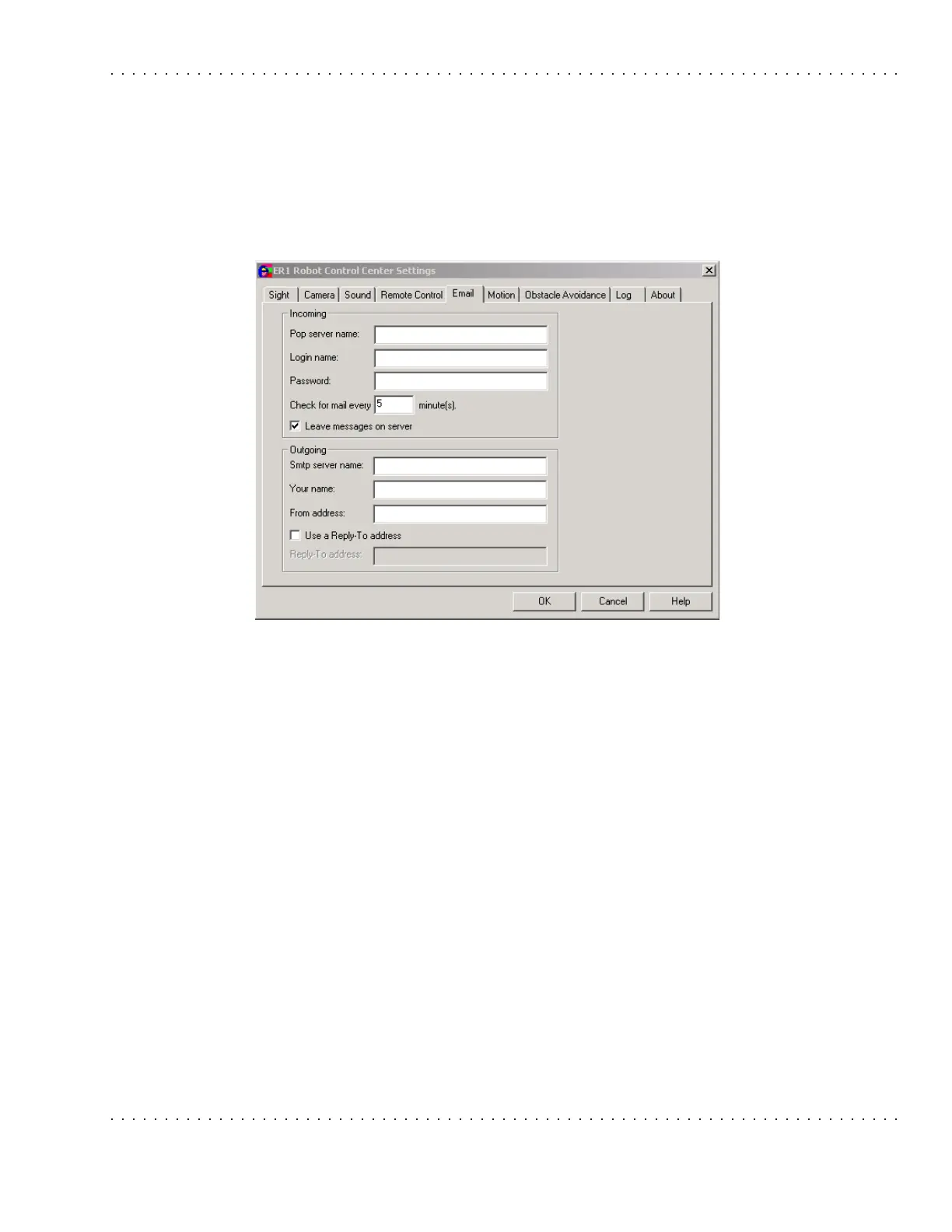
Email Tab
This tab is used to set up ER1 email parameters for both incoming and outgoing email
(you must have Internet access on your laptop for this to work).
If you plan to program your robot to send and receive email, you need the following:
• A POP account for your robot.
• An email account for the robot.
• Evolution Robotics will provide a RobotMail email account that will allow your
robot to receive simple commands. You will need to provide a separate email
account for sending email from the robot. We strongly recommend that you set
up a separate email account for your robot. This will keep your personal
mailbox free of robot command emails, and will keep the robot from
downloading all your email to look for any that may be intended for the robot.
See the Message Receive Condition section for information on setting up your
RobotMail account.
Important Note: The messages transmitted to the robot are not direct instructions, but are
messages which, based on the sender, subject, and/or body will result in activation of a
scripted action.
These parameters must be correctly set before the If>Incoming email or the Then>Send
email features will work. These parameters do not have default values.



 To Next Page