Chapter 9 Behavior Settings
9-2 ER1 User Guide
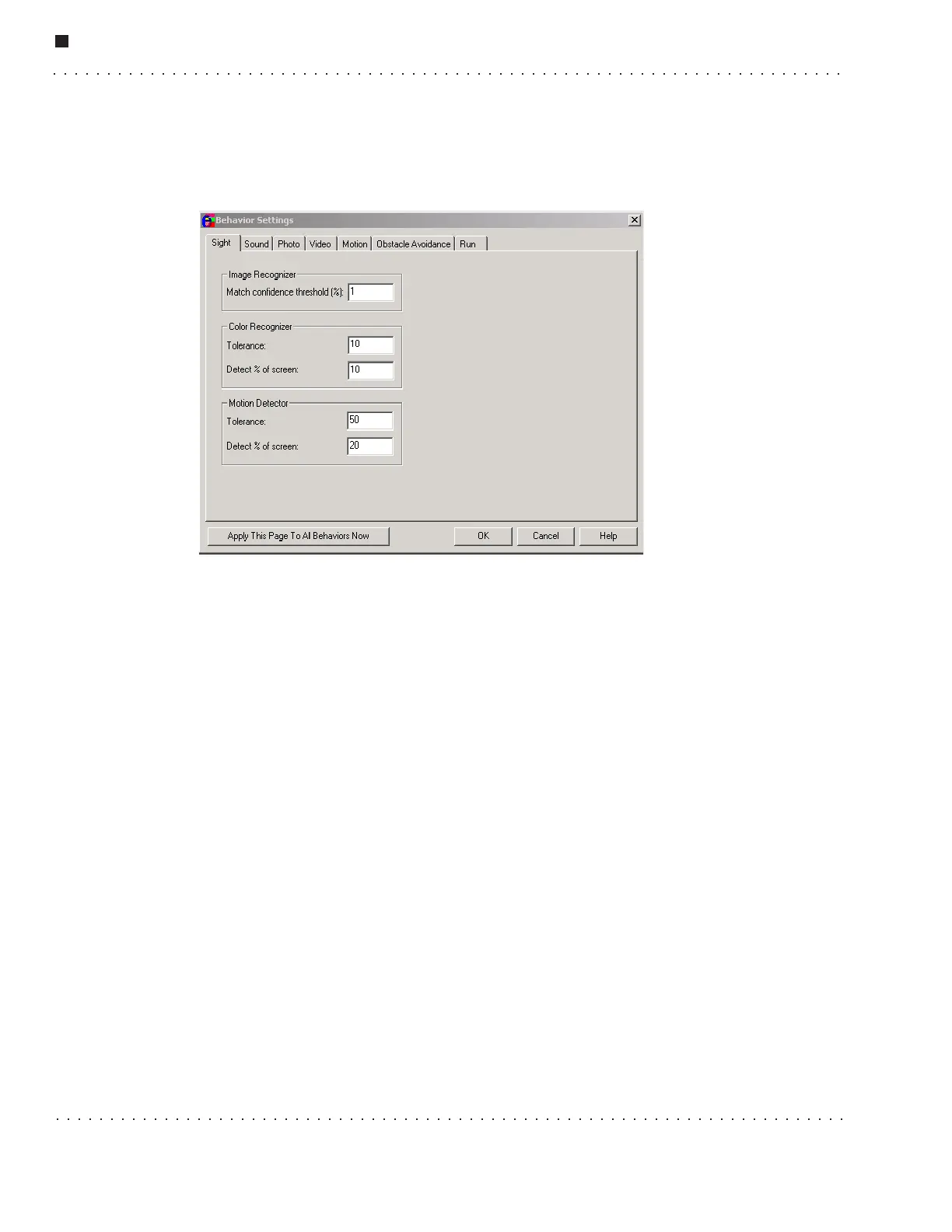
• Match confidence threshold (%) – Allows you to set a minimum image
recognition confidence threshold. The software assigns a confidence percentage to
each object it recognizes, which is displayed in the Image Text area after the
object’s name. The higher the percentage, the greater confidence the software has
that it has correctly recognized an object.
Color Recognizer
These parameters are used set the sensitivity of ER1’s color recognition feature.
• Color Tolerance - This parameter allows you to specify a minimum color
recognition tolerance value. The lower the number, the greater confidence the
software has that it has identified the correct color.
• Detect % of screen - Setting this parameter allows you to set the percentage of the
camera’s video display that must contain the specified color before a trigger
condition occurs. The higher the percentage, the larger the area a color must cover
in order to trigger an action. Valid values range from 0-100%. The default value is
20%.
Motion Detection
The motion detection settings allow you to specify the way that RCC detects motion.
There are two options:
• Tolerance - The Tolerance parameter indicates the amount of change there must be
between two consecutive images before the motion detection triggers. The accepted
values are from 0 to 256, with a default of 50. Higher values mean that more
changes must occur before the motion detection can occur.
• Detect % of Screen - This parameter adjusts the percentage of pixels on the screen
that have to change between two subsequent frames for motion detection to be
triggered.



 To Next Page