RESTRICTED USE ONLY Fargo Electronics, Inc.
Persona C30 Card Printer User Guide (Rev. 2.2)
5-10
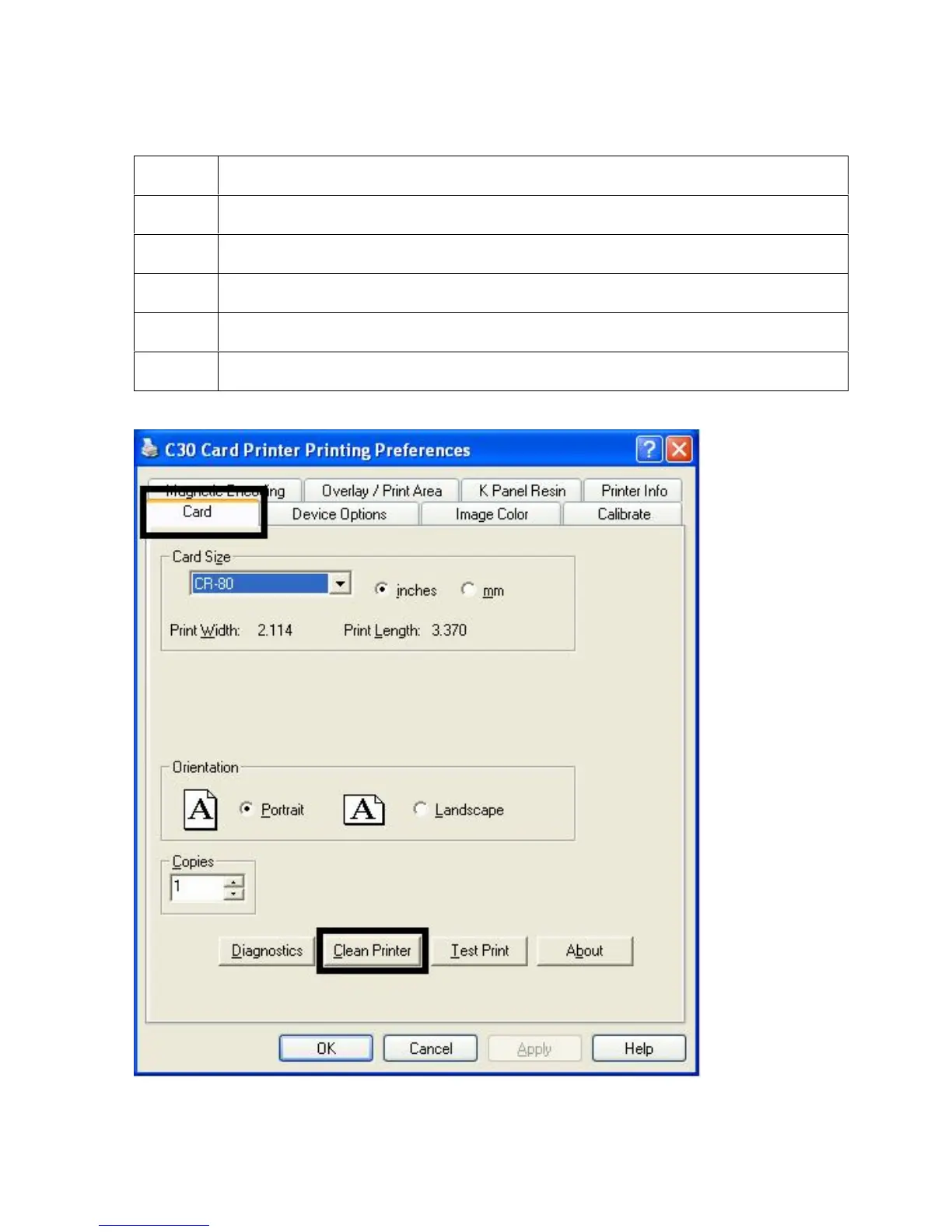
Using the Clean Printer Option
Step Description
1
Click on the Clean Printer button to display the Clean Printer Utility window.
2 Remove all cards from the Card Hopper and close the Hopper door.
3 Open the Front Cover and remove the Ribbon Cartridge.
4 Remove the paper backing from both sides of the Cleaning Card.
5 Place the Cleaning card into the Single Feed Slot.












 To Next Page