RESTRICTED USE ONLY Fargo Electronics, Inc.
Persona C30 Card Printer User Guide (Rev. 2.2)
5-43
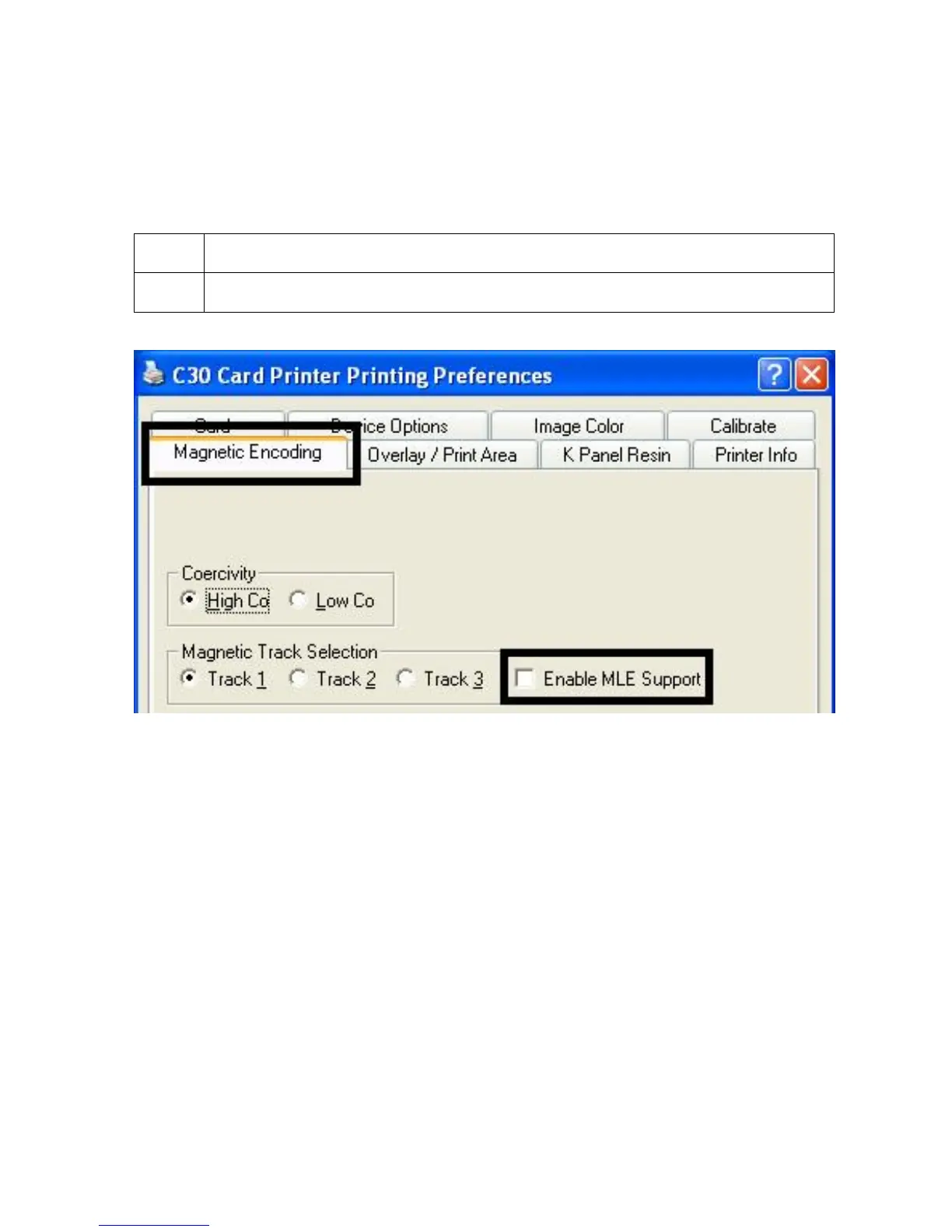
Reviewing the Enable MLE Support checkbox
Multi-Language Extension (MLE) support in Windows XP can cause text strings to be broken
up into fragments. This fragmentation of the text string prevents magnetic encoding. (Note:
This option may help correct encoding problems in all operating systems.)
Step Procedure
1 Check this box to allow the Driver to process the fragmented text.












 To Next Page