RESTRICTED USE ONLY Fargo Electronics, Inc.
Persona C30 Card Printer User Guide (Rev. 2.2)
10-24
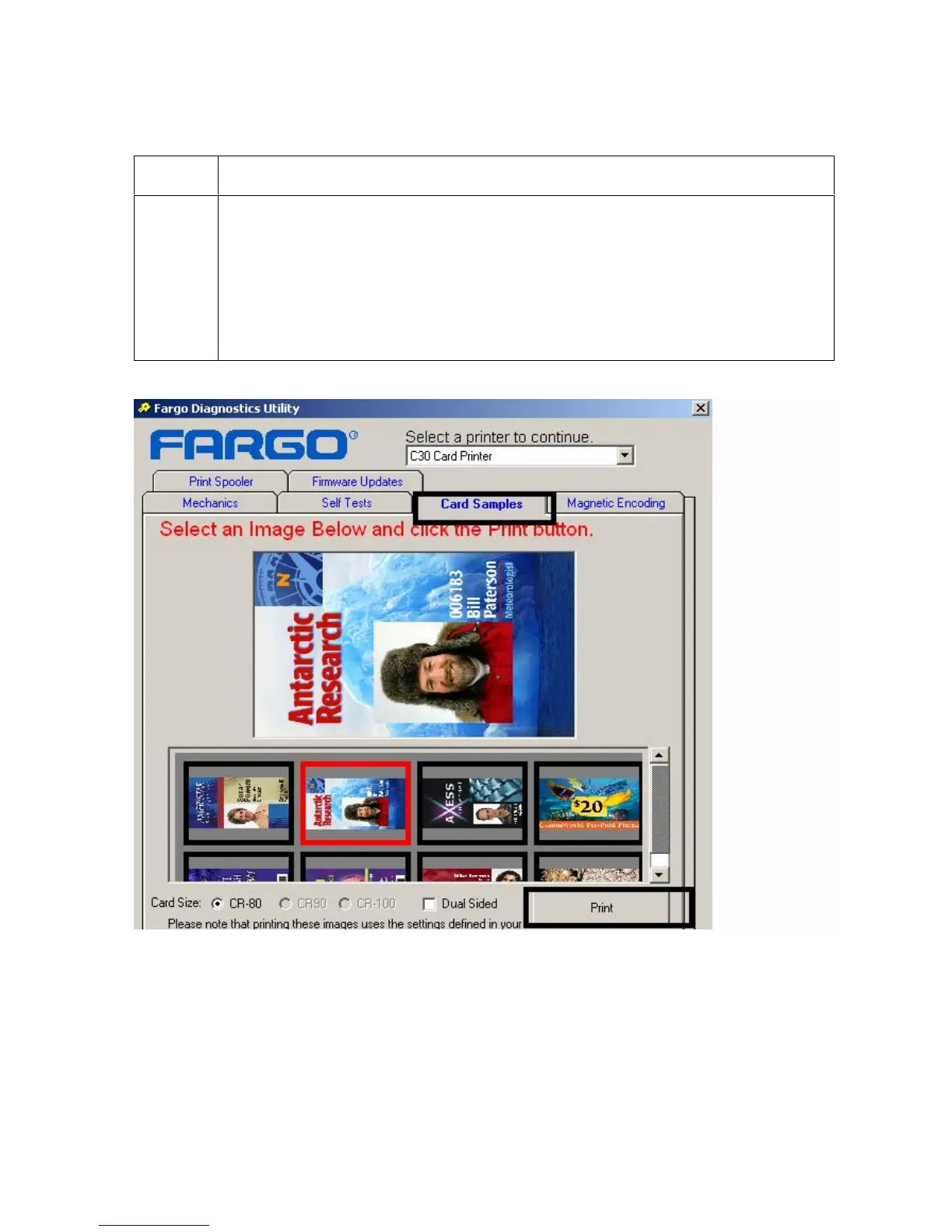
Selecting the Card Samples tab in the Diagnostics Utility
Step Procedure
1 a. Select the Card Samples tab to print sample images from the Printer.
b. Select the desired Image, as shown below. (Note: You will see the
enlarged Image after you select it from several options.)
c. Check the settings defined in your Driver before printing your selection.
d. Click on the Print button when you are ready, as shown below. (Note: The
default Card Size is CR-80, as shown below.)











 To Next Page