RESTRICTED USE ONLY Fargo Electronics, Inc.
Persona C30 Card Printer User Guide (Rev. 2.2)
10-23
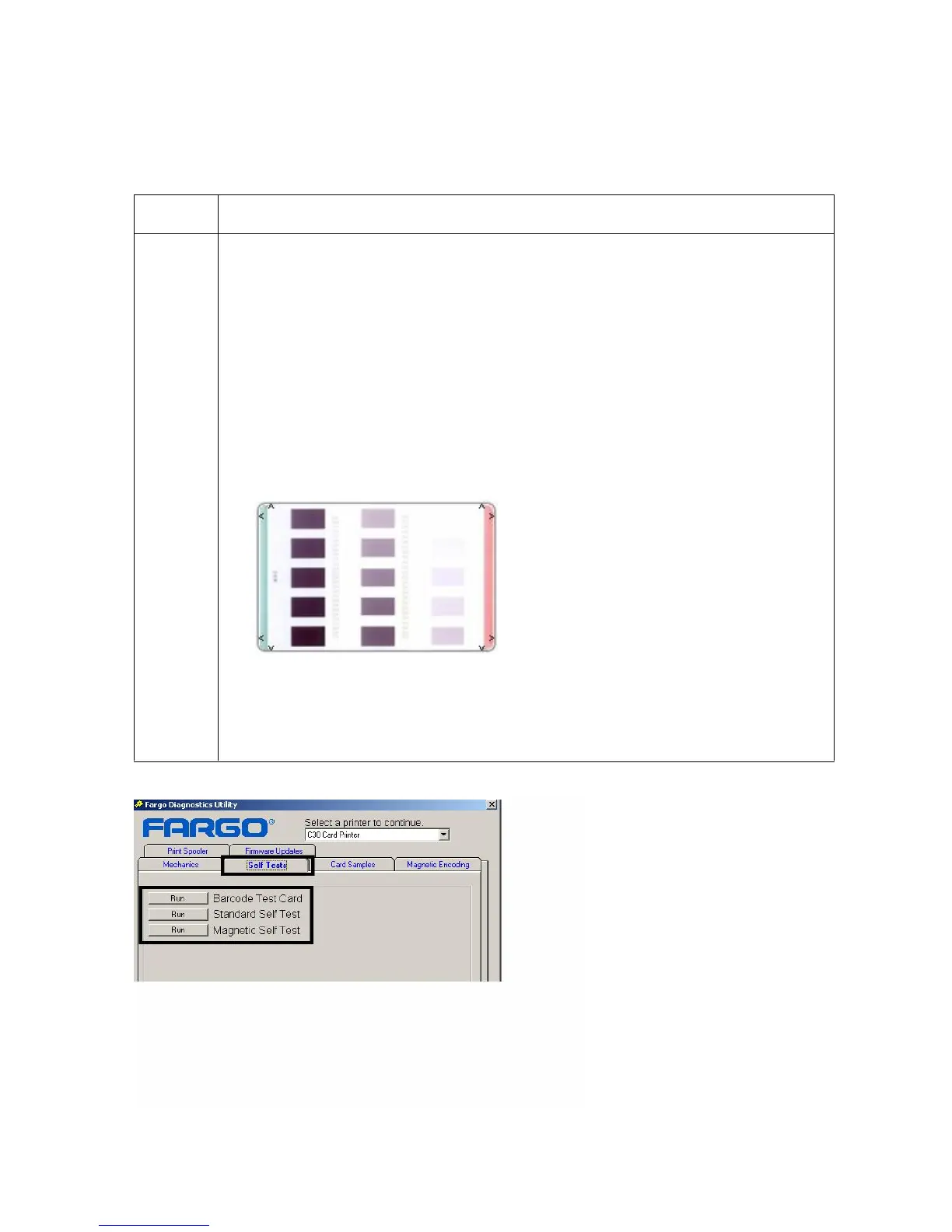
Selecting the Self Tests tab in the Diagnostics Utility
Use these options to run the internal Printer Self Tests.
Step Procedure
1
Select the appropriate Run button to execute either the Barcode Test Card,
the Standard Self Test or the Magnetic Self Test, as shown below. (Note:
These options apply to the C30, DTC300 and DTC300M Printers).
Click on the Barcode Test Card button to test the resin printing capabilities
of the Printer (Note: A full color Ribbon (YMC) with a resin panel (K) or a
resin Ribbon is required for this test.)
Click on the Standard Self Test button to determine Image Placement and
confirm that the Printer is working properly. (Note: The image consists of
fifteen (15) gray scale boxes. The gray boxes are composed from a
composite of YMC color panels.)
Click on the Magnetic Self Test button to test the Magnetic Encoding
capabilities of the Printer. (Note: Be sure to have HiCo magnetic stripe
cards installed in your Printer when running this test.)











 To Next Page