RESTRICTED USE ONLY Fargo Electronics, Inc.
Persona C30 Card Printer User Guide (Rev. 2.2)
5-39
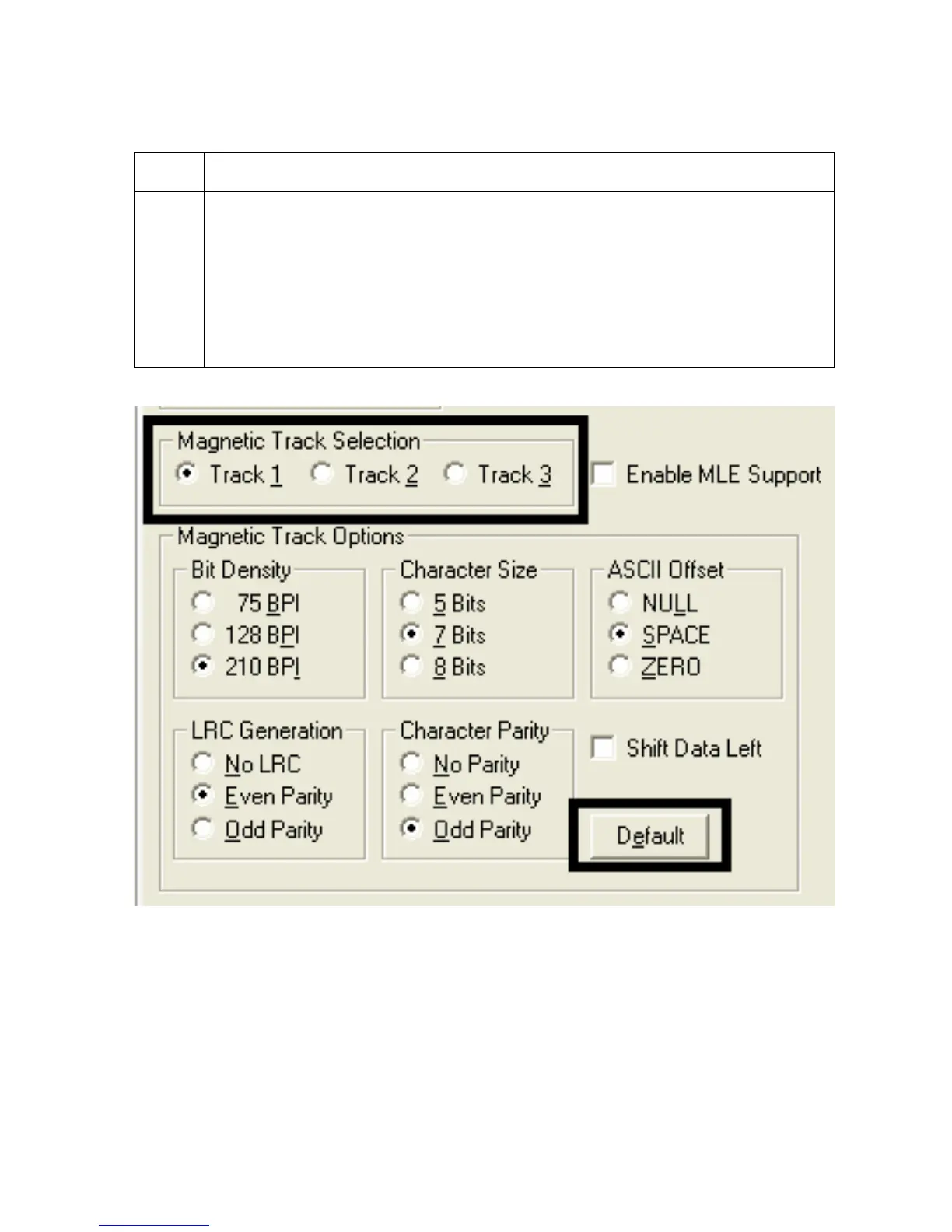
Using the Magnetic Track Selection radio buttons (continued)
Step Procedure
2
Use the Magnetic Track Selections to configure the way in which each of the
three magnetic tracks will encode.
(Note No.1: They do not designate which tracks the Printer will encode (e.g., to
encode only Track 2). This must be done through the specific software program.)
(Note No.2: Although the Printer Driver will remember the settings specified for
each of the three tracks, the Printer Driver will always default to displaying the
options for Track 1 whenever the Printer Driver setup screen is first opened.)











 To Next Page