RESTRICTED USE ONLY Fargo Electronics, Inc.
Persona C30 Card Printer User Guide (Rev. 2.2)
5-59
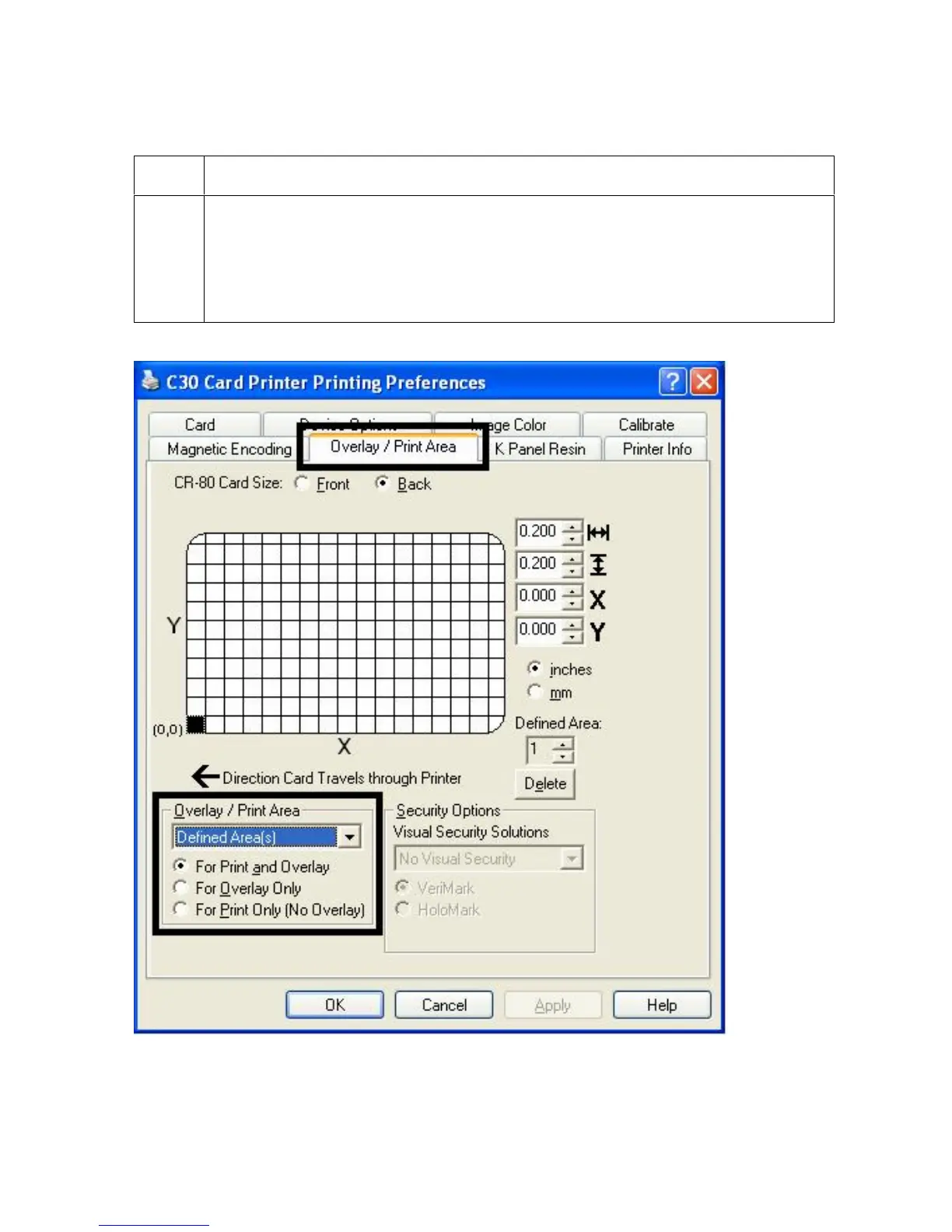
Using the Defined Area Option
Step Procedure
1
a. Determine whether to use the Frontside option (via the Front radio button) or
the Backside option (via the Back radio button).
b. Select the Defined Area(s) option to activate the card grid in the upper half
of the window. It is through this card grid that up to five (5) Defined Areas can
be assigned.












 To Next Page