EasyManua.ls Logo

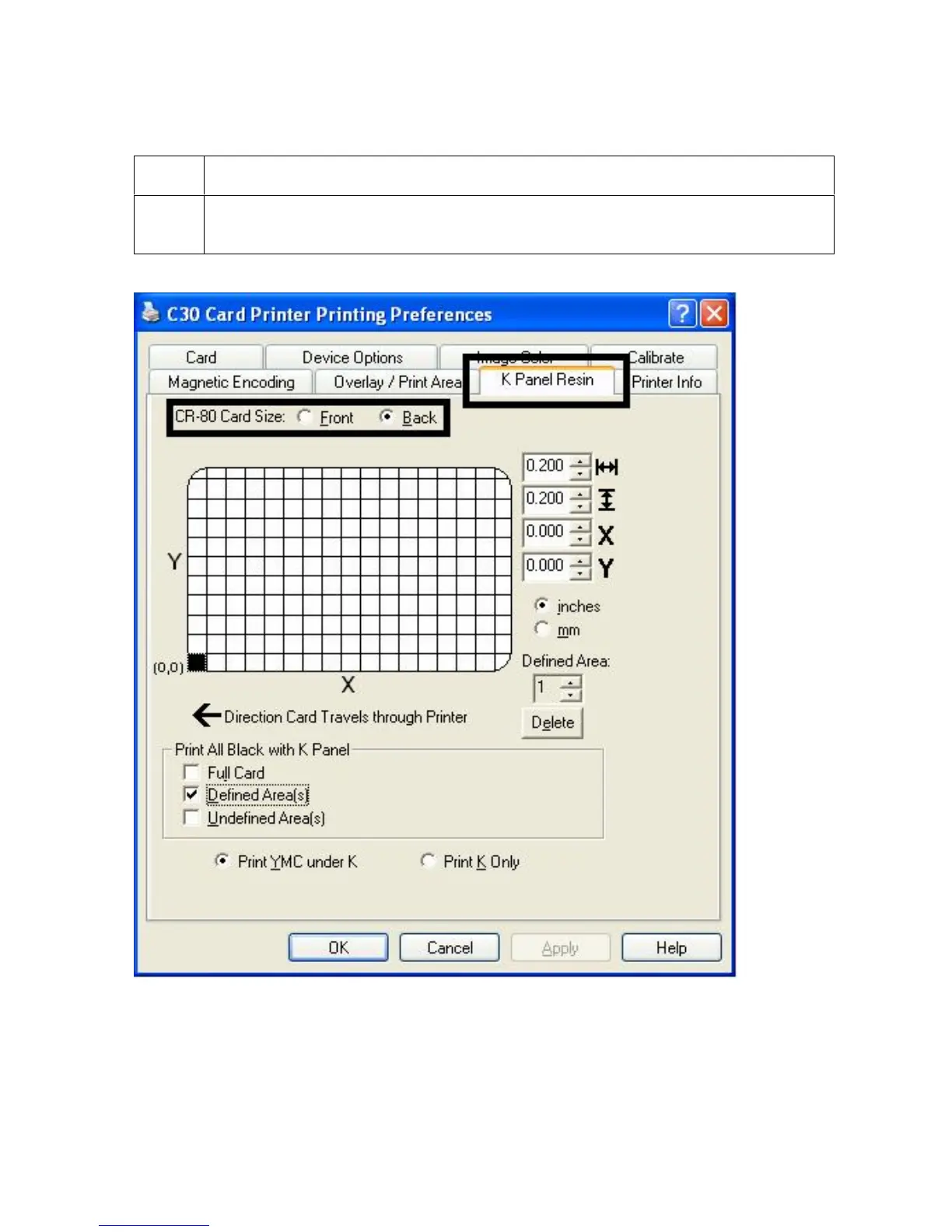
FARGO electronics PERSONA C30 - Enabling the Backside Option (K Panel Resin)

FARGO electronics PERSONA C30
298 pages
Print Icon
To Next Page IconTo Next Page
To Previous Page IconTo Previous Page
Loading...
RESTRICTED USE ONLY Fargo Electronics, Inc.
Persona C30 Card Printer User Guide (Rev. 2.2)
5-76
Enabling the Backside option (K Panel Resin)
Step Procedure
1
Select the Back radio button to enable the Backside option. (Note: This enables
all K Panel Resin functions, as shown below.)

Table of Contents

Other manuals for FARGO electronics PERSONA C30

Related product manuals