RESTRICTED USE ONLY Fargo Electronics, Inc.
Persona C30 Card Printer User Guide (Rev. 2.2)
5-87
Selecting the Defined Area(s) function (continued)
Step Procedure
6
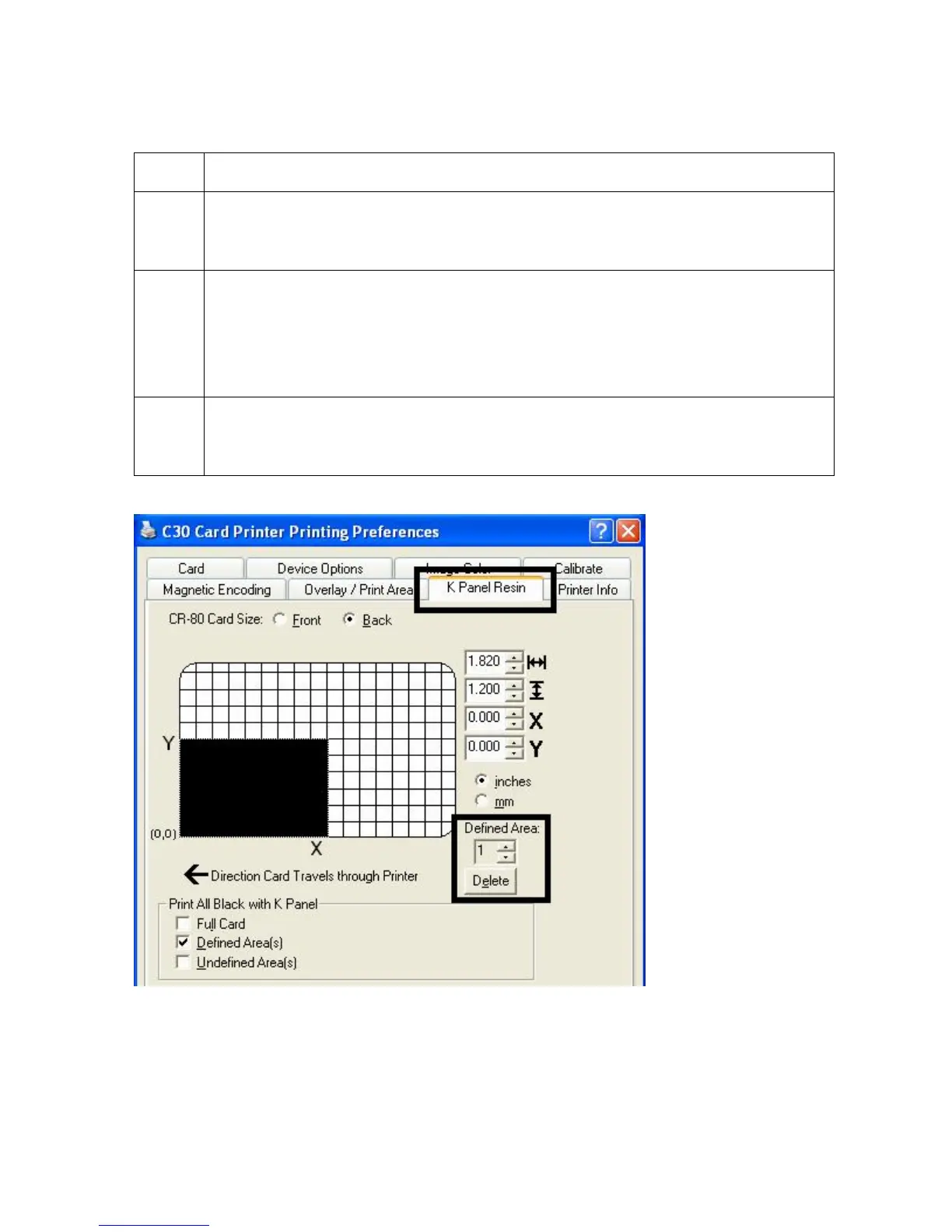
Define another area by clicking on the Defined Area up arrow. (Note: Another
.2" x .2" / 5mm x 5mm area will appear in the lower left-hand corner. This is the
location in which all newly defined areas will first appear.)
7
a. Use the Defined Area arrows to navigate back and forth from area to area.
(Note: The active area will always be highlighted with a dotted outline. Up to
5 areas can be defined.)
b. Size and position each area as it is created because additional areas cannot
be added until the most recently created area has been moved or sized.
8 Delete an area by using the Defined Area arrows to select the area and clicking
on the Delete button. (Note: If all areas are deleted, the K Panel Resin options
will automatically be deselected.)











 To Next Page