RESTRICTED USE ONLY Fargo Electronics, Inc.
Persona C30 Card Printer User Guide (Rev. 2.2)
11-3
Downloading Firmware
Step Procedure
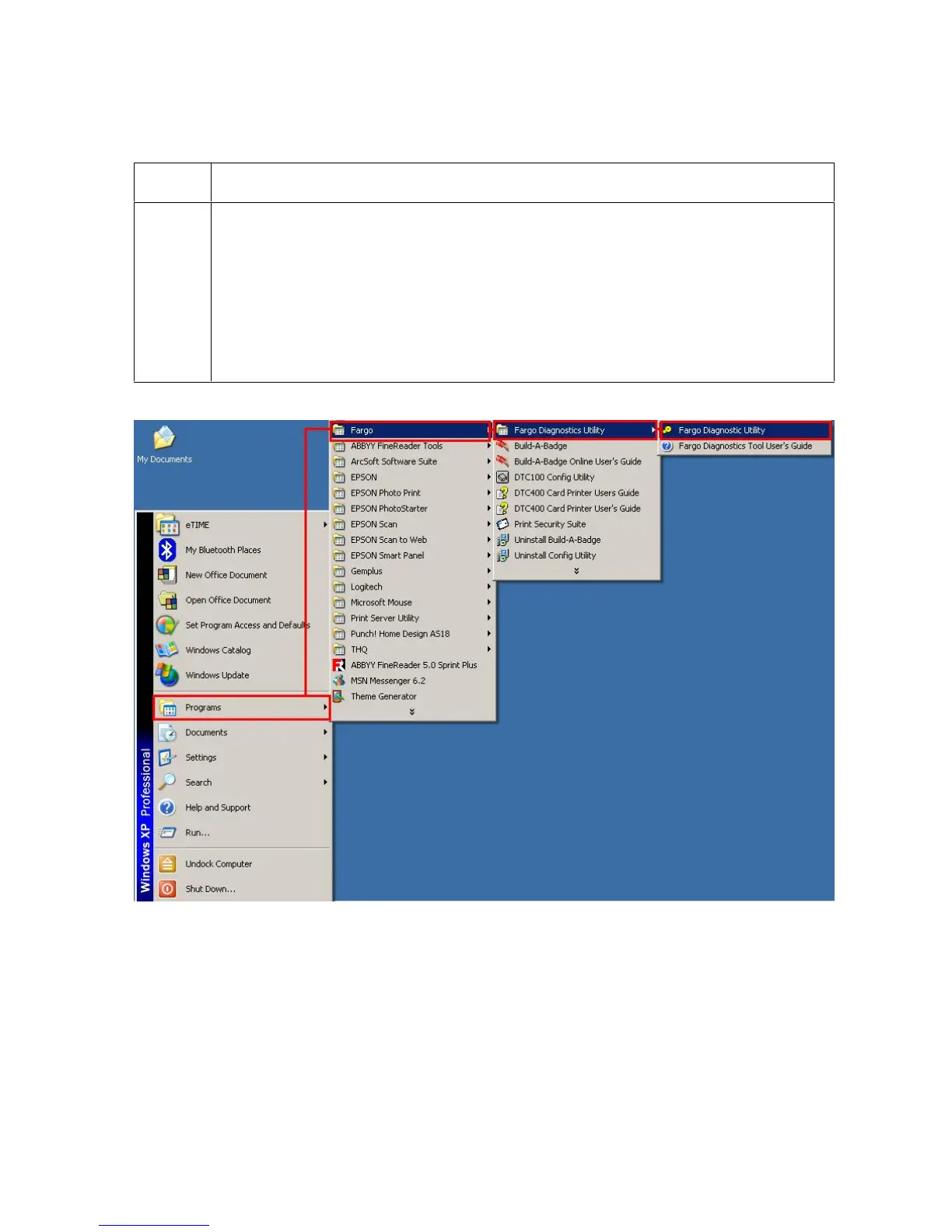
1 Open the Fargo Diagnostic Utility (located in the Programs folder), as shown
below.
Click on the Start icon on the desktop.
Select the Programs folder.
Select the Fargo folder.
Click on the Diagnostic Utility, as shown below.












 To Next Page