RESTRICTED USE ONLY Fargo Electronics, Inc.
Persona C30 Card Printer User Guide (Rev. 2.2)
4-43
Resolving Ribbon Wrinkle problems
All Troubleshooting procedures assume that only factory-authorized supplies are in use in
the Printer.
Step Procedure
1 Review the following information.
Symptom: Printed cards have off-colored lines or streaks on them.
Printer Error State: None
Driver Monitor Error Display: None
2 Confirm that the Printer is using the most current Driver via:
http://www.fargo.com
3
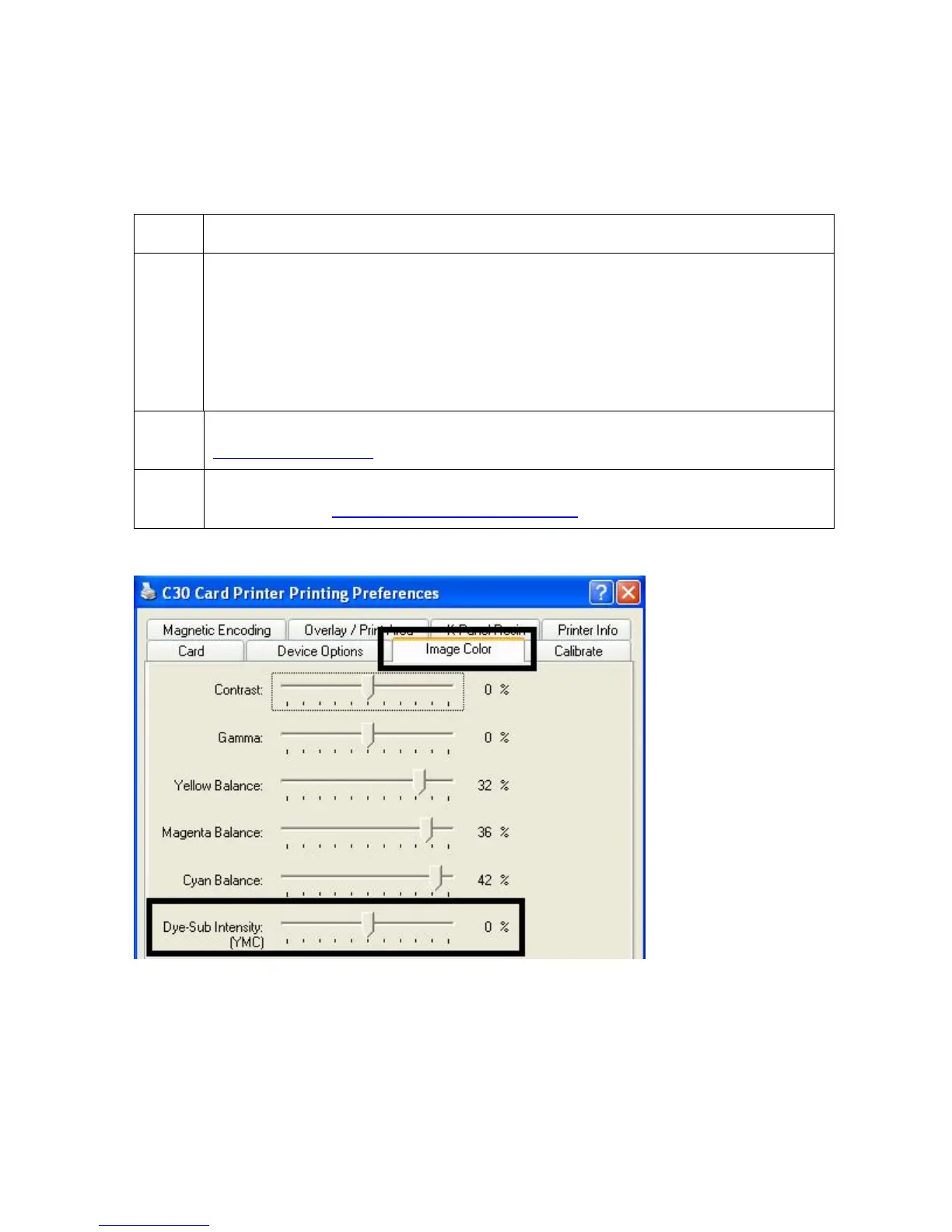
Reduce the Dye-Sub Intensity setting within the Image Color tab of the Printer
Driver. See the Using the Image Color tab (C30).












 To Next Page