RESTRICTED USE ONLY Fargo Electronics, Inc.
Persona C30 Card Printer User Guide (Rev. 2.2)
4-38
Resolving the Blank Output issues (continued)
Step Procedure
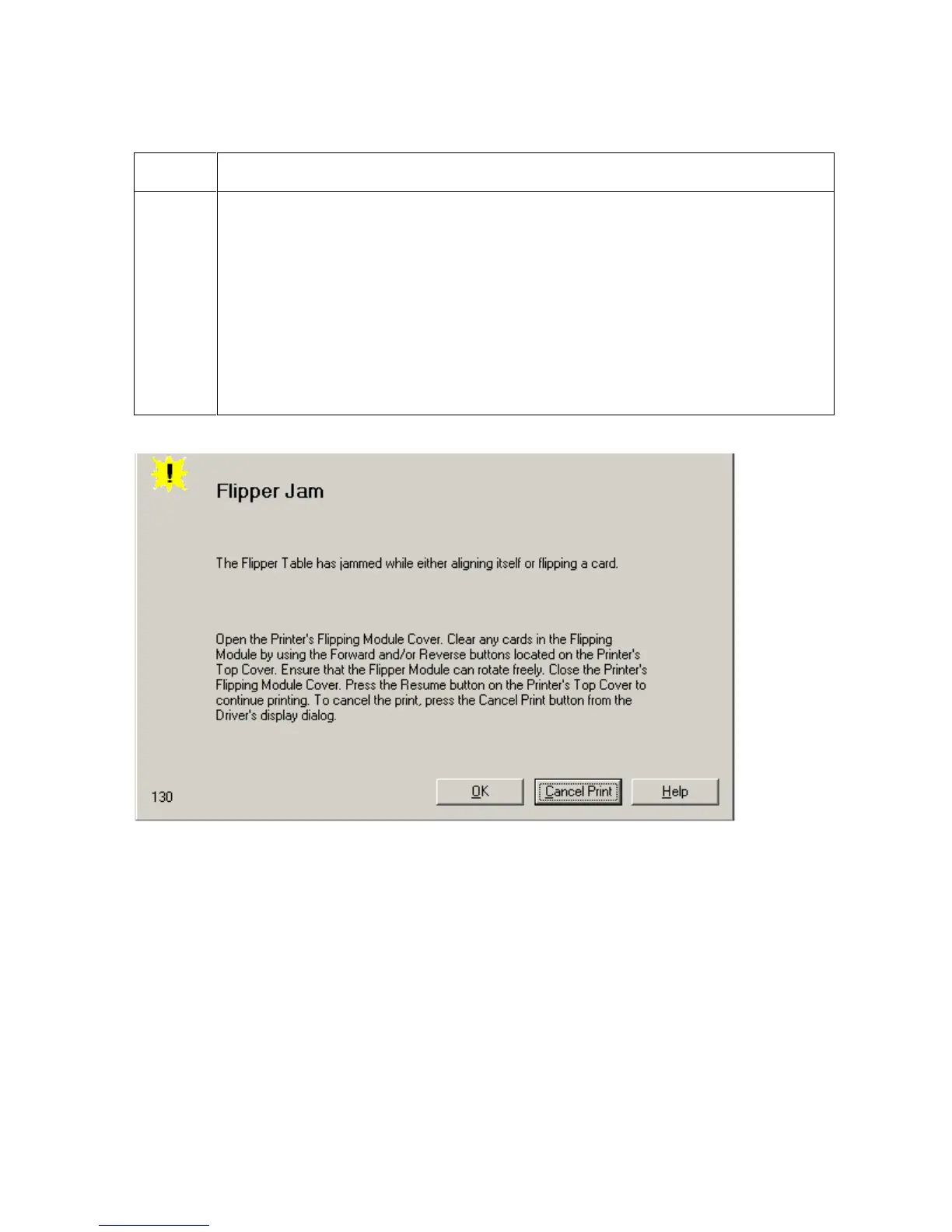
2 Open the Printer’s Flipper Table Module Cover.
a. Clear any cards in the Flipper Table Module by using the Forward and/or
Reverse buttons located on the Printer’s Top Cover.
b. Ensure that the Flipper Table Module can rotate freely.
c. Close the Printer’s Flipper Table Module.
d. Press the Resume button on the Printer’s Top Cover to continue printing.
e. To cancel the printing, press the Cancel Print button from the Driver’s
display dialog.






 To Next Page