3.6 Using the Network Settings Menus
Network Scanner fi-6000NS Operator's Guide 77
Administrator Operations
3
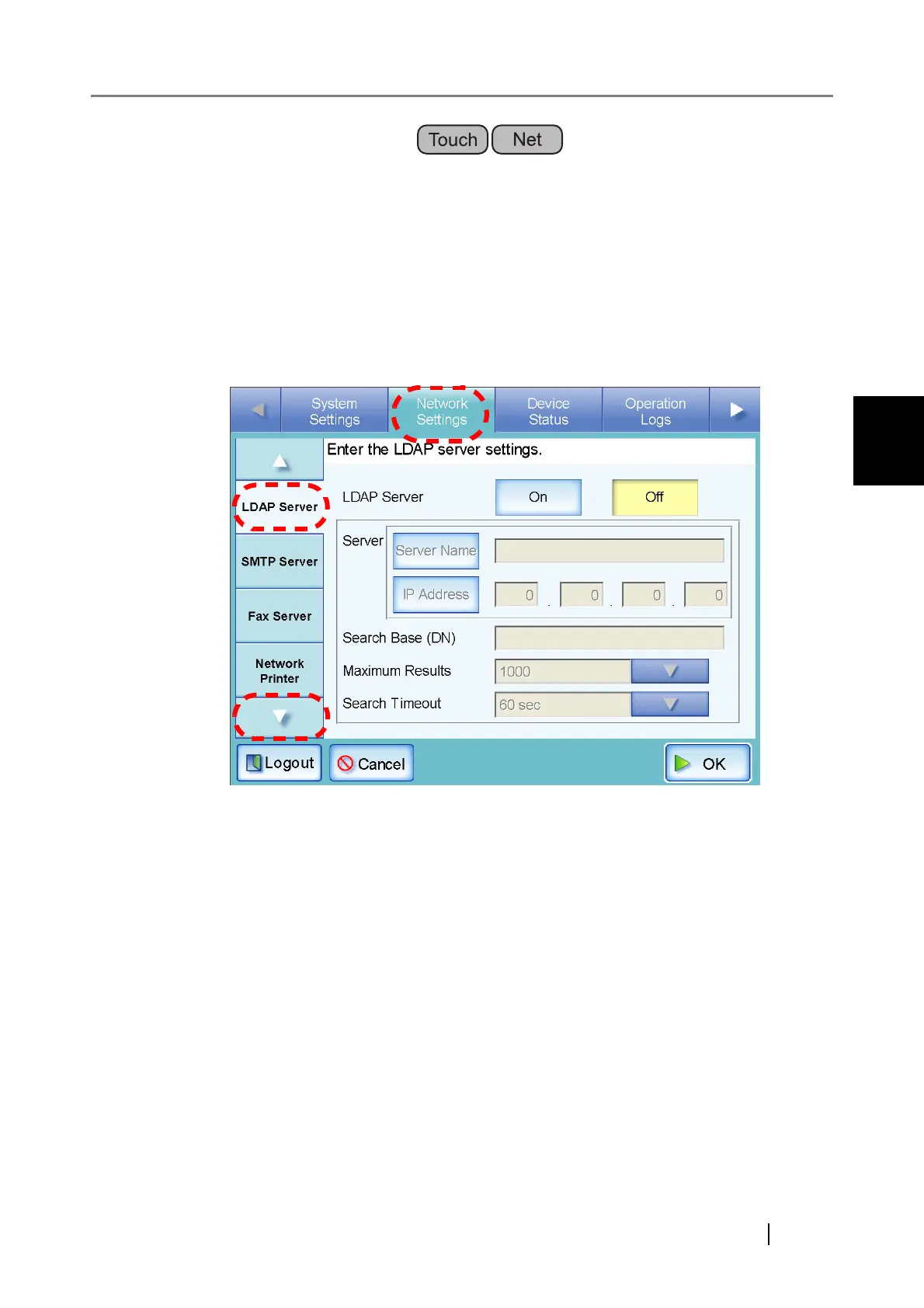
3.6.5 Setting the LDAP Server
If a LDAP server is set, user authentication will be checked.
1. Select the [Network Settings] tab on the top menu.
2. Press the [Down] button on the left side menu.
⇒ Scroll the left side menu down until the [LDAP Server] tab appears.
3. Select the [LDAP Server] tab on the left side menu.
⇒ The "LDAP Server" screen appears.
4. Press the [On] button.
When the [Off] button is pressed, the LDAP server will not be used, and no settings can be
entered. Press the [OK] button to confirm the LDAP server [Off] setting.



 To Next Page
 Loading...









