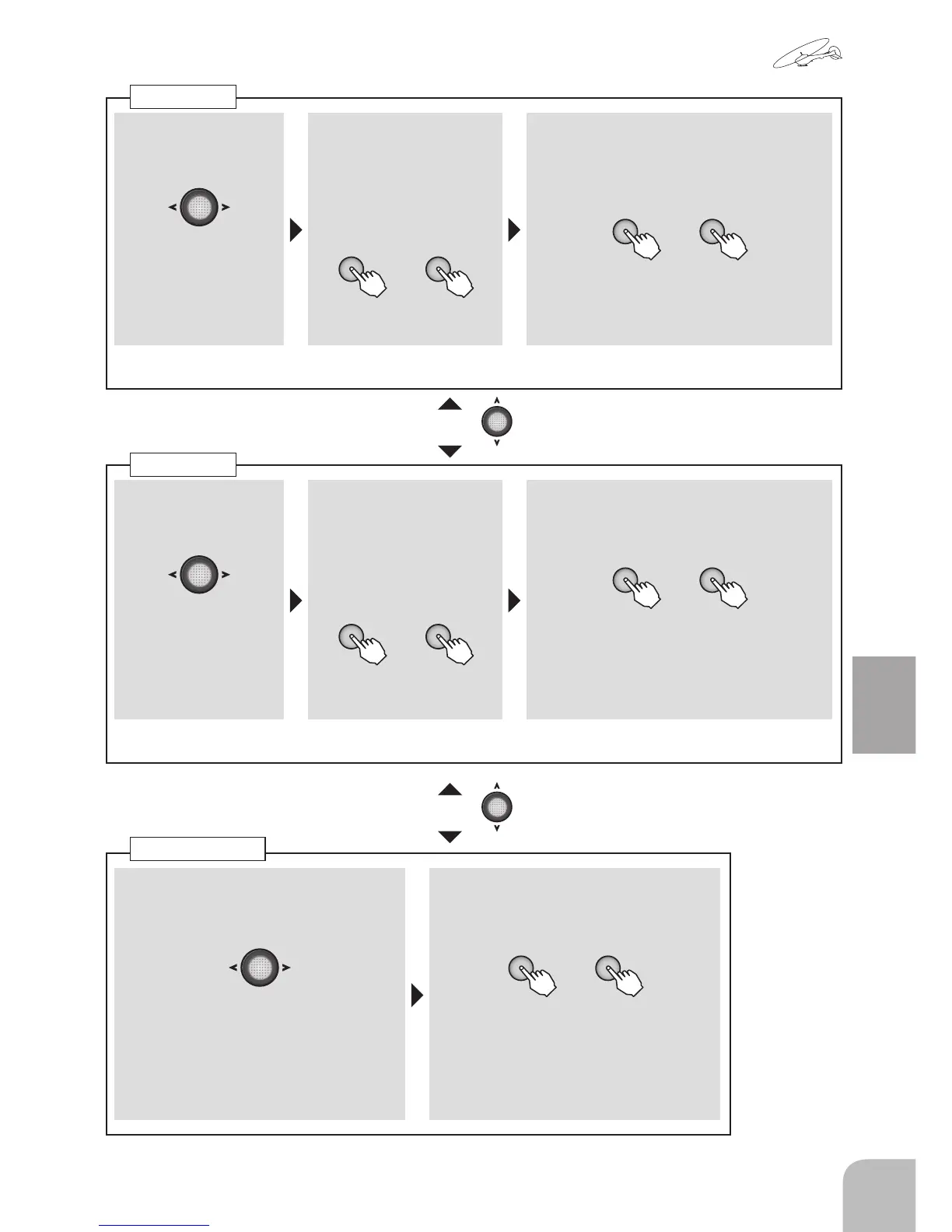
■ Channel selection
① Select the "SW" item and then select
the channel with the Jog key.
Range:1, 2, 4
■ Switch selection
② A switch or Cond is chosen by + key or
– key.
+ -
or
Range:SwA ~ SwD, Cond
● When "Cond" is chosen, a setup is
possible for every condition.
■ Channel selection
① A channel is chosen
by Jog key.
Range:1, 2, 4
■ Switch direction
② Select the "No" item and
then select the switch
direction or condition by
pressing the + key or –
key.
+ -
or
■ D/R Setup of rate
③
Select each function item of "D/R" and
set the rate by pressing the + key or –
key.
+ -
or
Range:0 ~ 140% Default:100%
● When you want to return the set value
to the initial value, press the + key and –
key simultaneously.
Adjust the rate of each direction of the dual rate switch and stick by repeating step
■ Channel selection
① A channel is chosen
by Jog key.
Range:1, 2, 4
■ Switch direction
② Select the "No" item and
then select the switch
direction or condition by
pressing the + key or –
key.
+ -
or
■ EXP Setup of rate
③ Select the "EXP" item and then adjust
the rate by pressing the + key or – key.
+ -
or
Range:-100 ~ +100%、Default:0%
● When you want to return the set value
to the initial value, press the + key and –
key simultaneously.
Adjust the rate of each direction of the dual rate switch and stick by repeating step
Dual rate
EXPO
● Moving to another setting item of the same
channel is possible by Jog key.
● Moving to another setting item of the same
channel is possible by Jog key.
Switch Change


 To Next Page