① Select the "TLM MODE" item and change the mode
by pressing the + key or – key.
+ -
or
Selection range:
ACT, INH
① Select the "SPEECH" item and change the language
by pressing the + key or – key.
+ -
or
Selection range:
Japanese, English
① Select the "UNIT" item and change the mode by
pressing the + key or – key.
+ -
or
Selection range:
METER, YARD
Telemetry mode
Speech language
Telemetry unit
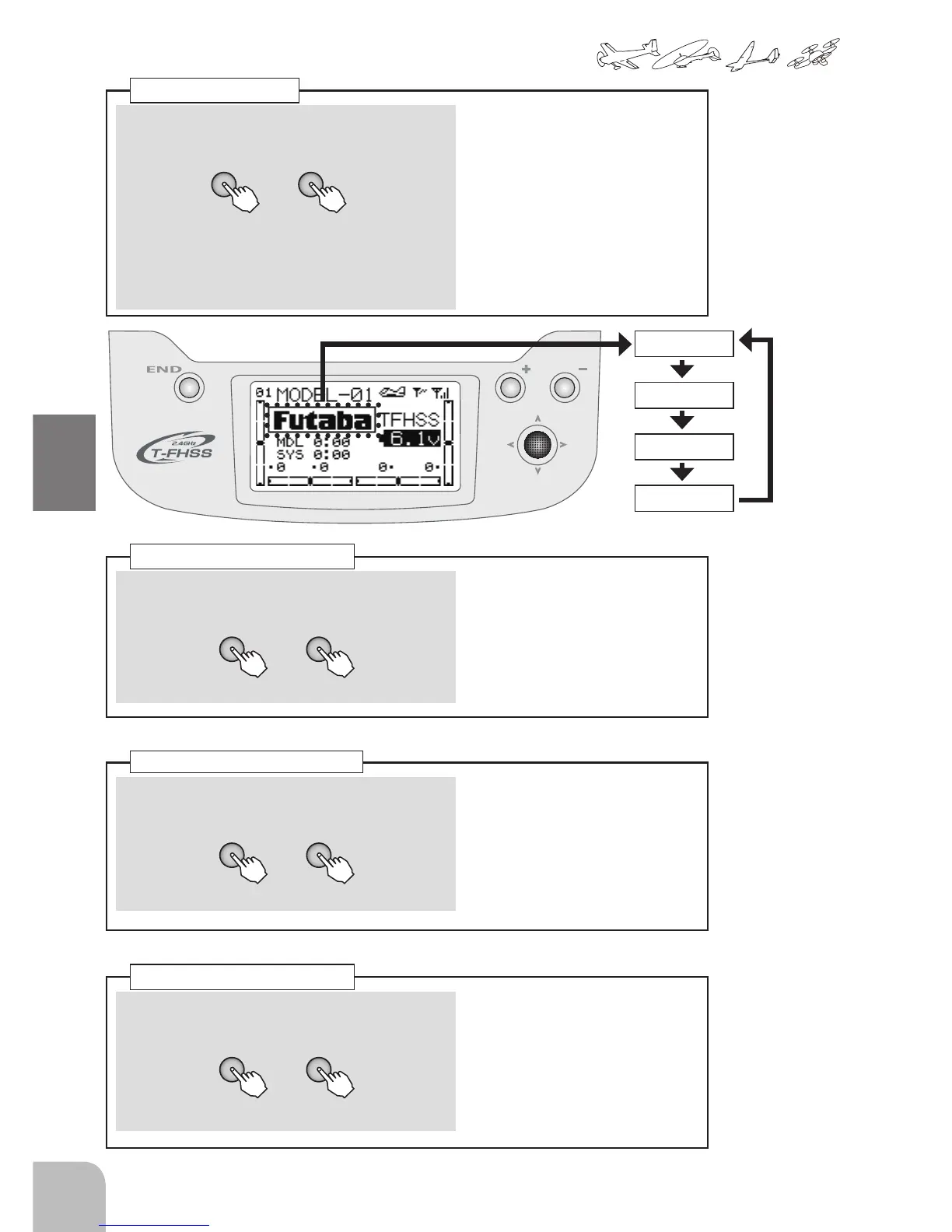
① Select the "HOME-DSP" item and change the mode
by pressing the + key or – key.
● "Futaba":Display about a Futaba logo.
"TIMER":Display about the timer.
"U-NAME":Display about a user name.
"RX BAT":Display about the receiver battery
voltage. (Only T-FHSS mode)
Selection range:
Futaba, TIMER, U-NAME,
RX BATT
Default:Futaba
Home display
+ -
Futaba
TIMER
U-NAME
RX BATT


 To Next Page