110 111
IIDTool
GAP Diagnostic 2019-07-15 All Rights Reserved
User Manual : Version 33, Firmware V3.0
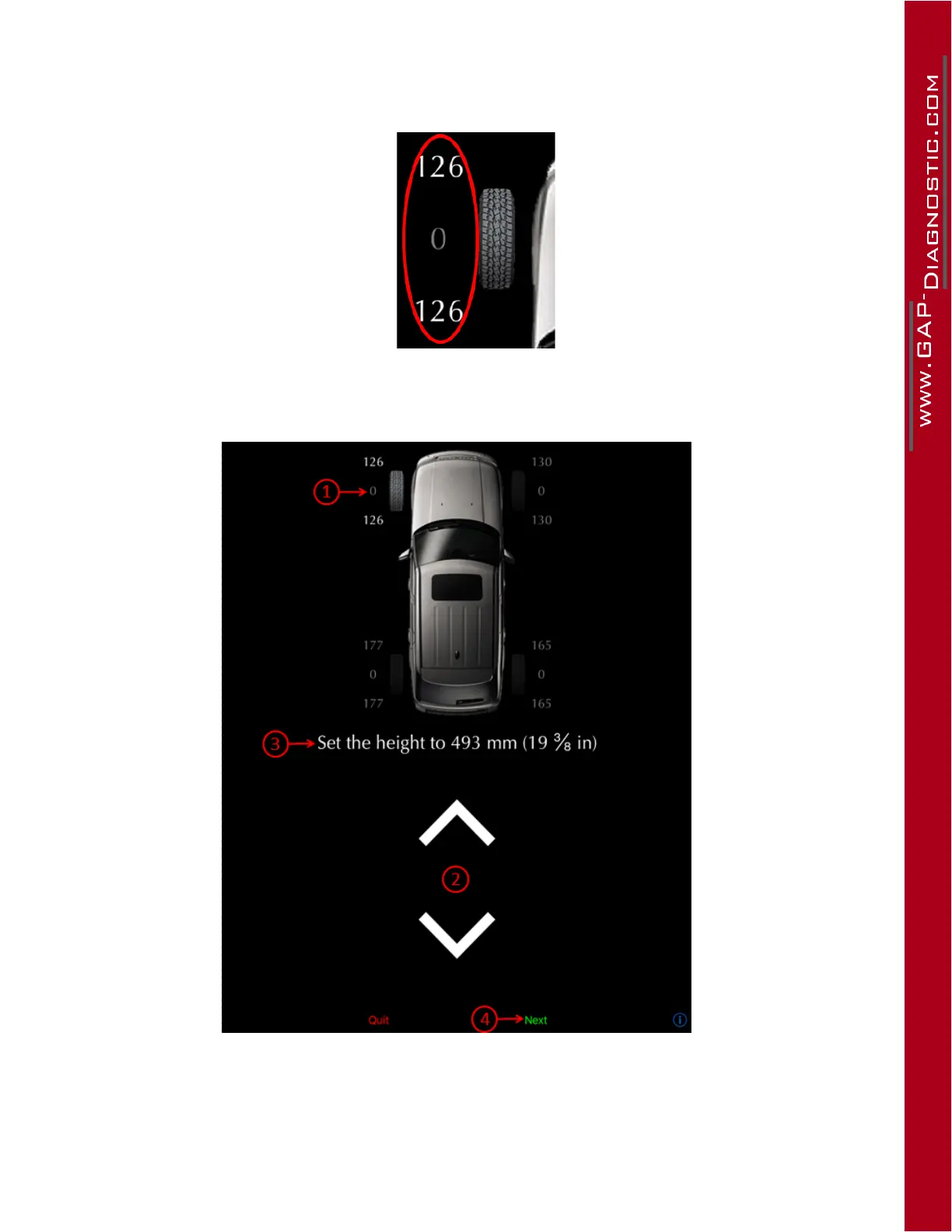
• The current (top) and new calibrations (bottom) of each sensor is shown here. It is an arbitrary
constant and does not refer to the height measurement. This new calibration value will only
change when the send button is pressed. The current height value is shown in the middle.
Figure 56. App : Calibrations values
Steps:
Figure 57. App : Guided Calibration steps
• Therstcornertobecalibratedisthefrontleftcorner(1).
• Place your measuring tape as instructed and use the up and down arrows (2) to reach the requi-
red height (3).



 To Next Page