92 93
IIDTool
GAP Diagnostic 2019-07-15 All Rights Reserved
User Manual : Version 33, Firmware V3.0
App Access
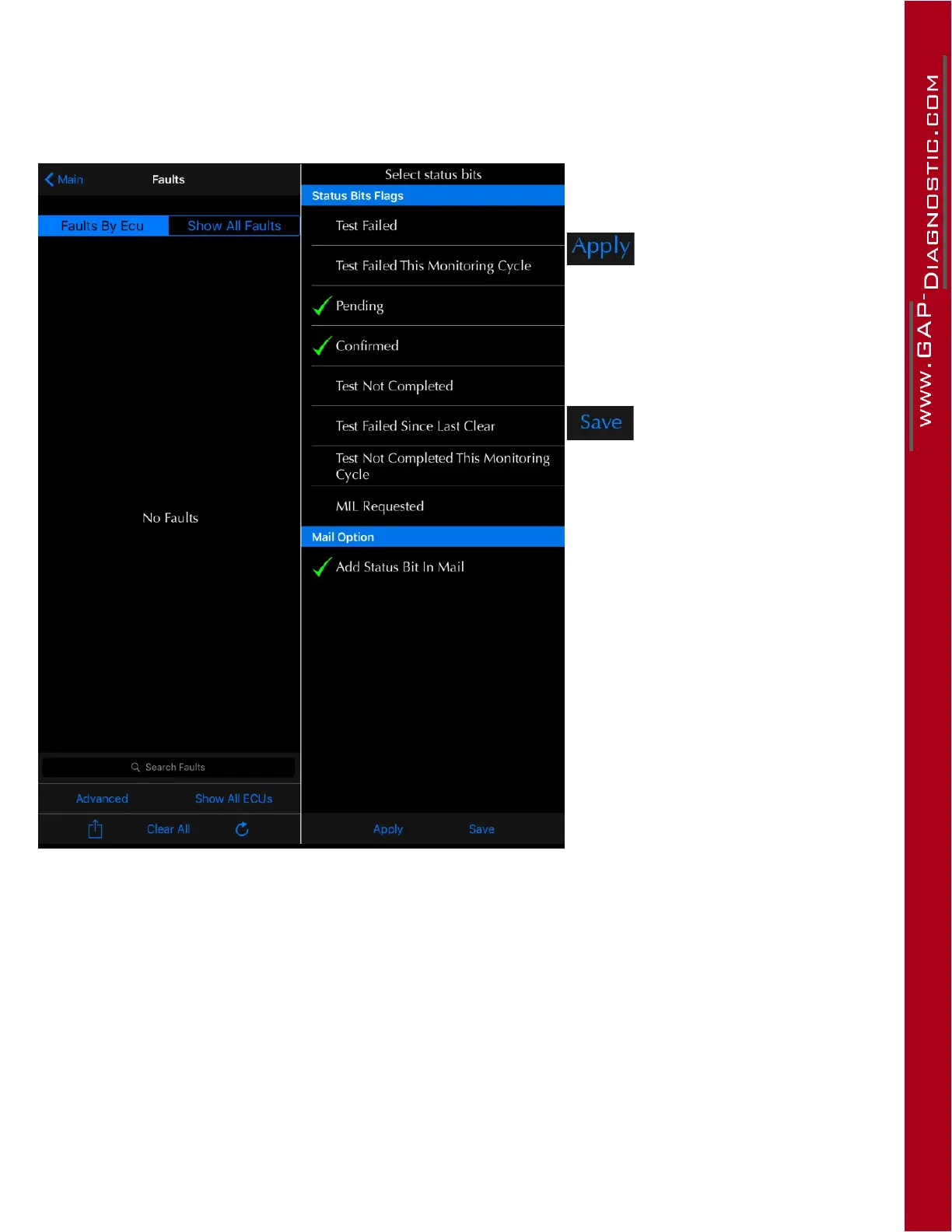
Toaccessthe“AdvancedRead”functionandchangethelterintheapp,itisnecessarytoselectthe
faultfunctionrst.ThenpressAdvancedandselectthedesiredbits.
Figure 47. App : Advanced Read, bit selection
This button will apply bits
and mail preferences for the
current session. The faults
will be re-scanned automa-
tically.
This button will save bits
and mail preferences for
this and future sessions.
The faults will be re-scan-
ned automatically.
Example: If bit 0, Test Failed and Bit 2 Pending are selected, all faults that have at least one of these
bits equal to 1 will appear in the fault list.



 To Next Page