36
IIDTool
GAP Diagnostic 2019-07-15 All Rights Reserved
User Manual : Version 33, Firmware V3.0
2.2 Create a user account on the website
Purpose
BeforerstusageoftheIIDTool,itisstronglyrecommendedtoupdatethetool.Butrst,theusermust
perform its free registration. To access the advanced programming features, it will be required to pro-
ceed with the activation process to obtain a licence for personal use.
Note : If the IIDTool was purchased on the GAP diagnostic website, it is not required to create a new
user account.
Principle
Create your individual prole on the manufacturer’s website; a proprietary link will be established
between the tool and its user.
Note : Registering, followed by updating and activation of the tool gives the user:
• Exclusive access to advanced programming functions and data backup
• Faster access when connected to the vehicle
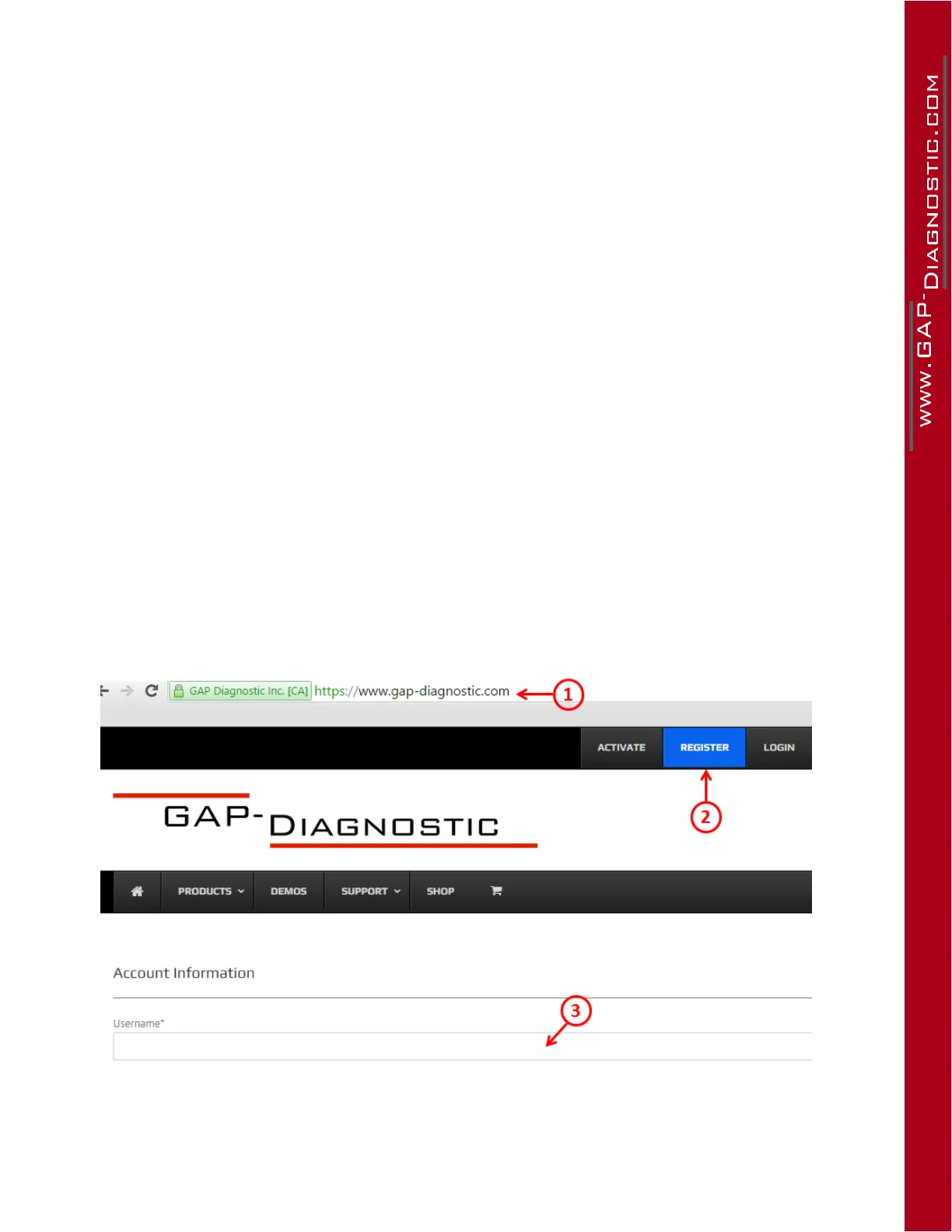
Registering steps
1- Access the manufacturer’s website : www.gap-diagnostic.com.
2- Create your account by clicking “ Register ”.
3- Fillupandsubmittherequiredelds
4- An email with a link to complete the registration will be sent. Check your spam box in case the
email would be treated like so.
Figure 14. Register on the GAP Diagnostic website
Theindividualprolecreatedduringregistrationwillnowbeaccessibleviathetab“MyAccount”after
opening the session with “Login”.



 To Next Page