140 141
IIDTool
GAP Diagnostic 2019-07-15 All Rights Reserved
User Manual : Version 33, Firmware V3.0
Trigger feature
This feature allows automatic controlling of live data recording, start and stop, by comparing live values
relativetodenedtargetvalues.Themobiledevicebuzzer(sounder)and/orvibrationcanalsobeacti-
vated when a target is reached.
Thetriggerbuttonwillbecomevisibleoncealivevalueisselected.Onlyonetriggertype(start/stopor
event) can be selected per live value.
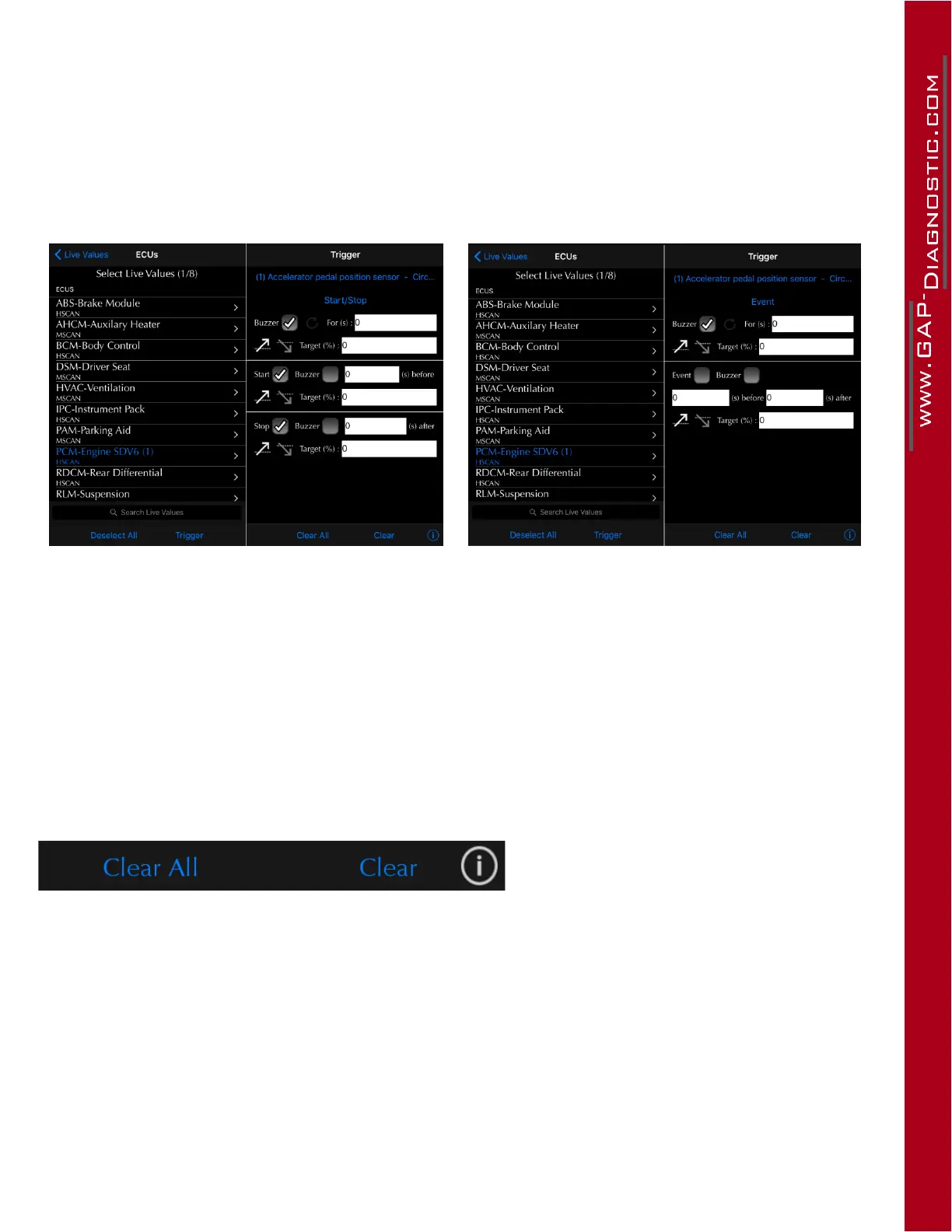
Figure 74. App : LV : Trigger, start stop Figure 75. App : LV : Trigger, event
Start and stop controlled
This mode allows setting both start and stop tar-
get conditions independently. The start and stop
events are independent meaning that live value A
can be used to start the log while value B is used
to stop the recording.
Event
This mode is used to pinpoint a specic event.
Both the start and stop conditions are equal thus
occurring at the same time.
Figure 76. App : LV : Erasing trigger settings
Use the clear all button to erase all triggers. The clear button will erase only the one currently viewed.
Theiconssignicationscanbeviewedbyclickingontheibutton(bottomright).



 To Next Page