52
IIDTool
GAP Diagnostic 2019-07-15 All Rights Reserved
User Manual : Version 33, Firmware V3.0
2.8.4 Integrated Interface, Navigation and Commands
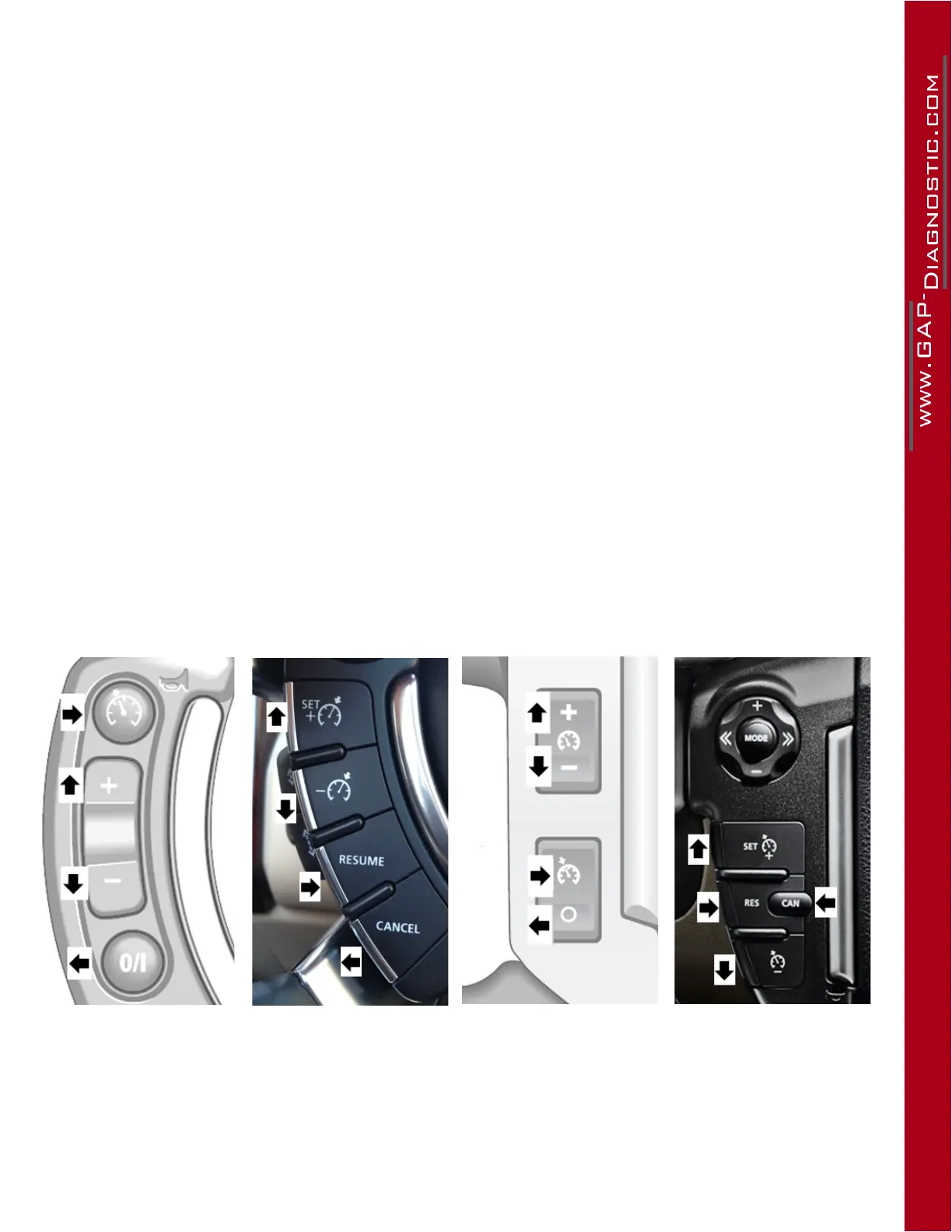
The Integrated Interface (II) uses the buttons for cruise control on the steering wheel (and the buttons
for the audio system L319-10 and L320-10) as keys.The control layout varies depending on vehicle
models(Denition,InstallationandCompatibility,section 1.7).
Prerequisites
• HaveaccesstothevehicleonwhichtheIIDToolwillbeused
• Ensuringthatthevehicleisinasafeenvironment(section 2.7.1)
• Havingtakenprecautionstoavoidbatterydrainage(section 2.7.2)
• Becomingfamiliarwiththelegend of controls (next page)
Steps to navigate the Integrated Interface
1- Proceed with connecting the IIDTool as per section 2.8.2 and wait until the “ IIDTool Ready ”
messagetobedisplayedontheinstrumentclusterscreenconrmingthatcommunicationhas
been established successfully. For all connection problems, please consult the FAQ section of
the manufacturer’s website : https://www.gap-diagnostic.com/.
2- Launch the Integrated Interface by pressing on “Enter” (see legend of controls)
3- Navigate through the menus using the controls described below. The controls have a dual use
either for navigation and entering (see legends of controls).
Positions of cruise control commands
L322-02, L322-06 L322-10* L319-04, L320-05 L319-10, L320-10
Figure 24. Cruise control commands
*Canbeusedifthemobiledevice(App)isunavailable.Note: unstable display (section 1.7)



 To Next Page