52 53
IIDTool
GAP Diagnostic 2019-07-15 All Rights Reserved
User Manual : Version 33, Firmware V3.0
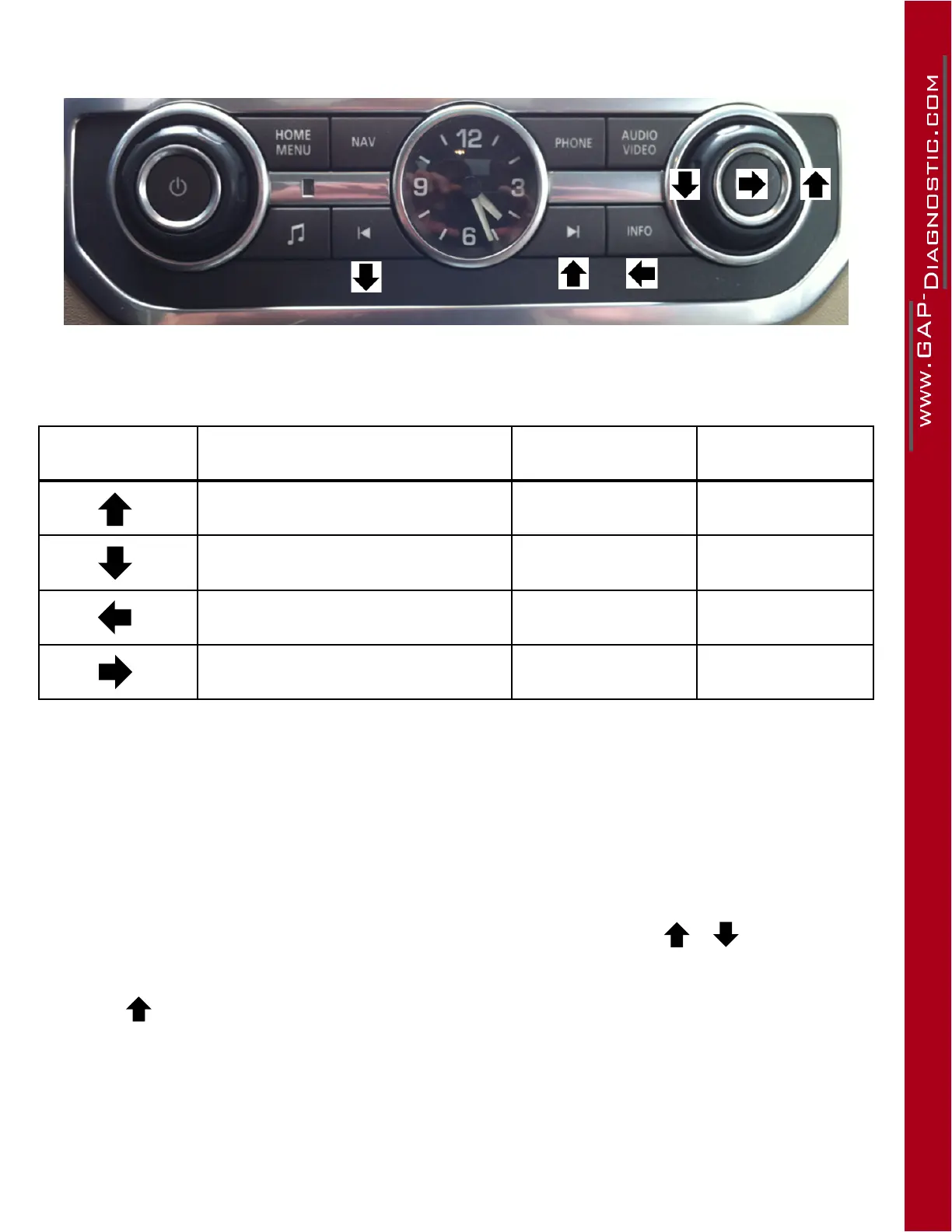
L319-10, L320-10 : Positions of Audio commands
Figure 25. Audio commands, L319-10
Legend of controls for the Integrated Interface
Selectable icons Navigation Role Entering Role Equivalent Action :
Menu up Increase the value
Menu down Decrease the value
Back or exit a menu Cancel action Escape
Scroll through the options available
in a menu
Validate an action or
Select
Enter
Table 16. Legend of controls for the Integrated Interface replica
Integrated Interface display
The display is on the dashboard screen in all cases (images and compatibility, section 1.7).
Dashboard screens have a limit of visible characters. If a longer message needs to be displayed (eg.
a fault descriptor), it will automatically scroll in order to allow full read.
L322-02:Ifareadingdicultyrelatedtomissingpixelsispresent,itispossible,atspeciclocations,
to scroll information from left to right (eg. Activation code) using the controls or .
Note : When the <+> symbol appears, it means that the interface is on hold: press the corresponding
command to allow resuming of the current process.



 To Next Page