162 163
IIDTool
GAP Diagnostic 2019-07-15 All Rights Reserved
User Manual : Version 33, Firmware V3.0
4.11.4 Available Re-Flash
Engine Remaps, EGR blanking and the likes.
All IIDTools are now capable of transporting products designed and sold by the good people of BAS
Remaps (Bell Auto Services). For more details, please visit their website at:
http://bellautoservices.co.uk/
or send them an e-mail at tech.bas2@gmail.com
Table 37. Risk, Engine Remaps, EGR blanking and the likes
Prerequisites
• HaveaccesstoaMacorPCcomputerconnectedtotheinternet
• Havinginstalledtheupdatersoftware(section 2.3)
• Ensurethattheupdatersoftwareinstalledisatversion4.6(PC),4.1(Mac)orhigher.
• Pro EnsurethermwareofIIDToolisatleastthecompiledversionin2454. Else, simply pro-
ceed with updating the IIDTool Pro. See section 2.5.
Step 1: Providing BAS with the required information
Inordertobuildapersonalisedle,BASRemapswillneedtoknowthecurrentECUinformationand
vehicleidenticationnumber(VIN).AfterinitialcontactwithBAS,retrievetheECUinformation(IIDTool
Menu-
>
ECU Info-
>
Engine) and send them to BAS Remaps at tech.bas2@gmail.com. Make sure your
vehicleidenticationnumber(VIN)isvisibleintheemailheaderorsubjectline(BT/Pro not hidden or
obfuscated).
Step 2: Providing BAS with the engine ECU rmware backup
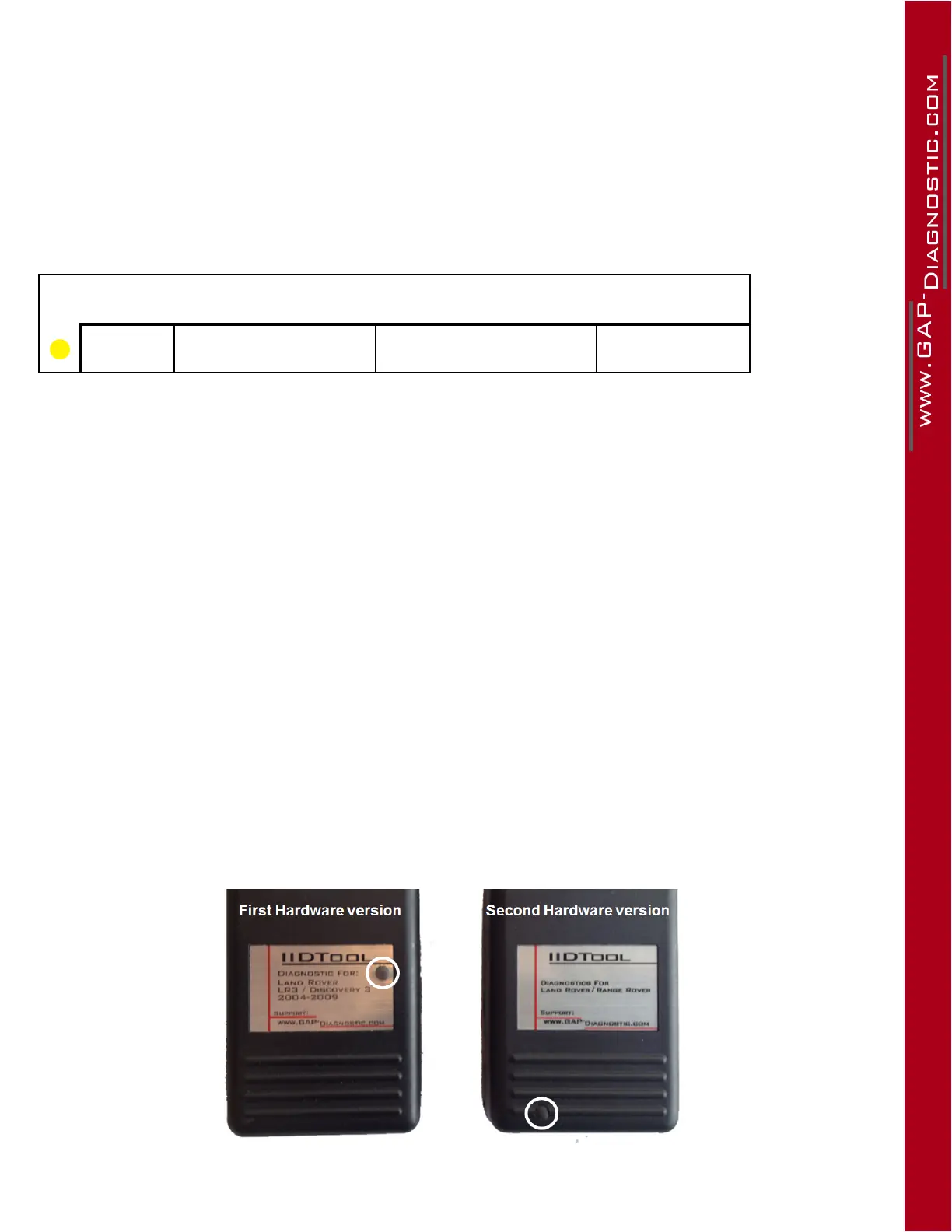
This is not possible on regular non-Bluetooth IIDTool, rsthardwareversion. In which case, skip this
step and proceed with Step 3.
Figure 98. Regular IIDTool generations
Risk Level Consequences Recovery Method Precautions
Moderate Engine will not start
Repeatreashing
procedure
None



 To Next Page