68
IIDTool
GAP Diagnostic 2019-07-15 All Rights Reserved
User Manual : Version 33, Firmware V3.0
applied.
Steps for pre-unlocking the tool: App with mobile device connected to the internet only
1- Connect the IIDTool on the OBDII connector
2- Navigate to Menu-
>
IIDToolCong-
>Pre
Unlock Tool
3- Click on ‘‘In-App Activation’’
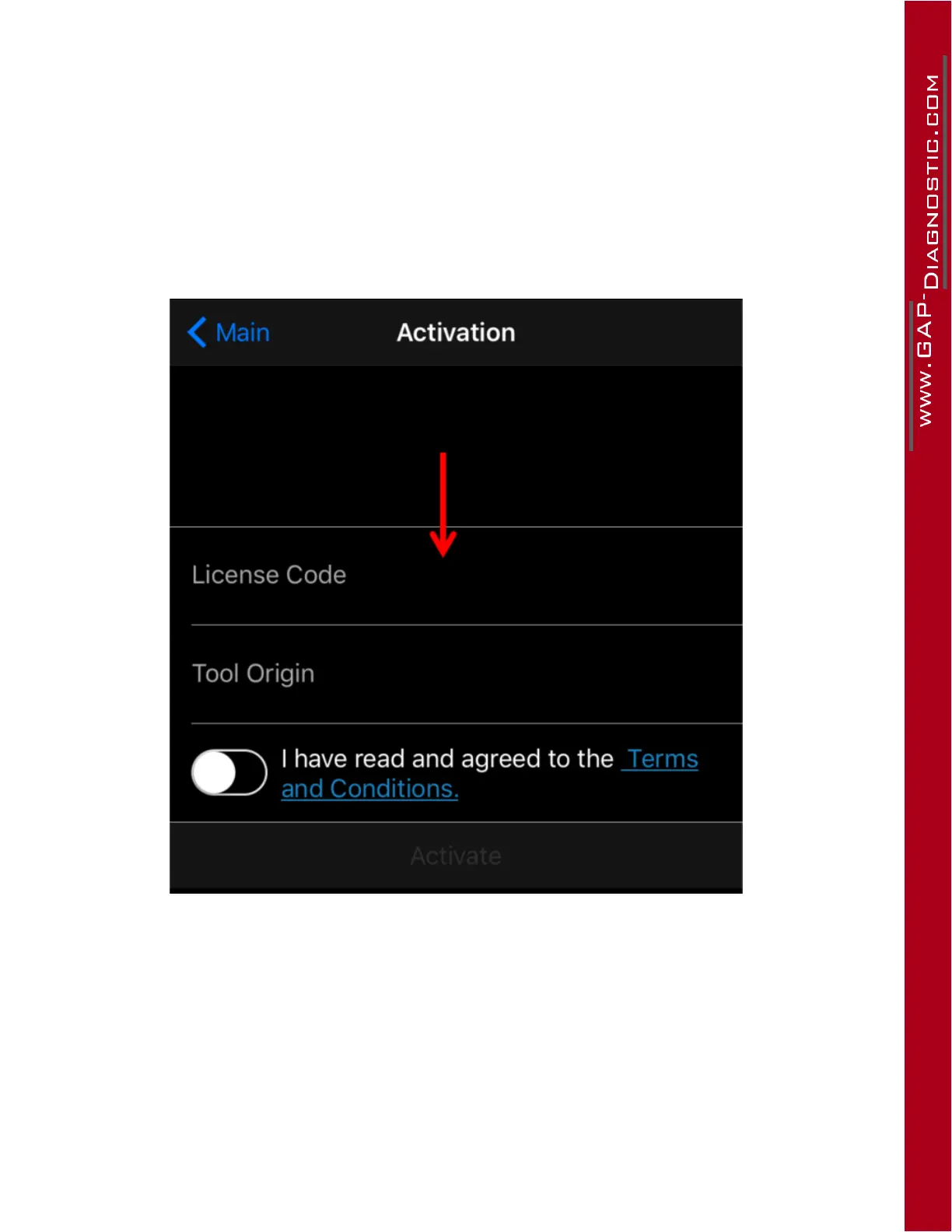
4- Enter the licence code (red arrow), select tool origin, read and agree to the terms and conditions
then click on activate.
The tool is now pre-activated for another vehicle.
Figure 37. App : mobile device connected to the internet. Steps for pre-unlocking the tool



 To Next Page