GE H
EALTHCARE
D
IRECTION
GA091568, R
EVISION
5 VIVID E9 S
ERVICE
M
ANUAL
Chapter 8 - Replacement procedures 8 - 83
8-6-3-7 Install the 19” LCD Monitor assembly
Follow these steps to install the LCD Monitor:
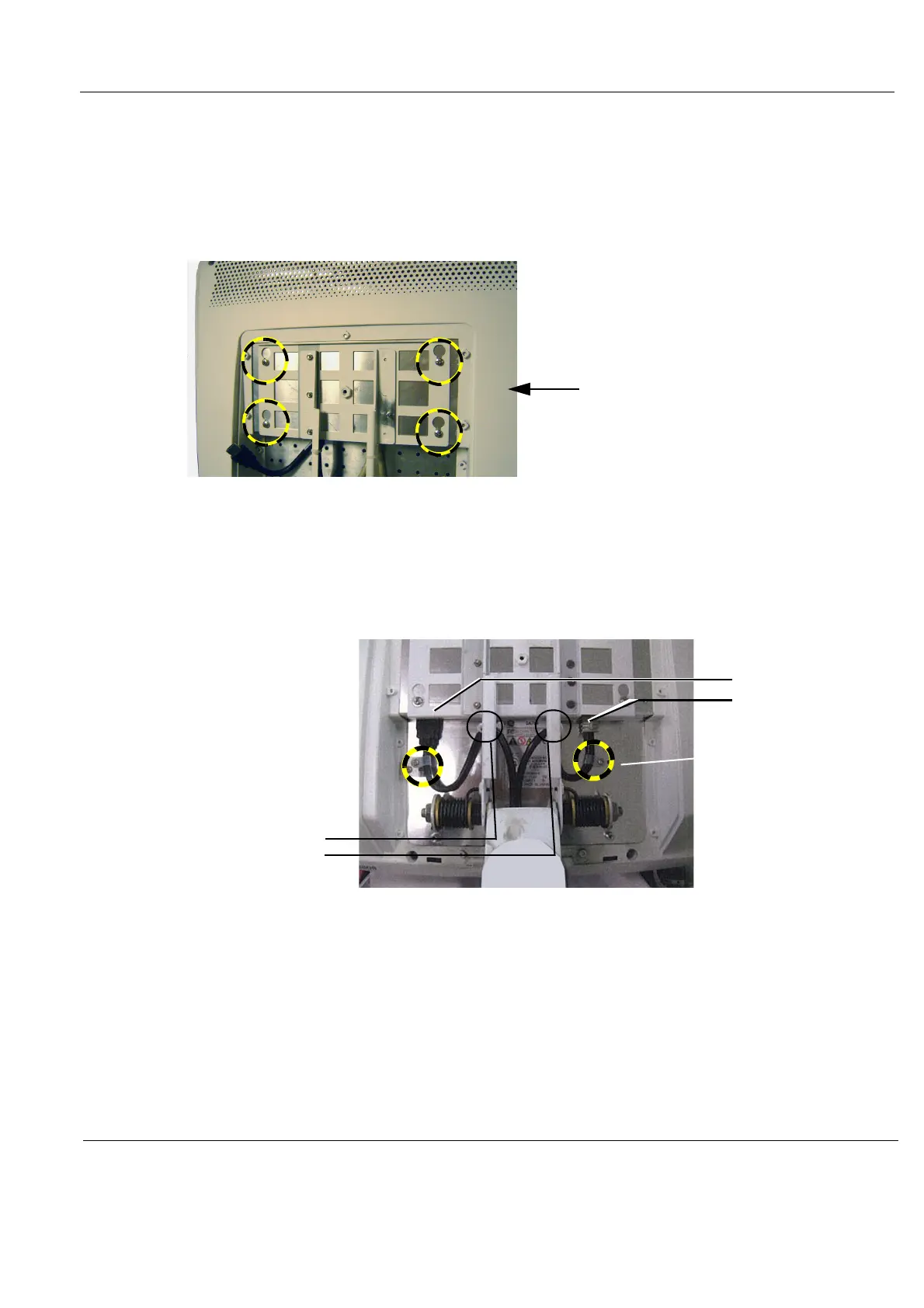
1.) Install the LCD Monitor assembly on the Monitor Bracket. Verify that all four fixing screws have
engaged in their slots.
2.) Tighten the four screws.
3.) Tilt the monitor to horizontal position.
4.) Connect the cables.
5.) Connect the cable clips, if present.
Figure 8-89 Four fixing screws
Figure 8-90 Connect cables
FOUR FIXING SCREWS
ADDITIONAL
CABLE CLIPS,
INSTALL IF
REPLACING CABLES
CABLES
CABLE CLIPS



 To Next Page