•
'Wall Motion Filter (WMF)'
on page 8-41
•
'Velocity Range (PRF)'
on page 8-40
•
'2D + 2D/HDF'
on page 8-25
8.5.2.1 HD-Flow Box Position and HD-Flow Box Size
In 2D imaging, the relations between 2D frame rate, line density, and sector width were
detailed to show how these three factors can be used to obtain optimal 2D images. A similar
relationship exists in Power-Doppler imaging. On the HD-Flow Submenu the line density
selection adjusts the balance between the 2D line density and the HD-Flow line density. The
values available are scan head-dependent.
The ability to change the HD-Flow Box size and position provides flexibility in Power-Doppler
imaging. The trackball changes the HD-Flow Box size and position.
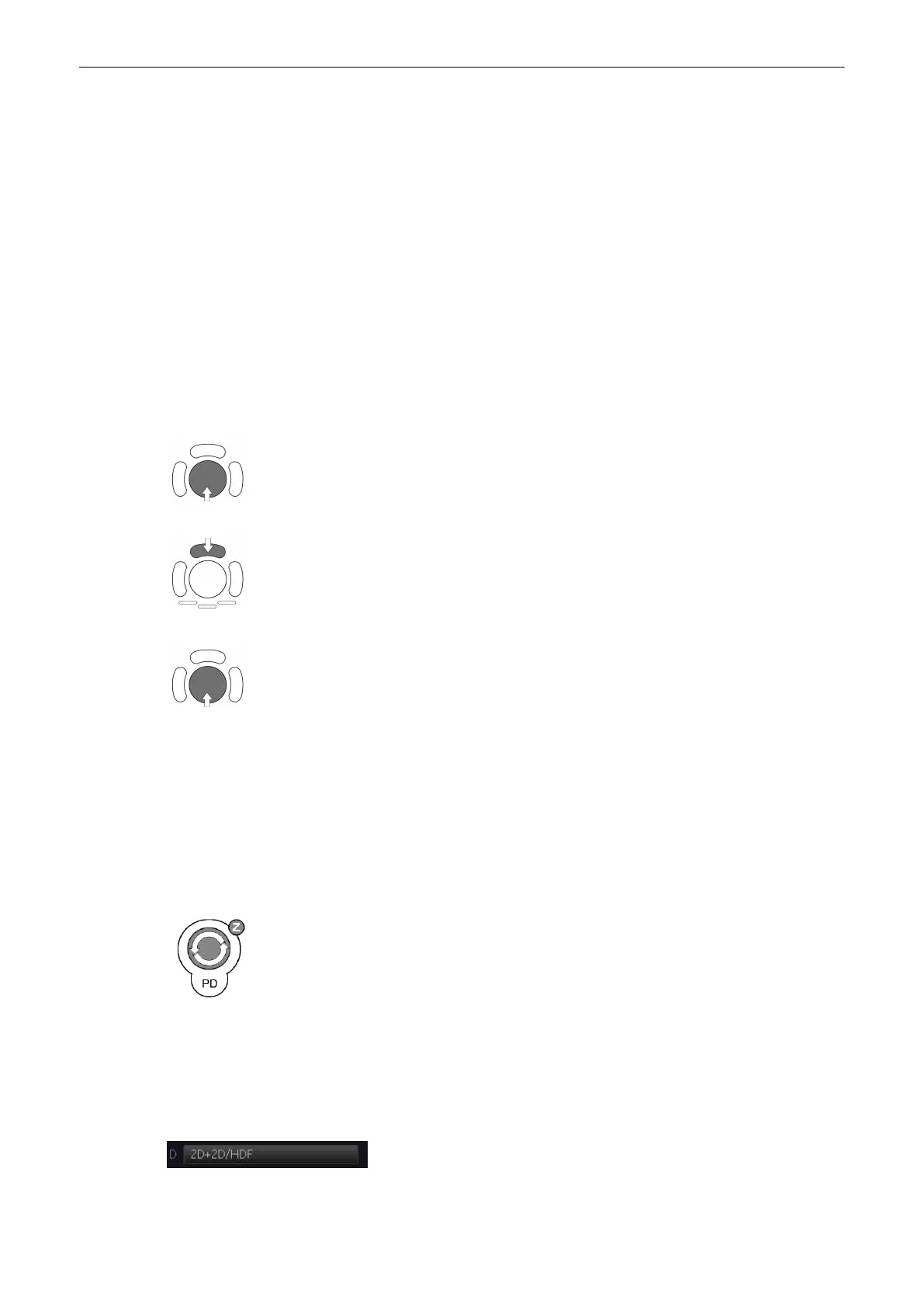
Use the trackball to adjust the HD-Flow Box position on the 2D image (Single, Dual, Quad).
← → HD-Flow box horizontal position
↑ ↓ HD-Flow box vertical position
The box is adjustable within the entire 2D image area.
The upper trackball key switches between HD-Flow Box position and HD-Flow Box size.
Press the upper trackball key to change from HD-Flow Box position to HD-Flow Box size.
Press it once more and it returns to the position change.
↑ decrease the vertical HD-Flow box size
↓ increase the vertical HD-Flow box size
→ increase the horizontal HD-Flow box size
← decrease the horizontal HD-Flow box size
8.5.2.2 HD-Flow Gain Control
HD-Flow Gain must be adjusted properly to ensure that continuous flow is displayed. HD-Flow
Gain should be set as high as possible without displaying random Color speckle.
If you set the HD-Flow Gain control too low, then the lack of sensitivity will make it difficult to
detect small abnormalities in flow and will possibly result in an underestimation of the large
flow disturbances.
[PD Mode] key: Rotating adjusts the intensity of the HD-Flow signal.
When the GAIN control is turned clockwise Color becomes more intense. When the GAIN
control is turned counterclockwise Color becomes less intense.
8.5.2.3 2D + 2D/HDF
The “ 2D+2D/HDF” function changes the single image display to two simultaneous half frames.
The left frame shows only the 2D mode image. The right frame shows the 2D mode image
with color information.
Switch on/off this mode by selecting the [2D+2D/HDF] key.
Doppler Modes
Voluson® S6/S8 Basic User Manual
5433669-100 Revision 4 8-25



 To Next Page