11.4 Basic Patient Worksheet Functions
All calculation results are recorded in the “application dependent” patient worksheets. By
pressing the [Report] key on the control panel, the Worksheet of the selected Measurement
Application is switched on. (Always start with first page of worksheet.)
•
To view a Worksheet
(chapter
'To view a Worksheet'
on page 11-101
)
•
To edit a Worksheet
(chapter
'To edit a Worksheet'
on page 11-103
)
•
To change the Application
(chapter
'To change the Application'
on page 11-103
)
•
Exam Comment
(chapter
'Exam Comment'
on page 11-103
)
•
To transfer a Worksheet
(chapter
'To transfer a Worksheet'
on page 11-105
)
•
To view previous Worksheets
(chapter
'To view previous Worksheets'
on page 11-105
)
•
To print a Report
(chapter
'To print a Report'
on page 11-106
)
The Obstetric Worksheet provides some additional functions. For further details review:
Obstetric - Worksheet
(chapter
'Obstetric Calculations - Subcategory: Biometry'
on page 11-
37
)
.
11.4.1 To view a Worksheet
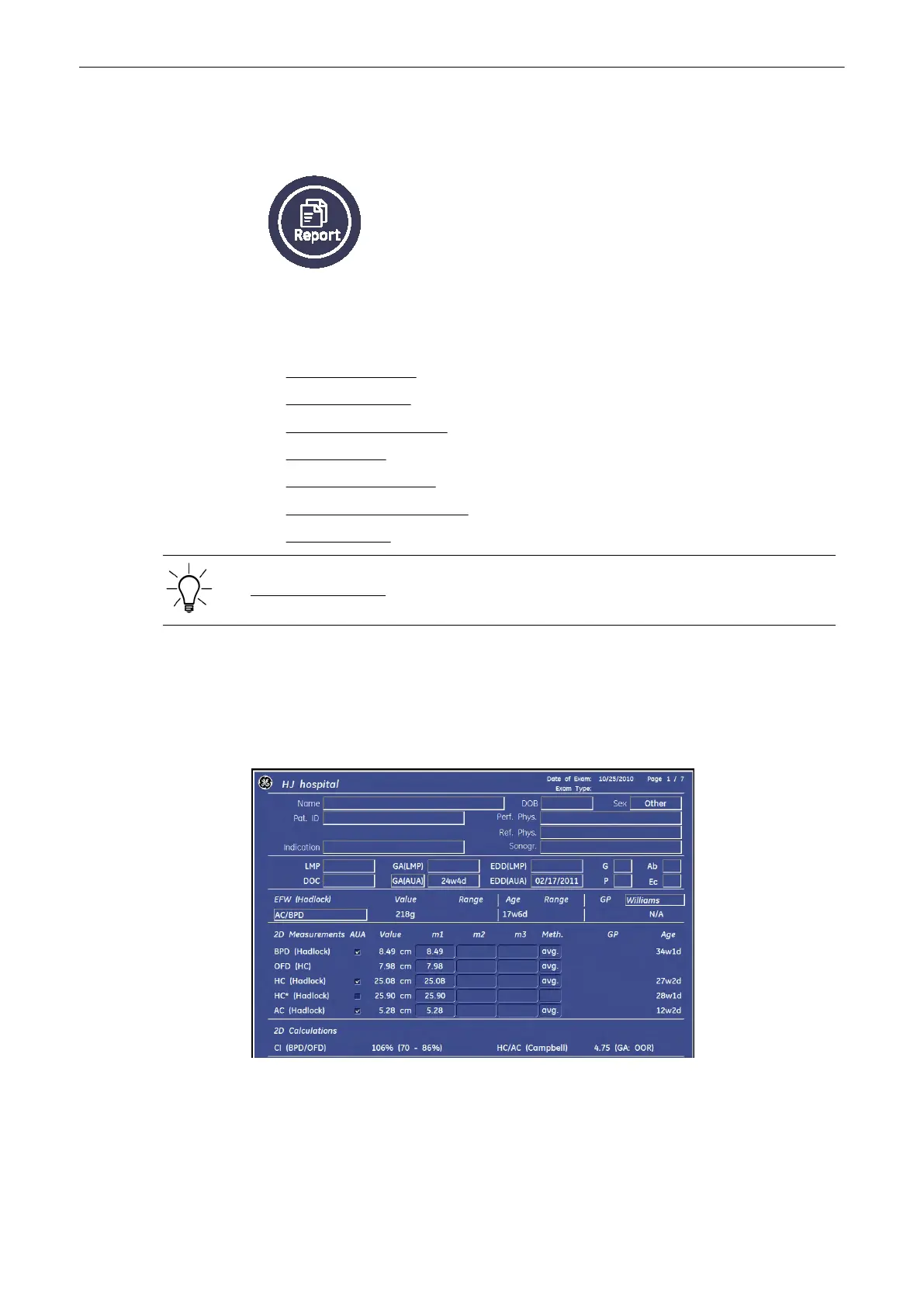
Press the [Report] key on the control panel to view the patient worksheet that contains the
result of calculations.
The worksheet appears as follows (e.g., Obstetrics – summary report “Calc”).
Measurements and Patient Worksheets (Reports)
Voluson® S6/S8 Basic User Manual
5433669-100 Revision 4 11-101



 To Next Page