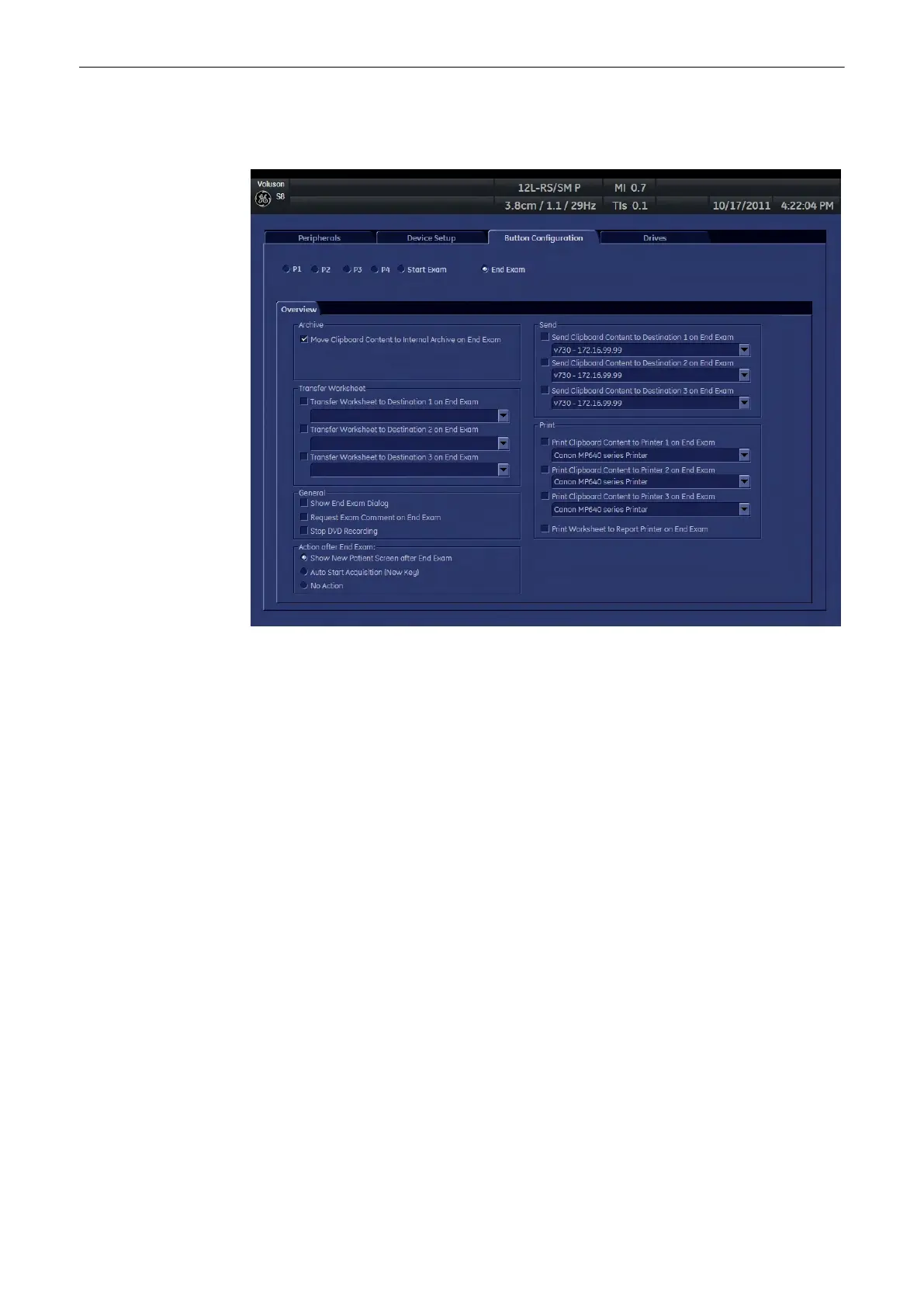
14.4 End Exam Button
1. Archive: This checkbox is set per default. If set, it moves the complete content of the
clipboard to the Internal archive.
Note
If this checkbox is not set, there is no possibility to save the clipboard content, apart from
entering Utilities - System Setup - Connectivity - Button Configuration and setting this
checkbox again!
2. Transfer Worksheet: There are three checkboxes. You can choose up to three different
destinations, where to transfer your worksheet(s) to. Choose the destination of the
remote server from the drop-down list. This option is greyed out, if no destinations are
available.
3. General:
a. Show End Exam Dialog: If this checkbox is checked, then the End Exam Dialog will be
shown on screen upon pressing the [End Exam] button.
Note
If both checkboxes, namely “Open Review Pageon End Exam” and “Show New Patient Screen
after End Exam” are selected, then the Exam Review page will be shown first. The next step is
closing the Exam. And finally the “Current Patient” page will be displayed.
b. Request Exam Comment on End Exam: If this checkbox is checked, you will be
prompted to enter an Exam Comment upon pressing the [End Exam] button.
c. Show New Patient Screen after End Exam:If this checkbox is checked, an empty
“Current Patient” screen is automatically opened upon pressing the [End Exam] button.
Note
If both checkboxes, namely “Open Review Pageon End Exam” and “Show New Patient Screen
after End Exam” are selected, then the Exam Review page will be shown first. The next step is
closing the Exam. And finally the “Current Patient” page will be displayed.
Programmable Keys
14-10
Voluson® S6/S8 Basic User Manual
5433669-100 Revision 4



 To Next Page