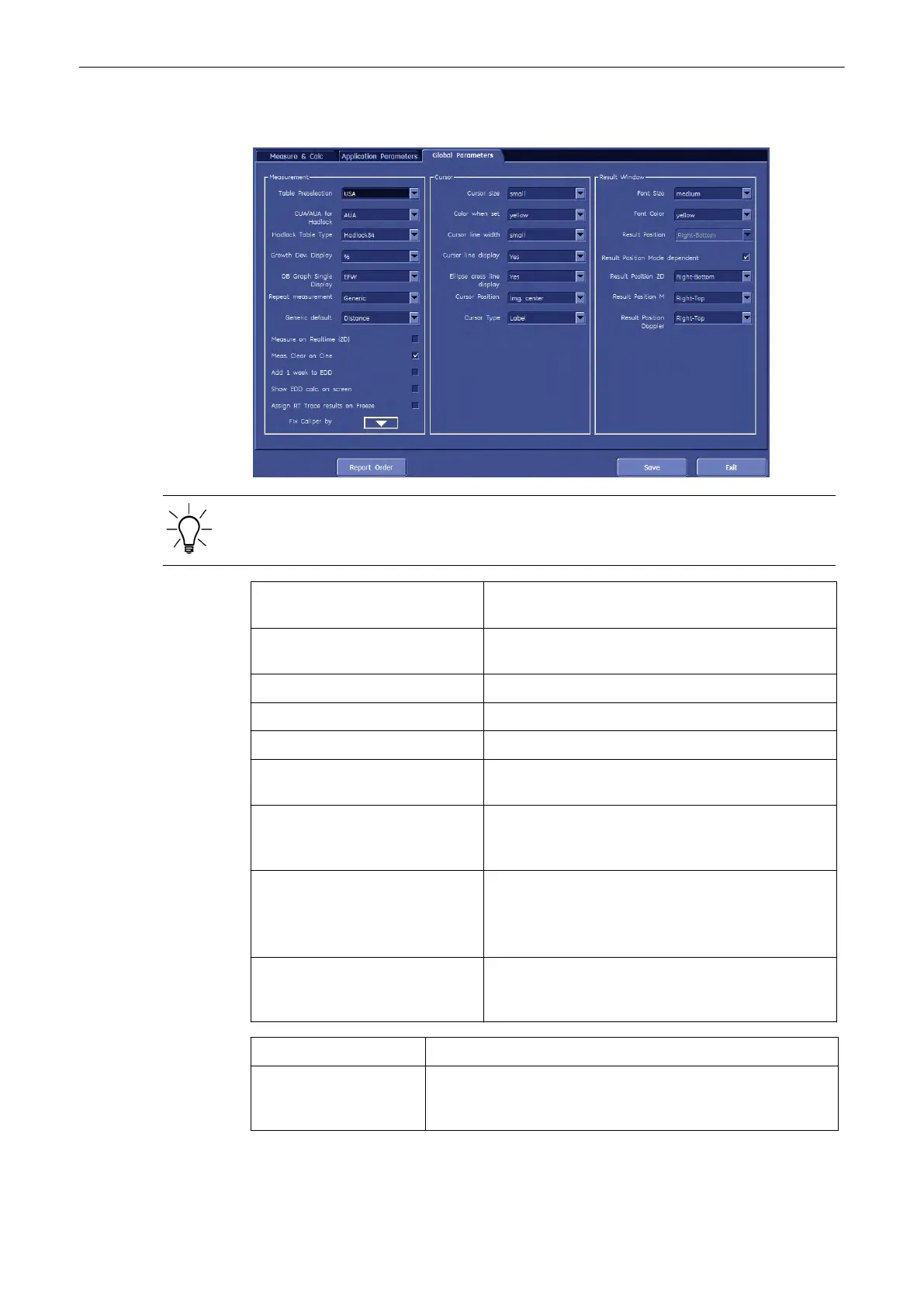
11.5.3.3 Global Parameters
Some parameters and possible adjustments depend on the “Table Preselection”.
Table Preselection: Select the desired combination of measurements that
fulfil the needs of the respective country.
CUA/AUA for Hadlock: Select to use CUA (Composite Ultrasound Age) or
AUA (Average Ultrasound Age) as default.
Hadlock Table Type: Select the desired Table Type.
Growth Dev. Display: Select SD (Standard Deviation) or %.
OB Graph Single Display: Select Last or EFW
Add 1 week to EDD: Select Yes or No (to add additional week to estimate
data of delivery)
Meas. Clear on Cine: Select if the measurement results should be deleted (=
Yes), or kept on screen (= No) as soon as cine mode is
activated.
Repeat measurement: Select if each measurement should be repeated:
Generic or Generic&Calc.
If each measurement should not be repeated, select
No.
Show EDD calc. on screen Select if EDD (Estimated Day of Delivery) should be
calculated and displayed on the screen (= Yes), or not
(= No)
Generic default: Select Distance or Last Used
Assign RT Trace results
on Freeze:
If RT Trace is on and [Freeze] is activated then the
measurement menu is shown to assign the measurement study.
Select [Yes] or [No].
Measurements and Patient Worksheets (Reports)
Voluson® S6/S8 Basic User Manual
5433669-100 Revision 4 11-127



 To Next Page