2. Measure Preset = User 1
3.
Measure Mode = Calc
4. Sub Category = Biometry
5. Imaging Mode = 2D/3D
6. Study = Early Gestation
7. Measure = YS (is the highlighted, relevant item)
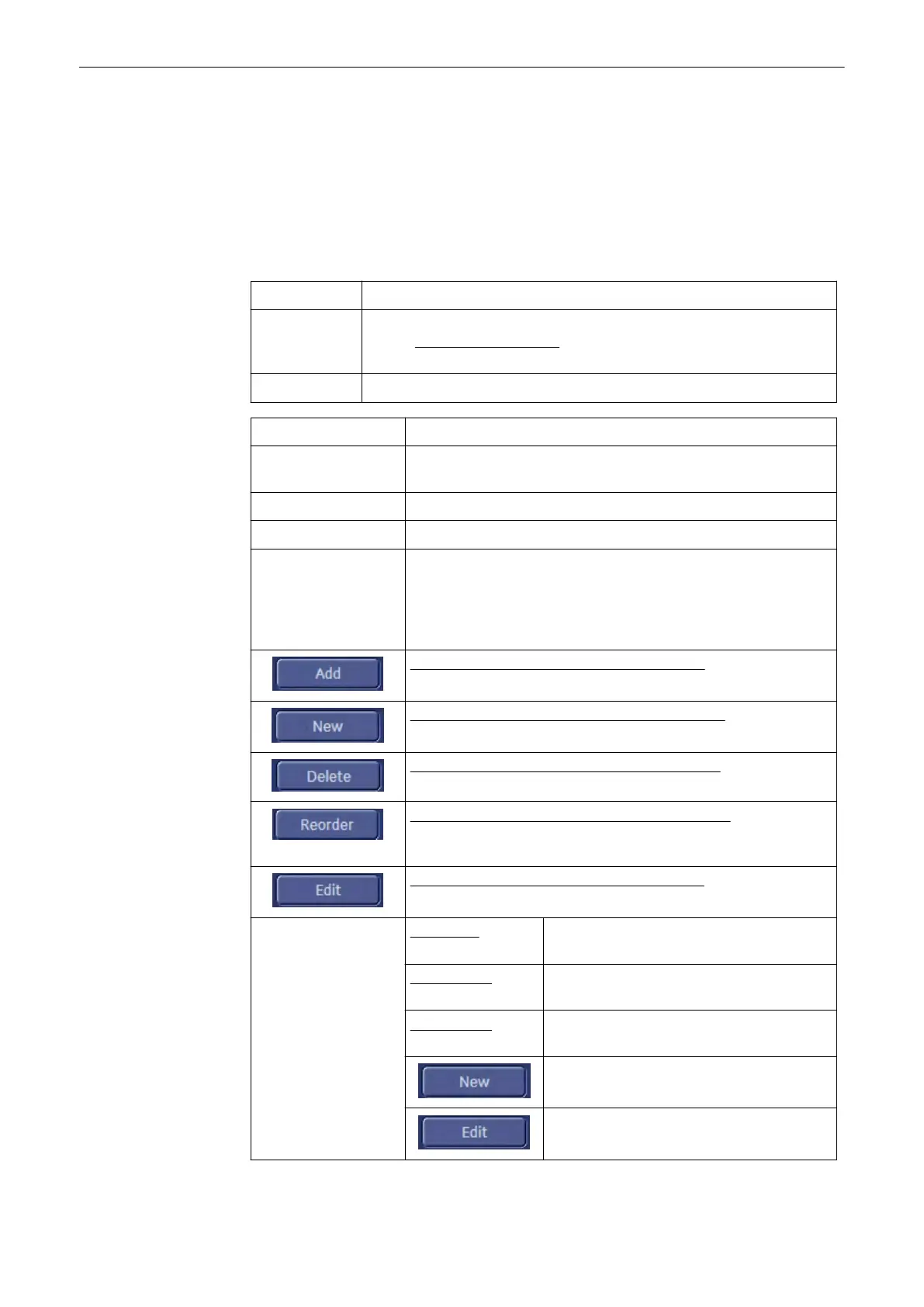
Application: Select the desired Application (e.g., Obstetric).
Setting: Select a measure setting (e.g., User 1). The terms can be renamed;
review:
Application Parameters
(chapter
'Application Parameters'
on page
11-124
)
Measure Mode: Select the Measure Mode: Generic or Calc
Sub Category: Shows the available sub measurement groups.
Imaging Mode: Shows the available display modes. Adding, Deleting, Reordering or
Editing an Imaging Mode is impossible!
Study: Shows the available measurement methods.
Measure: Shows the available measure items.
Auto Sequence: Measure Auto Sequence on/off If Auto Sequence is “On” (check
mark visible), select the items that should be measured in an
automatic sequence when pressing the [Calc] key. (Either select the
parameters individual or set only one check mark directly into the
“black” box to mark them all.)
To Add a Sub Category, Study or Measure Item
(chapter
'To Add a
Sub Category, Study or Measure Item'
on page 11-111
)
To Create a New Measurement or Calculation Item
(chapter
'To
Create a New Measurement or Calculation Item'
on page 11-112
)
To Delete a Sub Category, Study or Measure Item
(chapter
'To
Delete a Sub Category, Study or Measure Item'
on page 11-117
)
To Reorder a Sub Category, Study or Measure Item
(chapter
'To
Rearrange Sub Categories, Studies or Measure Items'
on page 11-
117
)
To Edit a Sub Category, Study or Measure Item
(chapter
'To Edit a
Sub Category, Study or Measure Item'
on page 11-118
)
Fetal Weight Settings:
Estimation: Shows the current selection. Click on this
field to create a New, or Edit the setting.
Age by EFW: Shows the current selection. Click on this
field to create a New, or Edit the setting.
EFW GP/SD: Shows the current selection. Click on this
field to create a New, or Edit the setting.
Create a new Fetal Weight setting.
Edit a Fetal Weight setting.
Measurements and Patient Worksheets (Reports)
11-110
Voluson® S6/S8 Basic User Manual
5433669-100 Revision 4



 To Next Page