WR1000-UM-251–01–9380 3 – 25
3. DISASSEMBLY AND REASSEMBLY
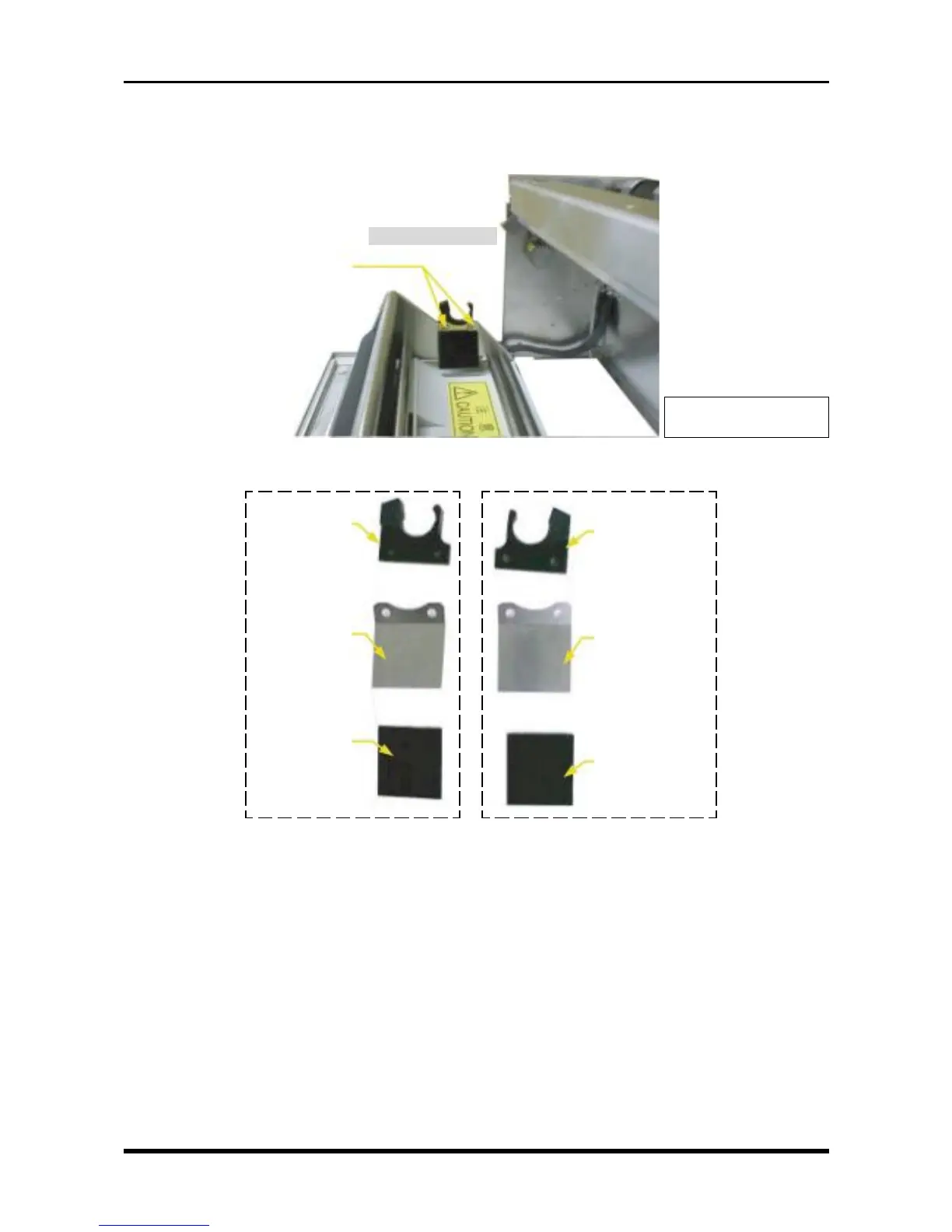
3.5.2 Replacing the Bobbin Holders
Unfasten the two screws, remove the bobbin holder assemblies, then replace the necessary components.
Fig. 3-5-11
Structure of right bobbin holder Structure of left bobbin holder
Fig. 3-5-12
Right bobbin holder
M2L4 binding-head screws
* Also repeat the process
for the other side.
Left bobbin holder
Tension spring
Tension felt
Right bobbin
holder
Tension spring
Tension felt



 To Next Page