WR1000-UM-251–01–9380 6 – 34
6. INSPECTION AND CHECK PROCEDURES
6.3.6 SCSI Interface Operation
If an external HDD or MODD is connected to the WR1000 via the SCSI interface, remove that external device
before proceeding.
Preparation
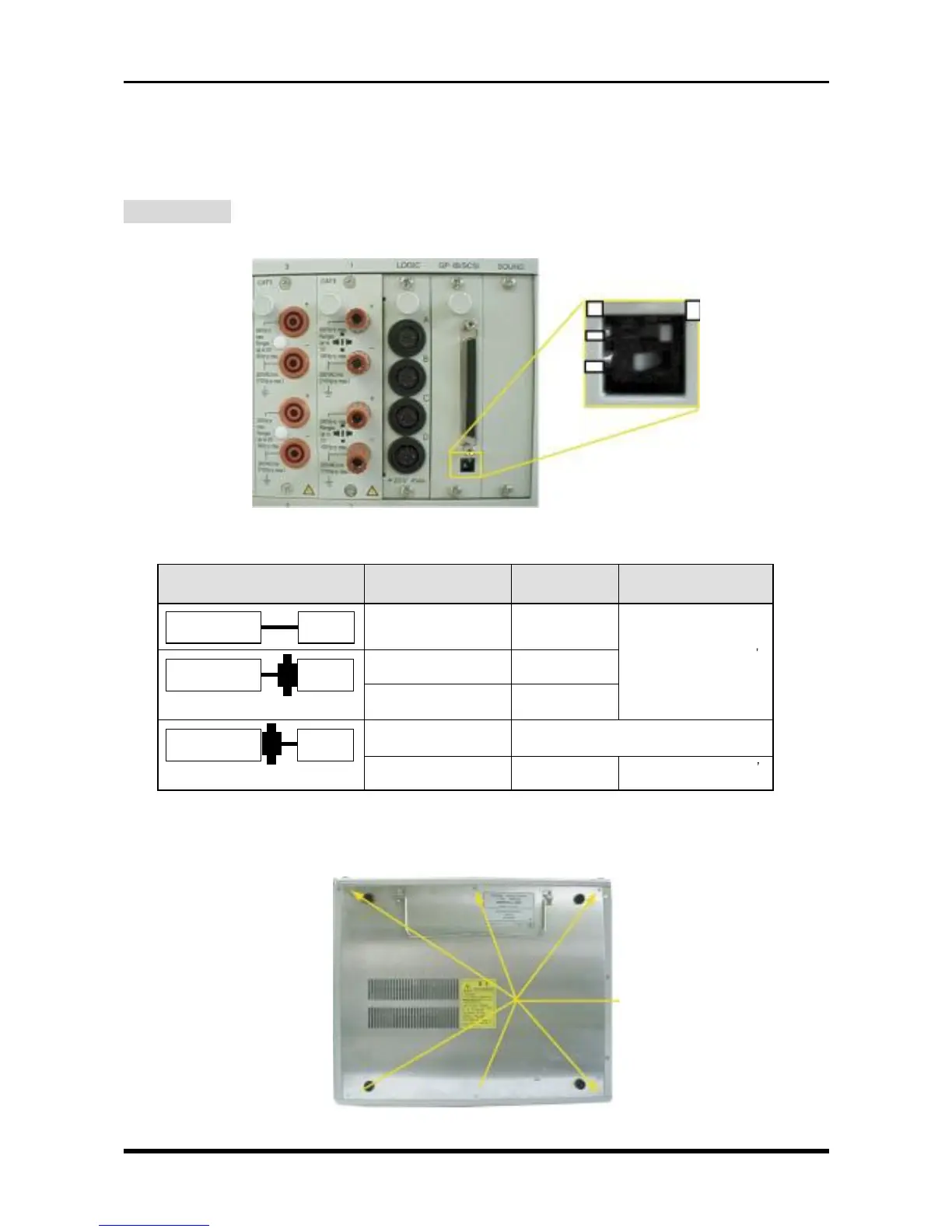
(1) Check the positions of the two switches that determine the Terminator setting for the SCSI interface.
Fig. 6-3-13
Table 6-3-6. Terminator setting
1 : Off
2 : Off
1 : Off
2 : On
1 : Off
2 : Off
Incompatible
1 : Off
2 : Off
Set the terminating device s
Terminator to On
Set the terminating device s
Terminator to On
Not needed
Conversion adapter without
terminator
Conversion adapter without
terminator
Conversion adapter with
terminator
Conversion adapter with
terminator
*2
Connected device
68 pin/50 pin
conversion adapter
*1
External device’s
Terminator status
WR1000
SCSI interface’s
Terminator setting
HDD
68-pin connector
WR1000
WR1000
WR1000
MO or ZIP drive
50-pin connector
MO or ZIP drive
50-pin connector
↑
Conversion adapter
↑
Conversion adapter
*
1
For this conversion adapter, use a commercially available product.
*
2
For the conversion adapter equipped with a terminator, use a conversion connector where the Active Terminator is
High Byte.
(2) Unfasten the six screws, then remove the bottom plate.
Fig. 6-3-14
M3L5 countersunk-head
screws
ON
OFF
12



 To Next Page