WR1000-UM-251–01–9380 3 – 3
3. DISASSEMBLY AND REASSEMBLY
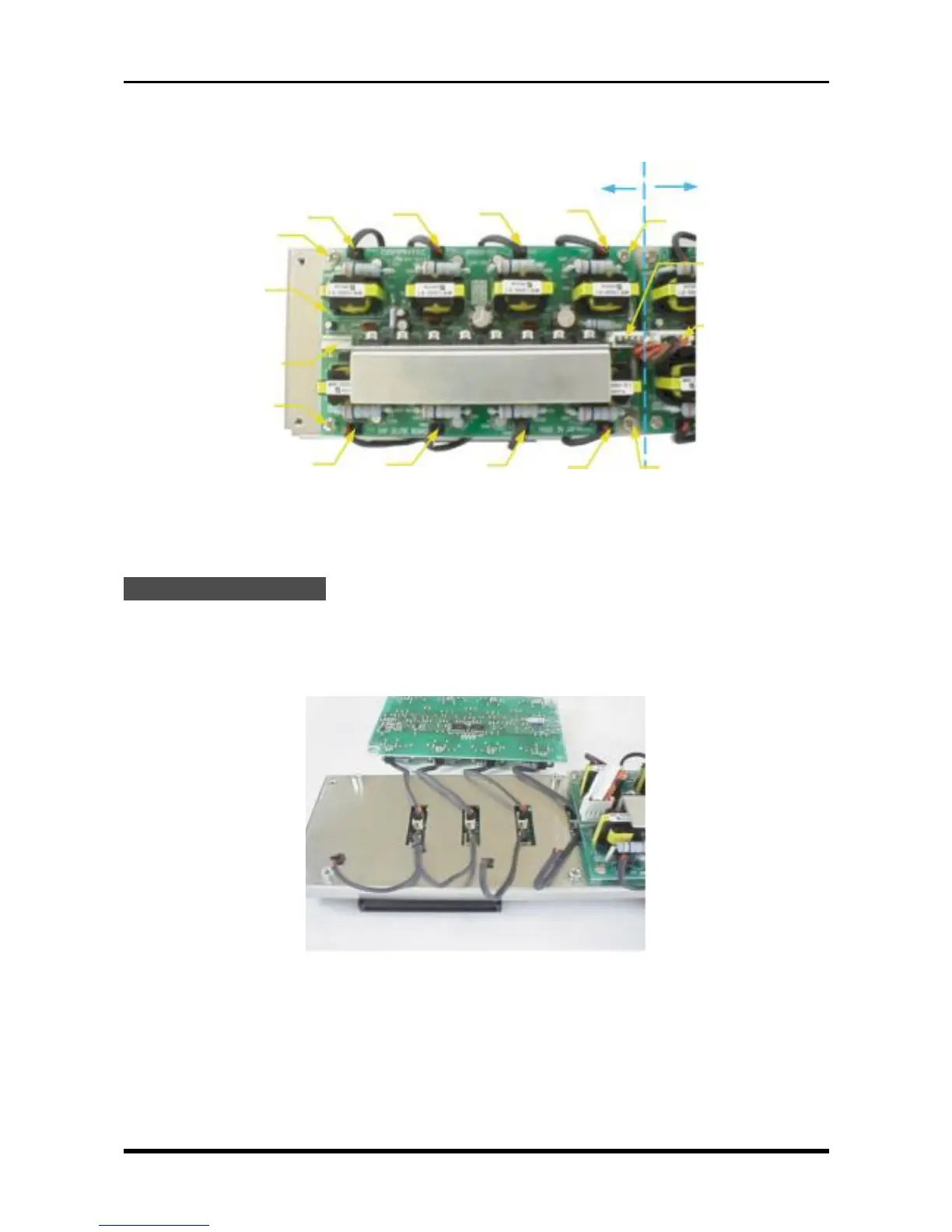
(5) Unfasten the four screws and disconnect the cables from nine connectors (P172, P101, P201, P301,
P401, P501, P601, P701, AND P801), then replace the amp DC/DC board.
Fig. 3-2-6
3.2.3 Replacing the Amp Mother Board
Replacement Procedure
(1) Remove the control panel unit (see Section 3.3, “Replacing the Control Panel Unit”).
(2) Remove the amp mother assembly (see Subsection 3.2.2, “Replacing the Amp DC/DC Board”).
(3) Remove the Amp DC/DC board, then disconnect its cables from the connectors on the amp mother
board.
Fig. 3-2-7
M3L4 binding-head screw
Amp DC/DC board
For Channels 1-8 For Channels 9-16
M3L4 binding-head screw
P101
P201
P301
P401
P172
P171
P501
P601
P701
P801
M3L4 binding-head screw
P171
M3L4 binding-head screw



 To Next Page