WR1000-UM-251–01–9380 3 – 37
3. DISASSEMBLY AND REASSEMBLY
3.9 Replacing the Internal and External Memory Devices
3.9.1 Replacing the Floppy Disk Drive (FDD) and FDD Control Board
Replacing the FDD
(1) Remove the bottom plate (see Subsection 3.6.1, “Replacing the 16-CH Control Board”).
(2) Disconnect the power cord and the cable from the interface connector.
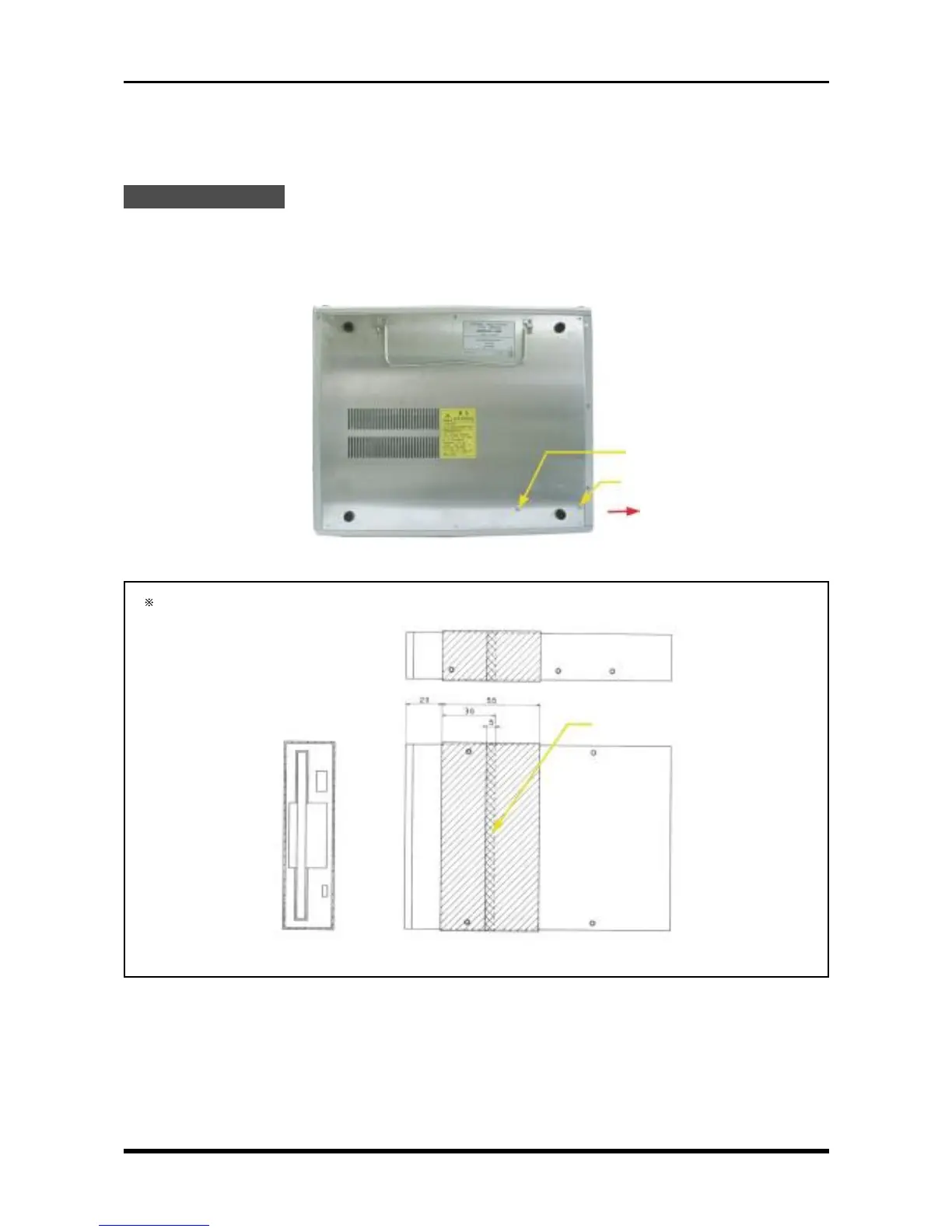
(3) Unfasten the M3L6 binding-head screws.
(4) Pull off the FDD in the direction indicated by the black arrow in the figure below, then replace it.
Fig. 3-9-1
To the new FDD, attach copper tape of 30-mm width to the shaded areas indicated in Fig. 3-9-2.
Fig. 3-9-2
Overlap the tape’s edges here
M3L6 binding-head screw
M3L6 binding-head screw



 To Next Page