WR1000-UM-251–01–9380 6 – 19
6. INSPECTION AND CHECK PROCEDURES
6.2.9 RS-232C Interface Operation
(1) Press the
SYSTEM
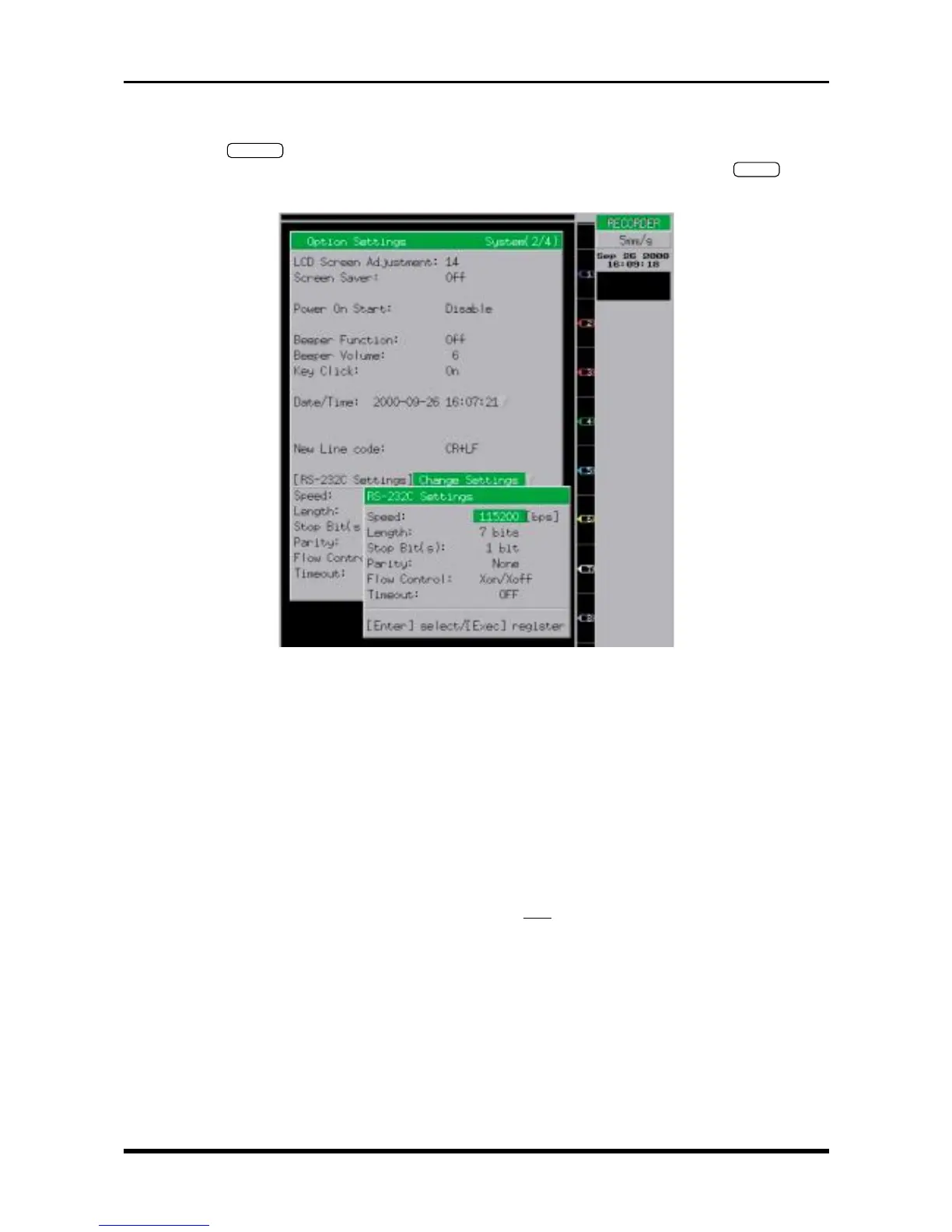
key twice on the Conditions panel to open the Option Settings window shown below,
move the cursor to the “[RS-232C Settings] Change Settings” position, then press the
ENTER
key to
display the RS-232C Settings menu. Set the menu’s parameters as follows.
Fig. 6-2-23. Option Settings window
Speed 115200 [bps]
Length 7 bits
Stop Bit(s) 1 bit
Parity None
Flow Control Xon/Xoff
Timeout Off
(2) Send a request from the computer for information about the WR1000’s status, such as its model ID
number, then check that the right response is received.
Example:
Command : * IDN?
Sample response : * IDN GRAPHTEC, WR1000, 0, 1.11
↑
Firmware version no.
For detailed information about commands, refer to the separate WR1000 COMMAND MANUAL.



 To Next Page